
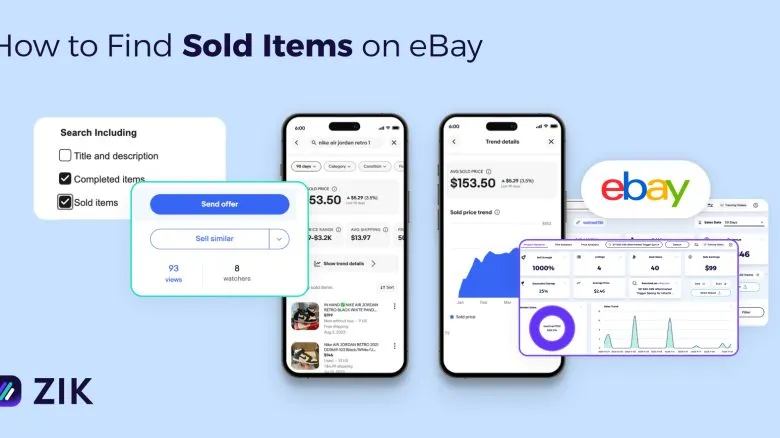
As an eBay dropshipper or merchant, one of the first things you want to check is the sold items. This is the data that shows you what buyers paid and how often an item has sold. Most sellers look at this before they list anything new.
Sold items data also helps you judge if a product is worth adding to your store. For example, you can see the prices buyers accepted, and whether the listing format played a role in the sale.
So, the question is “how to find sold items on eBay?” Below are the methods you can use to check both your own sales and the sales of other sellers.
Method 1: Use eBay’s Default Search to Check Sold Items
One of the most basic ways to check sold items is to use eBay’s default search. You type in a keyword, turn on a filter, and eBay shows you the listings that ended with a buyer. It’s simple and works well when you want a quick look at recent sales.
To see items sold on eBay:
- Enter your eBay keywords in the search bar
- Open the Show only menu on the left.
- Turn on Sold items.
This loads the items sold within the last 90 days.
Each sold listing shows the title, condition, selling price, format, shipping cost, and the seller’s username. You can open any item to see more details. If the listing has ended, you’ll see the sold date and the SOLD label. If it’s still active, eBay will show the current version of that listing.

Method 2: Find Sold Items Using eBay’s Advanced Search
eBay also has an Advanced Search tool you can use to check sold items. This method is helpful when you want more control over your search or need extra filters that don’t appear in the basic results.
For example, you might want to limit your search to smartphones under $200 or look only at men’s running shoes instead of the entire footwear category. With Advanced Search, you can apply these filters first so the sold results match exactly what you want to see.
To use it:
- Click Advanced next to the main search bar.
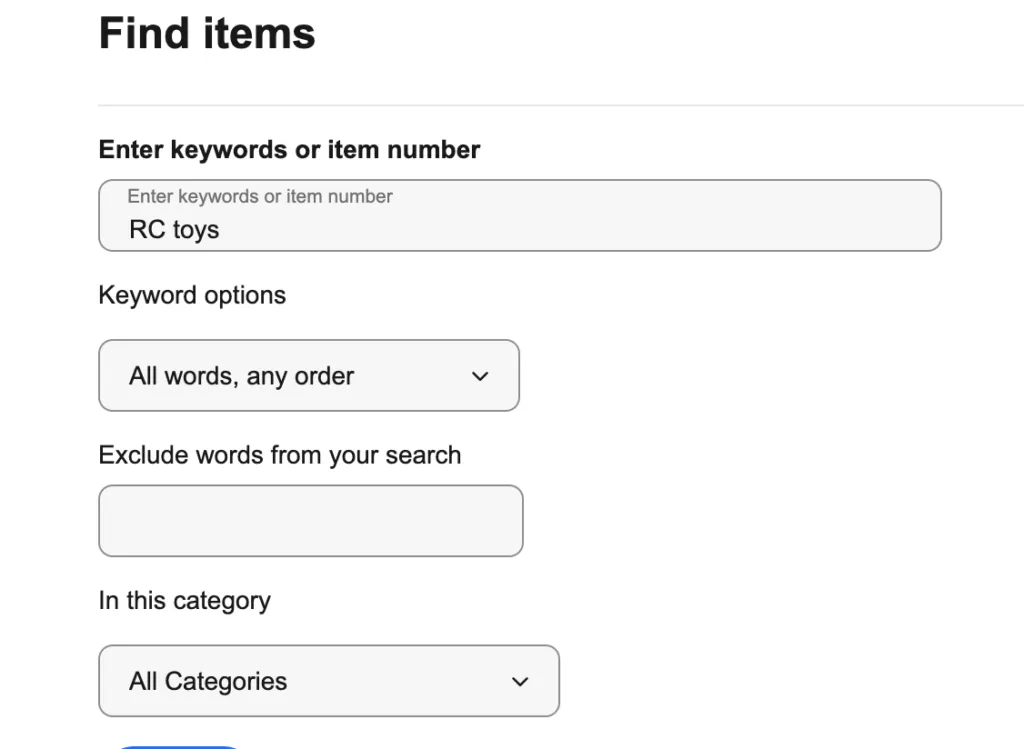
- Type in your keyword
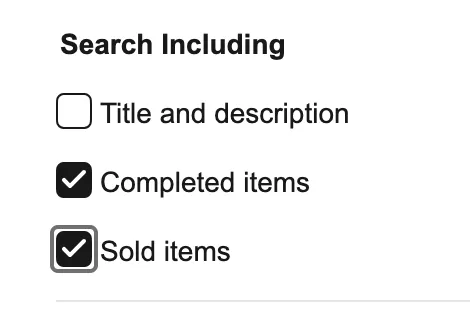
- Scroll down and turn on Sold items
- Click Search

Once the results load, you’ll only see listings that ended with a buyer. From there, you can explore how similar items performed and adjust your own strategy.
Method 3: Scan your eBay store name ID using the Competitor Research tool of ZIK
If you want a quick way to review sold items, ZIK’s eBay Competitor Research tool can pull everything together with one search. You enter an eBay store’s name, and the tool populates all its data on a single screen.
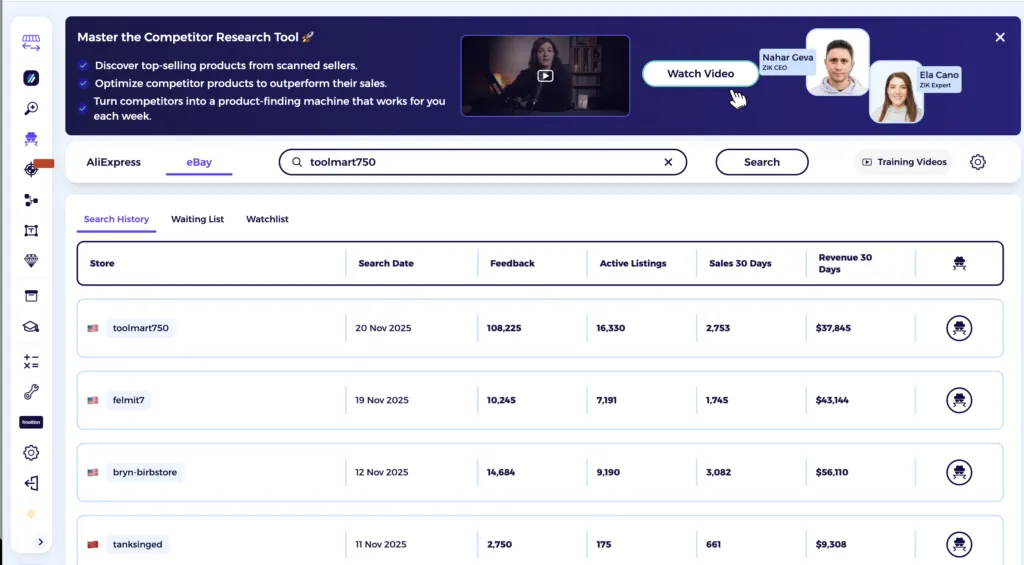
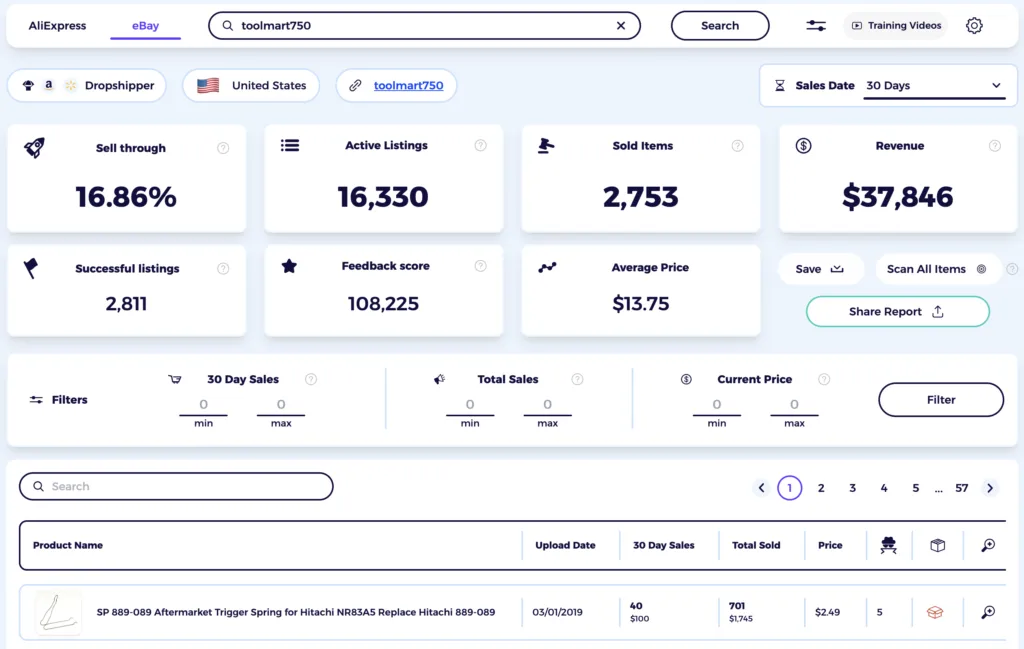
Once the store loads, you’ll see the total number of items sold, its 30-day revenue, active listings, and feedback.
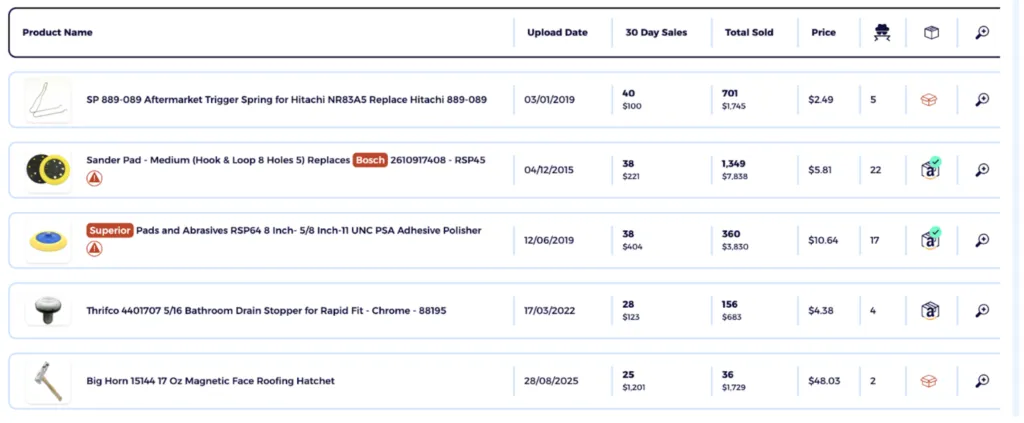
Scroll down, and you’ll find a product list that shows each item with its 30-day sales, total sold units, and current price. It’s the easiest place to check which products brought in sales and how they performed across the month.
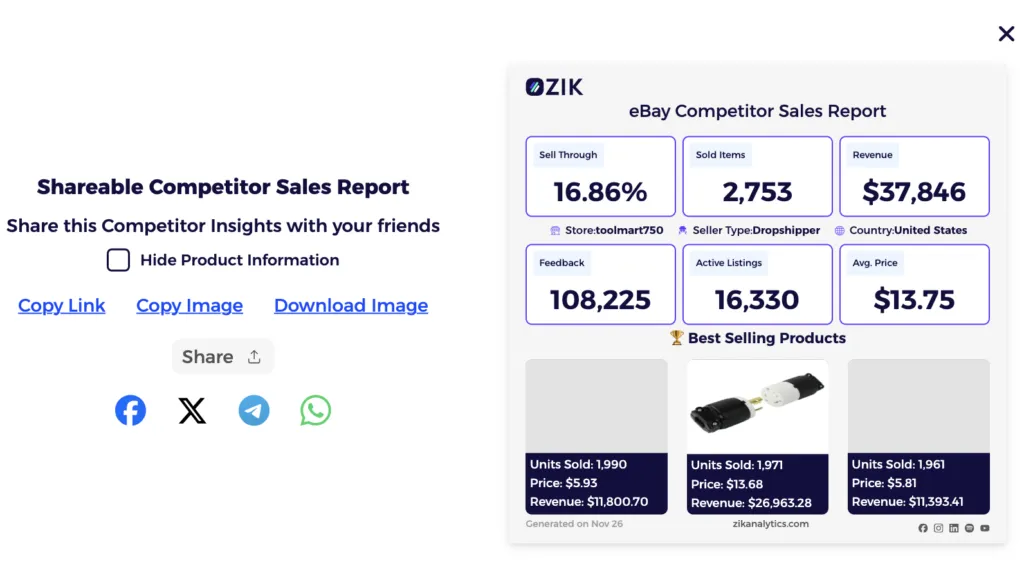
There’s also a Share Report button that generates a summary of your sold count, your recent earnings, and your top products. This is useful when you need a quick snapshot of sold items or want a report you can save.
If you tap into any item, ZIK opens a detailed page showing how many units it sold and the dates those sales came in. It also shows the listing price and total earnings for that product.
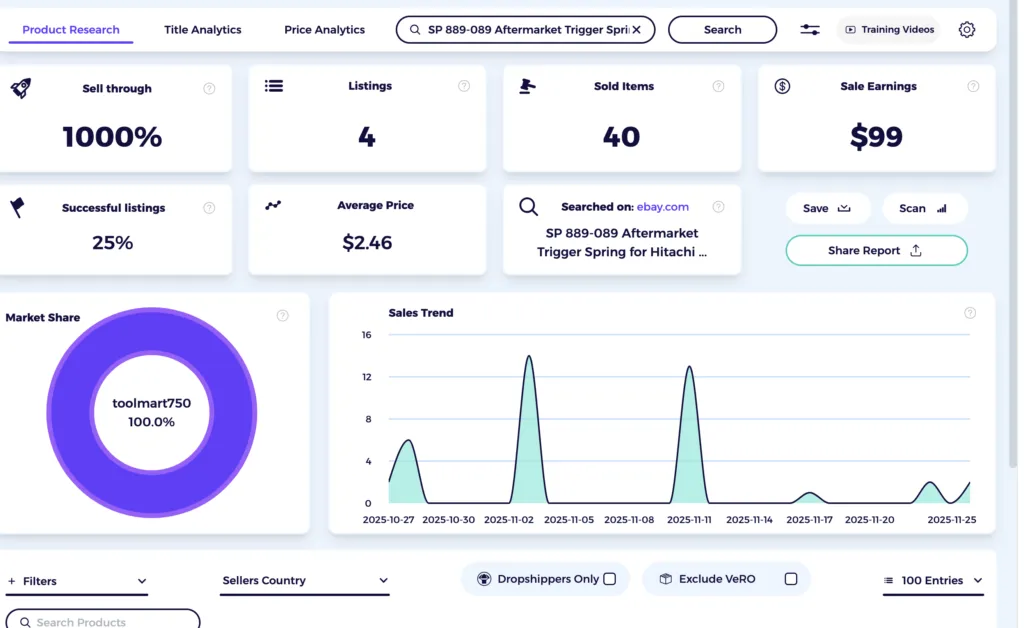
You can also use the ZIK eBay product research tool. In here you can put any generic or specific product name, such as a dog gate, and set filters to specify your needs.
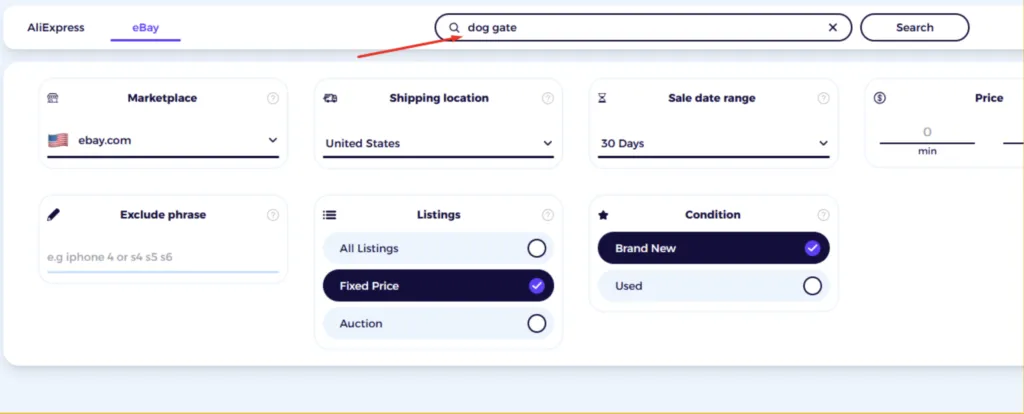
And this gives you a wealth of information, such as the total number of sold items that match the keyword.
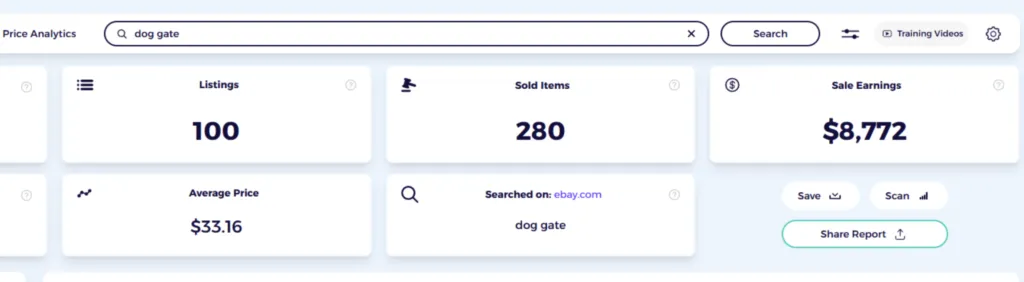
As well as each individual eBay item’s sold history for the past 7,14,21, and 30 days.
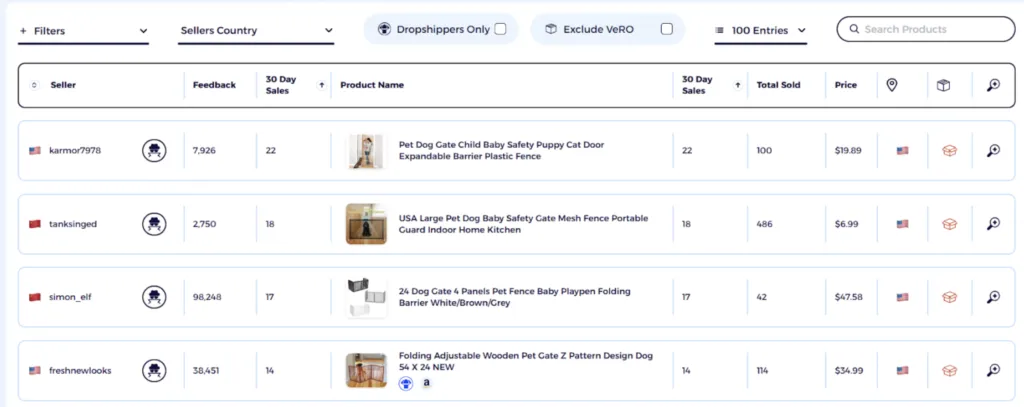
And there are a lot more ways in ZIK analytics to find data on sold items on eBay.
Method 4: View eBay Sold Items on Seller Hub
eBay lets you view your own sold items as well as check what other sellers have sold. You can go to Seller Hub or My eBay to see up to two years of your sales history. This data can be useful when you want to track older orders or review how certain items performed over time.
To see your sold items:
- Go to Seller Hub or My eBay
- Open Listings and select Ended
- Choose Sold from the drop-down and tap Search
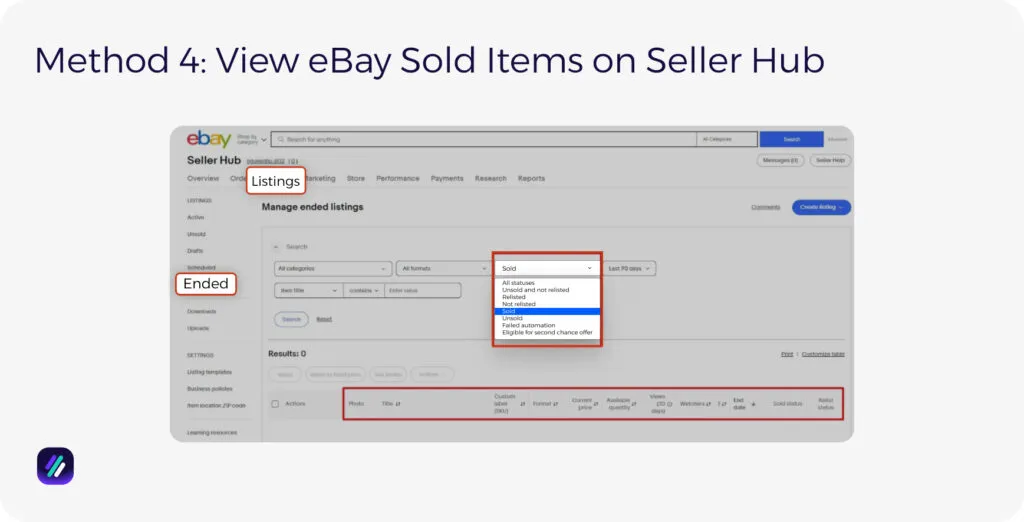
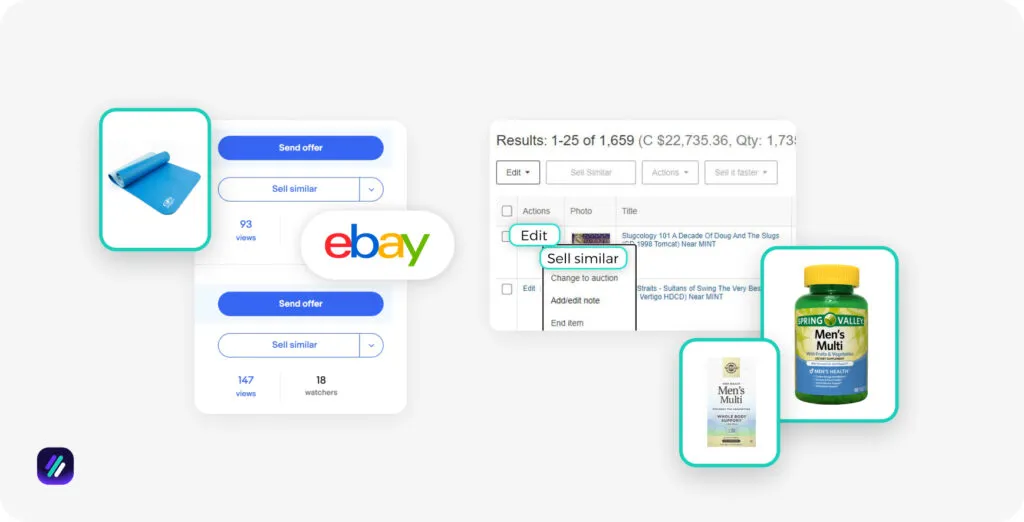
You’ll see each item’s photo, title, price, watchers, end date, and status. You can also relist or use Sell Similar if you have more stock. The same steps work on the eBay app, too.
Method 5: Check Sold Items on the eBay Mobile App
If you use the eBay app more than the desktop site, you can still check sold items with the same filters. It only takes a few taps, and you can do it even when you’re away from your laptop.
Here are the steps:
- Search for the item you want to check.
- Tap Filter at the top or bottom of the screen.
- Scroll down until you see Sold items, then turn it on.
- Tap Show results to load only the listings that actually sold.
- If you want more details, open any result and tap See original listing. This lets you view the full sold breakdown.
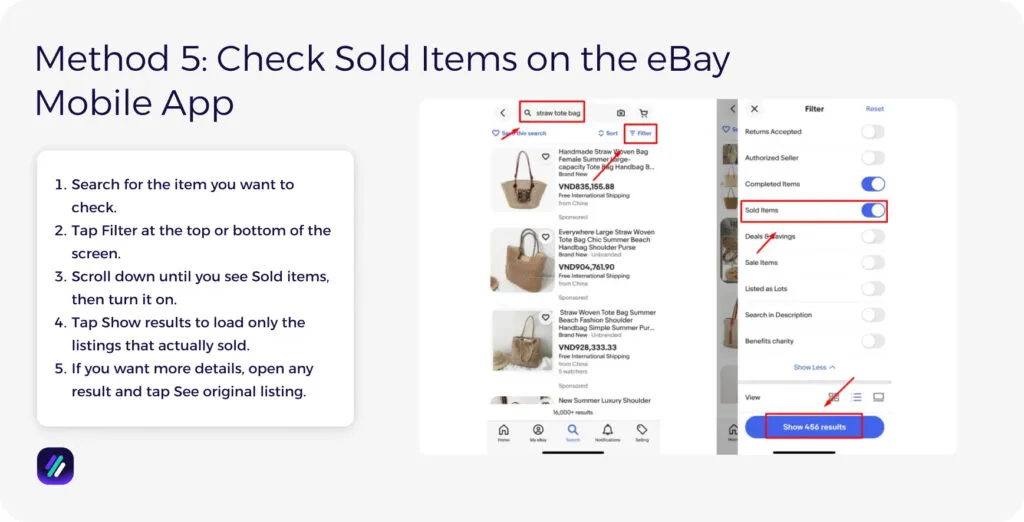
Using these quick steps, you can browse sold listings on mobile just as easily as you would on the desktop version.
Perform Deep eBay Product Analysis with ZIK Analytics
Now that you’ve learned how to find sold items on eBay, you can use this data to improve your product selection and pricing decisions.
For deeper analysis, ZIK Analytics is eBay seller software that helps you validate product ideas and see which items have demand before you list.
Our eBay product research tool shows you sales data and profit potential so you can price competitively and skip products that buyers aren’t interested in.
Plus, we offer eBay market insights that track trending niches and top-performing sellers so you know which items are hot right now.
Ready to go beyond surface-level insights and get data that helps you sell? Try ZIK Analytics for 7 days for only $1.
Click to download the eBook and master eBay product research for winning items.Frequently Asked Questions About How to Find Sold Items on eBay
In this section, I’ll answer the frequently asked questions about how to find sold items on eBay.
Where is “Sold items” in Advanced Search?
Sold items in Advanced Search are listings that ended with a buyer. When you select the Sold items filter, eBay shows only the listings where a sale happened. You find this filter under Show only or in the left menu on desktop. Viewing Sold items can help you understand how often an item actually sells.
How do I see sold items on the eBay app?
You can see your sold items by opening the Selling tab and tapping the Sold number. You can select Sold only to check what moved in the last 90 days. If you want older sales, use the desktop site or email. You can also see other sellers’ sold items by using the Show only filter after a search.
Can I view sold listings older than the default window?
You can view your own sold listings older than the default window, but public sold listings are limited. Your Seller Hub and My eBay Orders let you see your sales for up to two years, and you can download reports for record use. Public searches only show the last 90 days, unless you use tools like Terapeak or WorthPoint.
Why use Sold instead of Completed?
You use Sold instead of Completed because Sold shows a successful transaction where the item was exchanged for money. Completed only shows that the listing ended. That is helpful when you want to check how many items failed to sell or see patterns that may point to weak demand or poor pricing.
Do I need third-party tools?
Yes, you need third-party tools to broaden what eBay shows by default. Tools like ZIK Analytics give set timeframes such as 7, 14, 21, or 30 days, and let you review competitor activity in more detail. You can then study products, check trends, and make choices with data that eBay’s basic search does not offer.