
Selling on eBay comes with the challenge of finding products that resonate with potential buyers.
But with 2.4 billion items listed on the platform, how do you go about choosing what to sell or what actually sells well and what doesn’t?
Before you get overwhelmed and start looking at other marketplaces, know that there are ways to identify the top-selling products on eBay.
Below, I share 8 methods you can use to find such items and start making money on eBay.
Key Takeaways
- eBay’s native product research tool lets you analyze sales data by date period, marketplace, and sold listings within the platform.
- Advanced Search lets you analyze Completed and Sold Listings using metrics like final sales price and sales volume
ZIK Analytics streamlines data analysis by giving you all vital eBay filters and metrics in one place - Analyzing the best sellers on other marketplaces can also give you an idea about potential top sellers on eBay
Method 1: Analyze eBay’s Completed and Sold Listings
eBay has tons of listings at any time, but the ones you want to analyze are Completed and Sold listings.
These listings let you see the actual prices buyers are paying for items, as well as observe a range of final prices for similar products so you can decide a competitive price for your own.
To find them:
- Head over to eBay’s homepage from your desktop and type the name of your specific product in the main search bar.

- Click the Advanced link present on the right side of the blue Search button.

- Find the Search Options section and check the box for “Sold listings” to see only items that have successfully sold. (or choose Completed listings if you want to see all ended listings (featuring both sold and unsold items).

- Click “Search” and simply scroll through the results after using the sidebar filter.

If you’re using the eBay mobile app, open it and enter the keyword in the search bar. After the results appear, tap the Filter button and scroll down its menu. Then tap Show More, scroll further down and toggle on the “Sold items” option. The last step is to tap Show Results or Apply to see the filtered listings.
Once you have sorted the list of sold items, analyze the following data to get insights about top selling items:
- Final sales price: Products marked in green text are the ones that successfully sold. Note the final price of these items.
- Item condition: See in what condition the product sold, i.e, whether it was “new in box” or “used, with flaws.”
- Shipping costs: Check whether the shipping was extra or free. Factor the total cost (price + shipping) into your analysis]
- Sales volume: Look at how many similar products have sold recently within the past 30 to 90 days. A high number of recent sales indicates high demand for that product.
Method 2: Analyze Your eBay Niche/Category Top Products
If you want to analyze the top sellers in a specific category or niche, ZIK’s eBay Product Research tool is the solution for you.
You can use this tool to instantly analyze the top listings in high-demand, low-competition niches. The insights it provides can help you make informed sourcing decisions for your eBay store.
To use it:
Go to your ZIK dashboard and select Product Research from the left hand menu.

In the dashboard, enter the name of the niche or category you want to research. The product research tool lets you filter your search by marketplace (such as ebay.com, ebay.co.uk, ebay.com.au, etc.), listings (all, fixed price, or auction), condition (brand new, used), shipping location, and more.
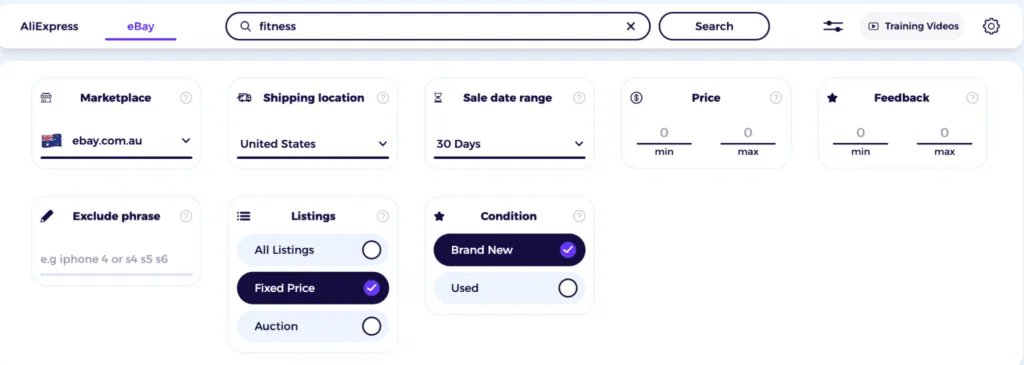
Basically, you get all the filters that eBay provides via its native platform, but organized in a neat and clean setting.
Clicking Search takes you to another dashboard where you get valuable metrics like sell-through rate, total sold items, average price, and sale earnings in one place.

Scroll down a bit and you’ll arrive at the product view featuring a list of 100 top sellers organized by total sold units, 30 day sales, feedback score, and price. You can analyze this list by volume of recent sales and price range, and the seller’s country. You can also choose whether you want to analyze products just from dropshipper suppliers and exclude eBay VeRo items.
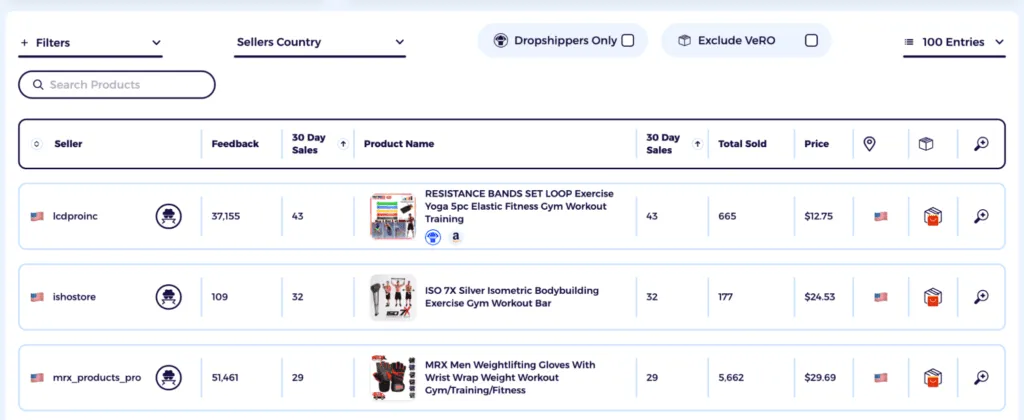
The products that appear at the very top for each result are the ones that top sell on the eBay marketplace.
Method 3: Research Your eBay Competitors’ Products
Analyzing your competitors’ items helps you see exactly which products are selling well and add similar, proven items to your store.
ZIK Analytics offers an eBay Competitor Research tool you can use to uncover any store’s best sellers in a few clicks.
Open the tool and enter the name and ID of your competitor’s eBay store. Then click search to get a breakdown of their active listings, sold items, sell-through rate, and more.
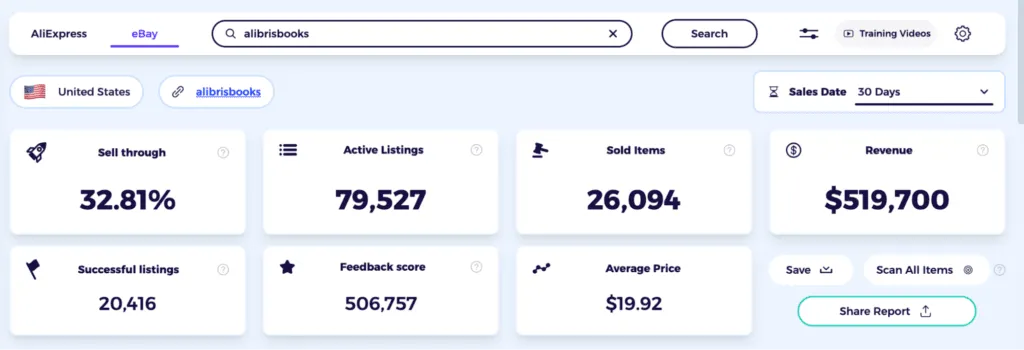
Make sure to check the top 3-5 products, as the tool always shows the top performers first.
If you want to analyze a specific item, you can click the magnifying glass icon at the far right to do so.

The dashboard for individual listings also shows key metrics such as average price, revenue, and the overall sales trend.
Method 4: Check eBay Item Sold History
Another method on how to find top-selling items on eBay is to check the item’s sold history.
Unfortunately, eBay hides the sold history for items, but with the free ZIK Analytics eBay Sold History Button, you can easily find any eBay item’s sold history.
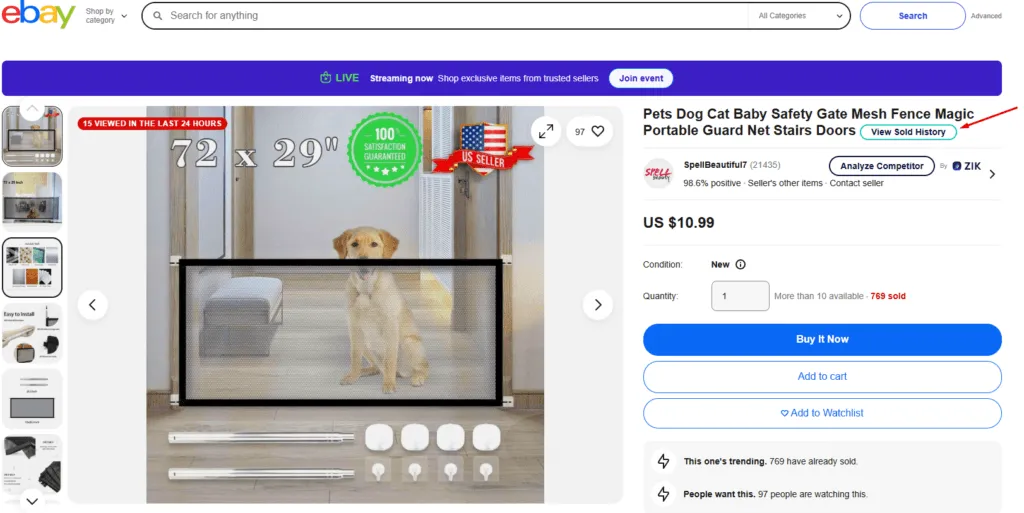
It shows you how many recent purchases the item has had and when, and for how much the item sold.
So, like this, you can check any eBay item’s sold history and analyze if it’s worth selling.
Of course, it’s a slow process where you need to go item by item, search for them, and calculate the sales and profit margins.
And of course, the biggest limitation of this method is actually finding the right items. People are limited to their imagination and what they know, and it’s very hard to search for products that you never heard about.
Method 5: Analyze eBay Market Trends
Market trends often highlight products that are likely to perform well in the coming months.
ZIK Analytics offers an eBay Market Insights tool that you can use to uncover eBay’s top trends and products in one dashboard.
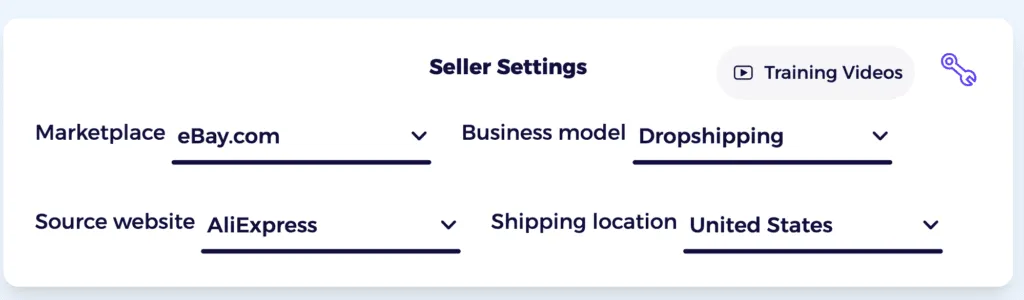
To use it, log in to your ZIK account and go to Seller Settings within the dashboard. Then choose eBay as your marketplace, pick a business model (e.g., dropshipping, arbitrage, etc.), and a sourcing supplier (e.g, AliExpress). ZIK also lets you choose a shipping location to narrow down your research.
Next, go through the Trending Niches section that shows the list of top-performing eBay keywords from the past 30 days (ranked by estimated revenue). This gives you an idea of what people are actively searching for on the eBay marketplace.
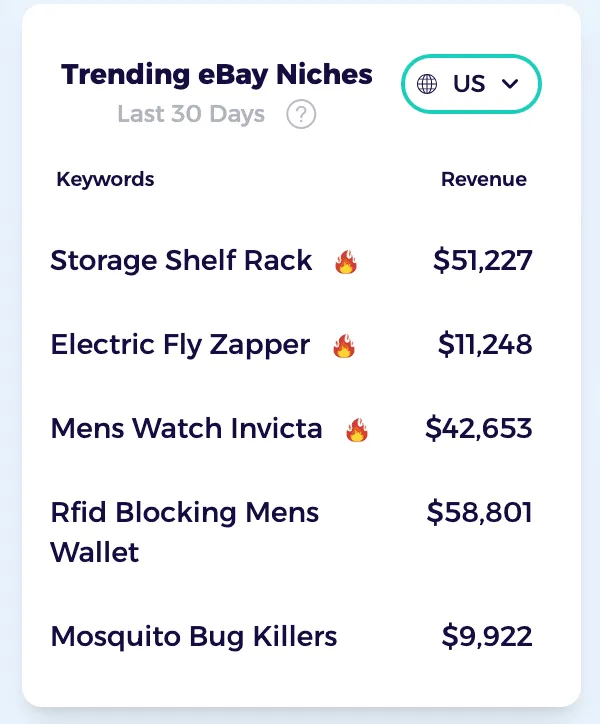
You can filter the list by country, such as the United States, Australia, Canada, or Germany, depending on your target market.

At the center of the Market Insights dashboard is a “Trending Products” feed that gets updated daily. It features a list of specific products with real sales information, pricing, and profit estimates, helping you identify top eBay sellers quickly.

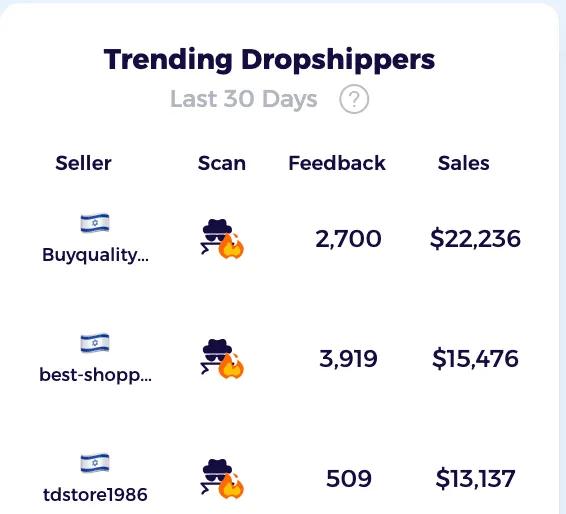
If you want to analyze eBay competitors, the Trending Dropshippers section gives you a list of top sellers in a given market. Clicking the detective icon opens up our eBay Competitor Research tool that you can use to analyze their best sellers and overall sales volume.
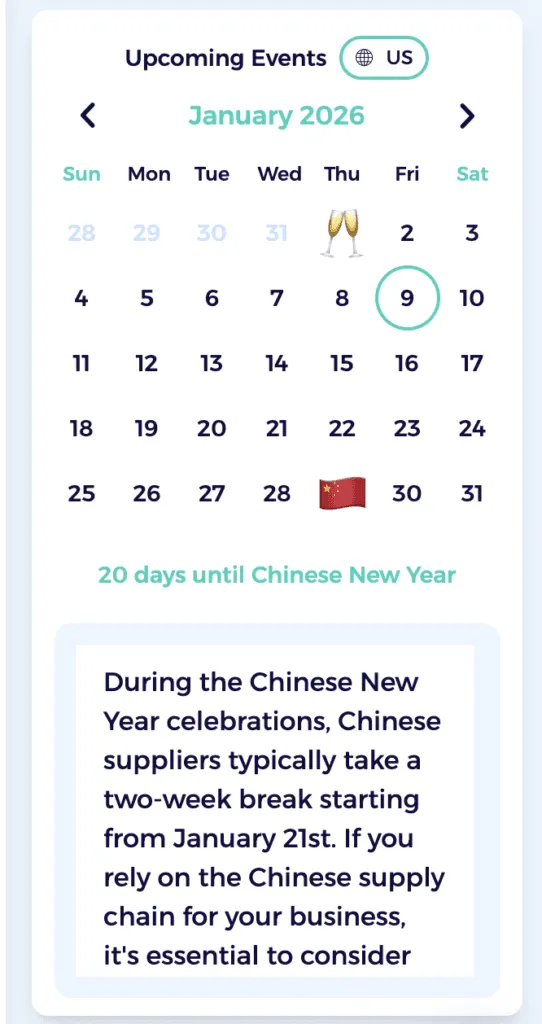
You also get an Upcoming Event Calendar that helps you plan seasonally around the holidays and important events in advance.
Bonus reading: Tips to Sell More on eBay
Method 6: Use eBay’s Free Product Research Tool
eBay also offers its product research tool to help you find top-selling items. Called Terapeak, this tool is free to use and can be accessed from the eBay Seller Hub.
Click on the Research tab in the top menu inside the Seller Hub and it will take you to the TeraPeak Product Research section.
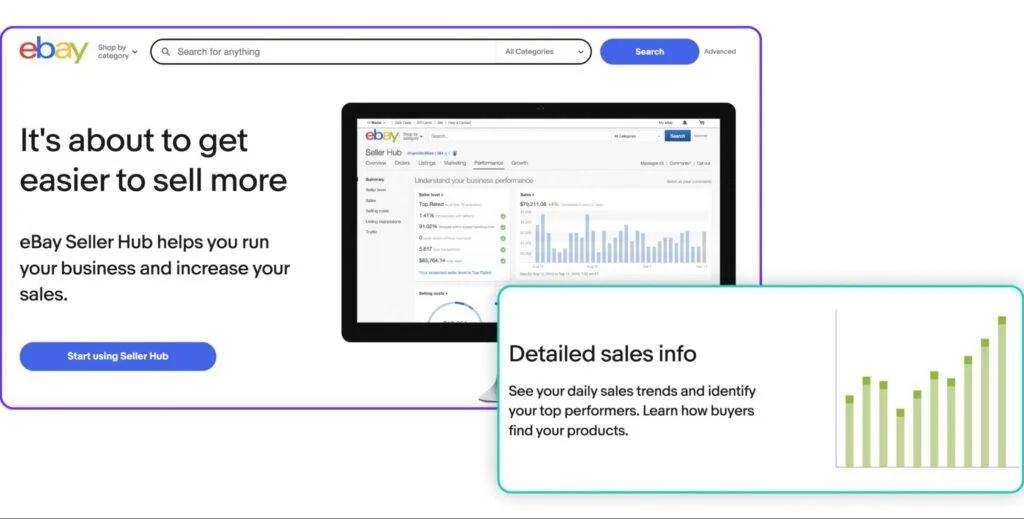
In TeraPeak, you can conduct targeted searches and apply specific filters to analyze sales data. For example, you can narrow down results using:
- Data period: You can choose a timeframe, such as the last 90 day,s to analyze historical performance.
- Marketplace: Terapeak can also filter results based on the eBay marketplace relevant to your audience (e.g., eBay.co.uk, eBay.com, etc.)
- Sold items: This filter helps you make sure the data you analyze comes from the “Sold” tab and not “Active” listings, as the former reflects actual sales.
- Price range: You can filter by average sold price to analyze products within your desired price point.
Once applied, the results will display valuable data such as total units sold, sell-through rate, and the average sold price. You will also be able to access the individual top-performing listings for insights into successful strategies (like winning titles, photos, and shipping options).
Method 7: Explore eBay’s Trending Deals Page
eBay’s Trending Deals page highlights popular items that are currently being offered at a significant discount to buyers. You can browse it to get inspiration for new product ideas based on what people are actively searching for on the marketplace.
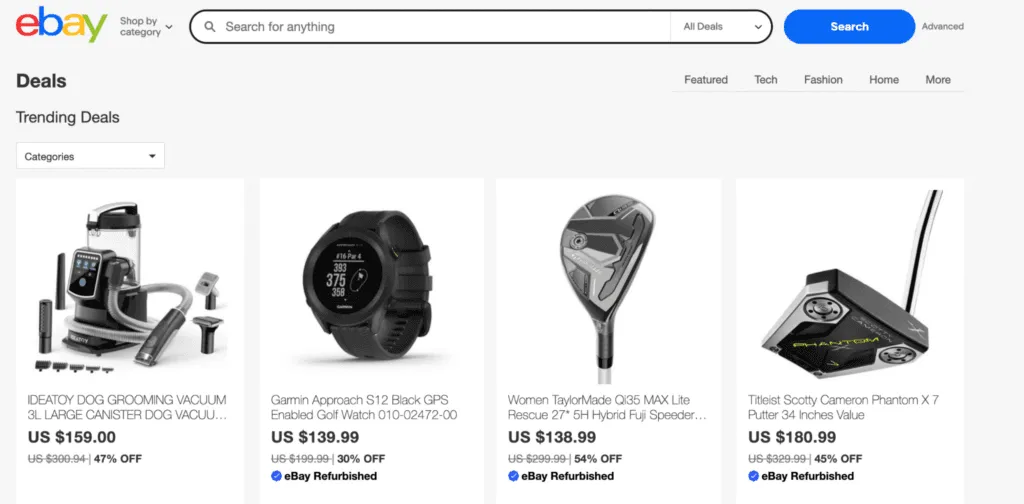
Tech, Fashion, and Home are the three main categories featured on this page. Clicking the “More” option opens up other categories with popular items based on real-time search data. Keep in mind that eBay frequently updates deals (with some categories updating daily), making it crucial to revisit the page periodically.
Method 8: Analyze Social Media Trends
Social media is a launching pad for new products and trends. When a product goes viral on channels like Instagram and TikTok, a rapid spike in demand often follows.
You can observe popular hashtags and challenges related to specific niches on TikTok and Instagram. For example, #viralgadgets and #popularfashion can reveal new opportunities in terms of products you should sell on eBay.

Another tip is to follow niche communities on platforms like Facebook and Reddit, as the discussions there can reveal specific product gaps that you can fill to build a dedicated customer base.
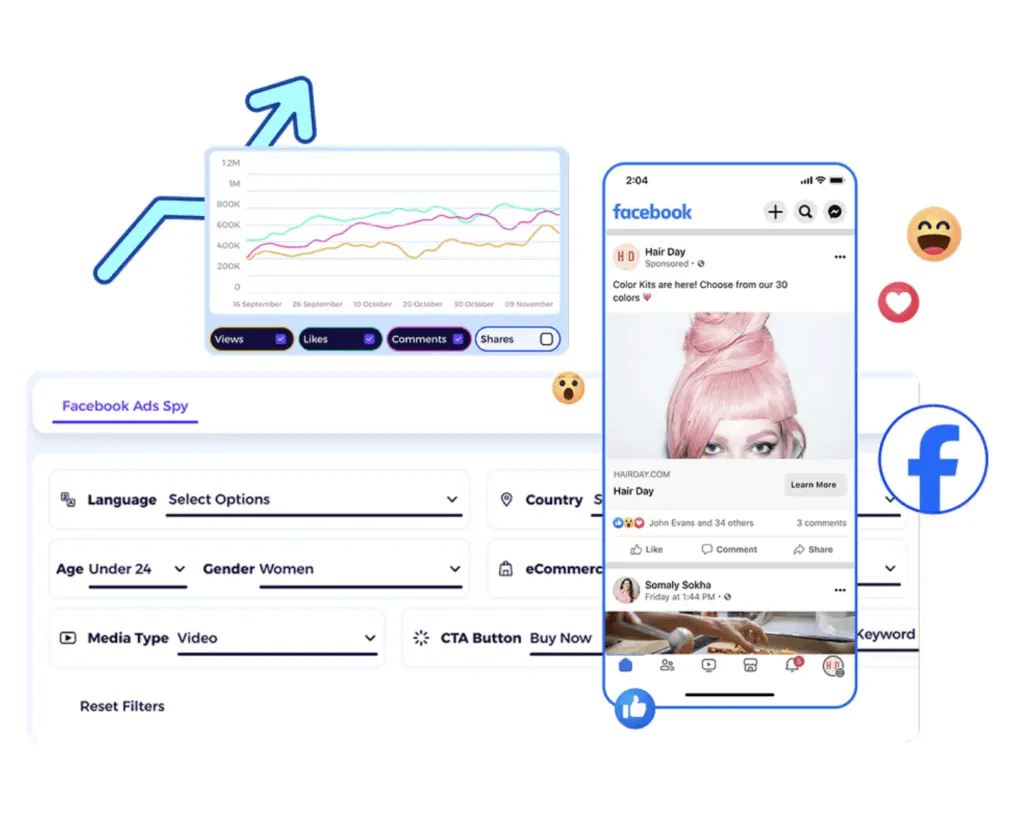
Don’t forget to analyze your competitors’ social media campaigns, too. High engagement (likes, shares, comments) on a product ad indicates that the item is desirable and likely to sell well on eBay. ZIK’s AdSpy tool can help you analyze Facebook and Instagram ads to uncover potential top sellers from competitors’ catalogs.
Method 9: Analyze Other Marketplaces’ Best Sellers
Other marketplaces like Amazon and Etsy curate lists of best sellers that can give you ideas for top selling items on eBay.
These lists are made primarily using an internal algorithm that ranks the items by sales volume, competitive pricing, and customer reviews and ratings.
You can check:
- Amazon Best Sellers page: This page is updated hourly and ranks products by category based on sales volume.
- Walmart Best Sellers page: Just like Amazon, this page features category-specific lists of trending and best-selling products on the marketplace.
- Target Plus: Although Target doesn’t have a specific “best sellers page,” you can try joining its invitation-only marketplace Target Plus to access a curated selection of popular and trending items.
- Etsy Trending items section: This section highlights unique and popular handmade items currently gaining attention among consumers, along with editors’ picks.
Find Best Selling Items on eBay with ZIK Analytics
ZIK Analytics has a suite of tools to help eBay sellers find the top-selling products for their store and scale faster.
However, I specifically want to mention three tools that make product research and validation easier:
- eBay Autopilot scans supplier catalogs from Amazon, Walmart, and AliExpress using 20+ filters to find 200 winning products in minutes. Match products to eBay in real time and filter by sales and profit percentage to find items that are already selling.
- eBay Turbo Scanner scans Amazon US, UK, and Walmart to uncover high-performing products with real 30-day sales data. Apply filters for review count, price, BSR, and Prime eligibility to find proven products you can list immediately.
- eBay Bulk Scanner lets you scan entire competitor stores and match their listings to Amazon or Walmart products. Filter by sales, profit, and competition to find the most profitable items, then export or upload them directly to your eBay store.
You can also use the 500 Best Selling eBay Items feature to see what’s trending in the last 48 hours across different regions, and the eBay Product Research tool to validate demand and analyze competition before listing.
Get your ZIK Analytics trial and start finding best-selling items on eBay with the best eBay seller software on the market.
Kws here: best-selling items on eBay, eBay seller software
Frequently Asked Questions About How to Find Top Selling Items on eBay
In this section, I’ll answer the frequently asked questions about finding top-selling items on eBay.
What is the 5000 rule on eBay?
The 5000 rule on eBay commonly refers to the $5,000 IRS tax reporting threshold. If a seller’s gross eBay sales exceed this figure in a calendar year, they must provide their TIN (Taxpayer Identification Number) to avoid 24% backup withholding. The 5000 rule may also refer to the threshold for fixed final value fees in certain categories like Jewelry & Watches.
How to filter most sold on eBay?
You can filter most sold items on eBay by searching for an item and then using the “Sold Items” filter under “Show Only” in the left sidebar. The results that come up will include completed listings with the final selling price, enabling you to see which products sold successfully and at what price point.
How to make sales every day on eBay?
Making sales every day on eBay requires consistent effort and active store management.
Basically, you need to:
- List a large number of products in a specific niche where demand is high
- Price goods competitively and leverage the Good Till Cancelled” format
- Use high-quality images showing the product from multiple angles
- Regularly add new items to signal activity to eBay’s algorithm
- Use tools to offer coupons or create flash sales for your store
Is it better to bid early or late on eBay?
It’s generally better to engage in late bidding (aka snipping) as it prevents others from counter-bidding and secures a lower overall price. Early bidding, especially up to the reserve, can be useful when you want to deter competition and prevent sellers from modifying their listing. But since early bids allow others to cut off your maximum price, late bidding is the best way to win on eBay,