
Hey, what took you so long to consider launching a Shopify dropshipping business?
I mean, Shopify powers over 6 million stores worldwide and has long been the platform of choice for online sellers. Plus, dropshipping as a retail fulfillment method is used by 27% of all e-commerce sites globally.
And from our own inside data, around 80-90% of all dropshippers choose Shopify as their preferred choice to build their dropshipping store over other alternatives.
So it’s safe to say that Shopify is the go-to platform if you want to start your own dropshipping store.
Below, I’ll walk you through all the steps you ned to take on how to start Shopify dropshipping and grow a big business.
Step 1: Sign Up for Shopify and Choose Your Pricing Plan
The first step to starting a dropshipping business is to choose a suitable Shopify plan. There are several plans available, with costs varying depending on your goals and required features.
For example:
- Basic: This plan starts at $39 per month and is ideal for new dropshippers with low-volume sales.
- Grow: This plan begins at $105 per month and is more suitable for growing stores needing more staff accounts and professional reporting.
- Advanced: This plan is $399 per month and works best for a large, established dropshipping store requiring features like advanced analytics.
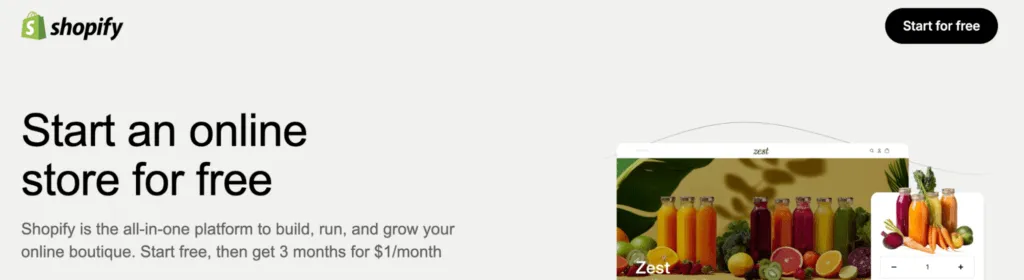
Shopify also offers an initial 3-day free trial, followed by the first three months for $1 per month…
Step 2: Select a Profitable Dropshipping Niche
The dropshipping niche you choose can make or break your overall success, and you want to pick something that has consistent demand and leaves you with enough profit to scale your business.
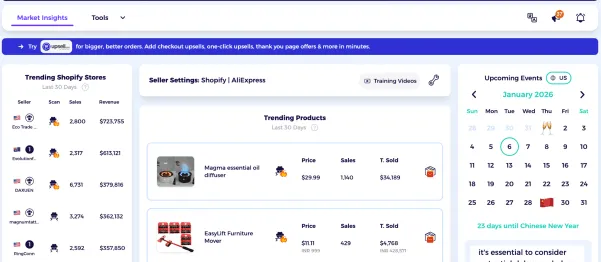
You can use ZIK Analytics’ Shopify Market Insights to identify profitable niche opportunities early.
This feature specifically highlights high-growth product categories and trending items within Shopify, giving you an idea of what to select for your dropshipping business.
The best Shopify dropshipping niches target specific buyers who search for specific solutions (like pet owners, fashion enthusiasts, etc.). They are also supported by market trends and have great visual appeal on TikTok and other social media platforms.
Step 3: Find Winning Products
Winning products are items that people can’t resist buying because of their functionality and appearance.
For dropshippers, these products offer some of the highest margins because of customers’ willingness to pay a premium for them.
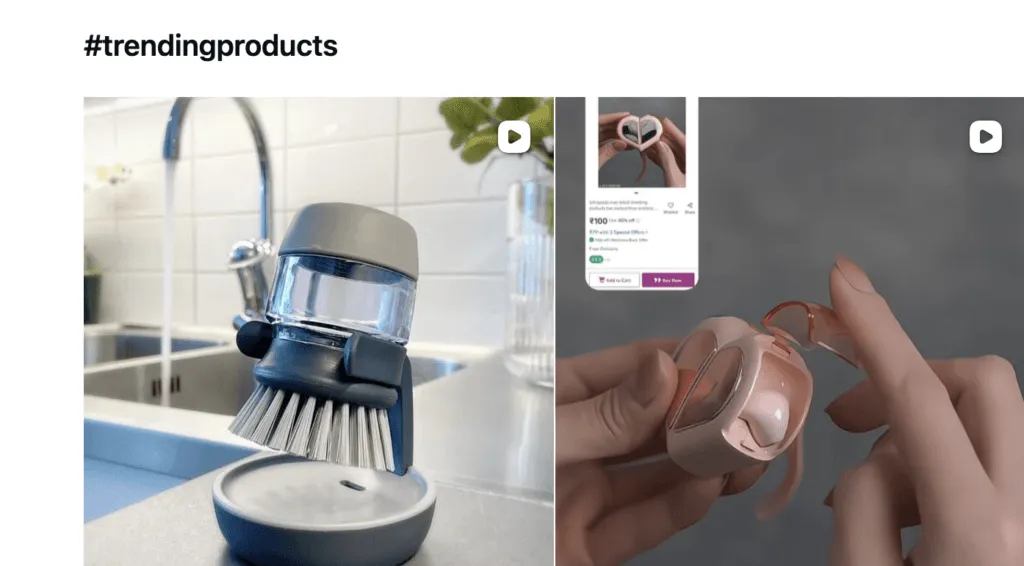
Start looking for these items by tracking which products are being mentioned on social media platforms. You can use hashtags like # TikTokmademebuyIt and #trendingproducts to see which items are currently resonating with buyers.
ZIK Analytics’ Shopify Product Explorer tool lets you take things further by helping you find the top-selling products in the Shopify ecosystem. Using it requires you to have a ZIK account and Shopify selected as the marketplace inside the tool.
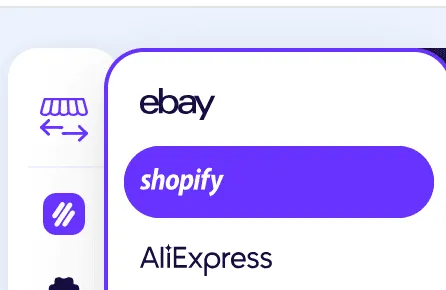
Then, click on the Product Explorer icon in the menu on the left, and you’ll arrive at the following dashboard.

You can then search for any niche or product using filters such as country, price range, minimum and maximum sales, and product type. For example, I searched for the “pet” niche and selected dropshipping as the product type and set the country to the United States to get ZIK to show more relevant results.
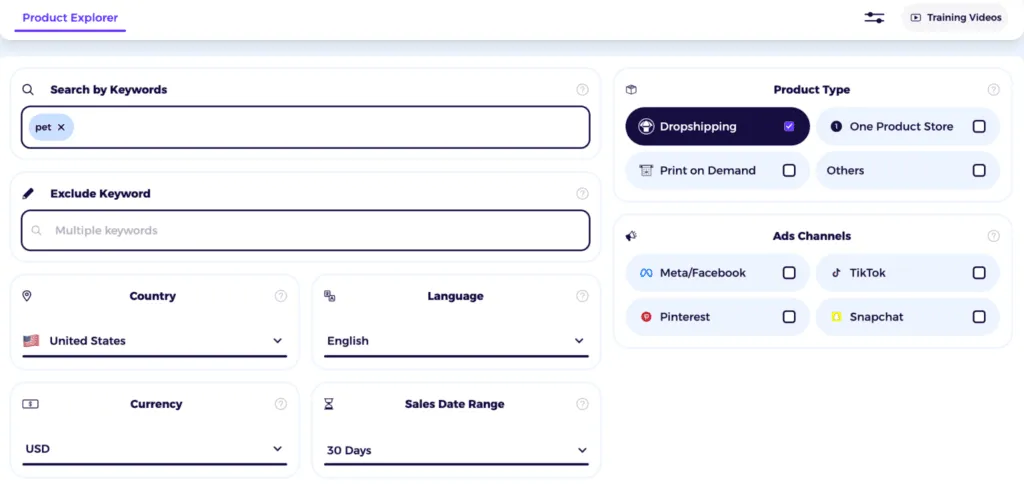
You can also analyze the results by 7-day and 30-day sales and estimated revenue to get an idea of a product’s performance.
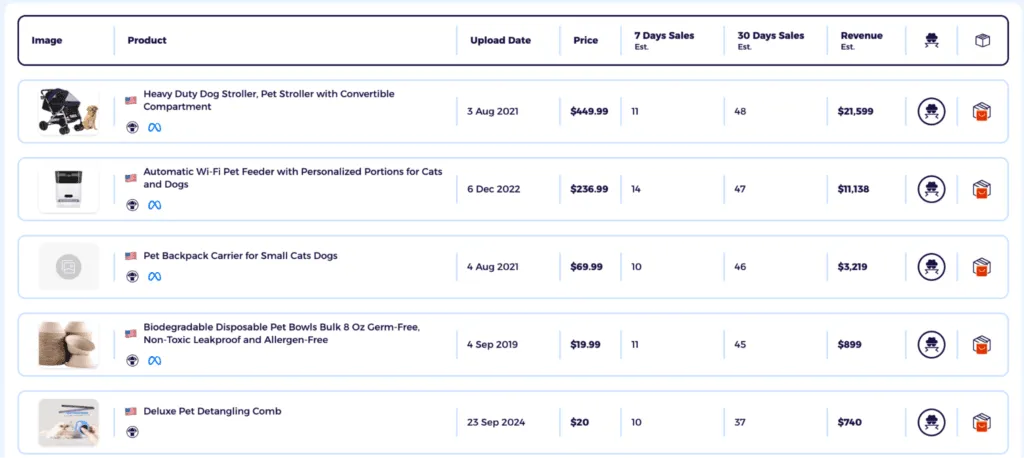
See which items generated the most sales and revenue, as those are big indicators of a product being a winner.
Related Reading: Best Products to Sell on Shopify
Step 4: Find and Vet Reliable Dropshipping Suppliers
Suppliers are arguably the most crucial component in building a profitable Shopify dropshipping store. Since they directly handle product quality, inventory, and shipping, your supplier’s performance has a direct impact on your store’s reputation.
You can start looking for reliable dropshipping suppliers via ZIK Analytics. Our Shopify Suppliers Matching tool matches your products to AliExpress and Alibaba suppliers via image-based search.
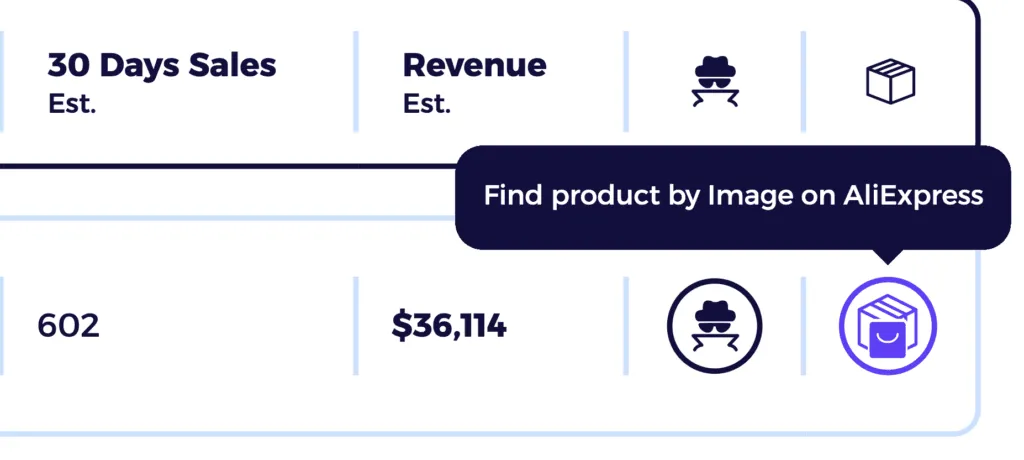
All you do is click the AliExpress box icon located in the last column inside the product view section.
After clicking, wait for us to search your item across both marketplaces and compile a list of suppliers who have it in inventory. ZIK also gathers reliable data on the potential ROI and profit margin dropshippers can earn should they decide to sell the goods through their Shopify dropshipping store.
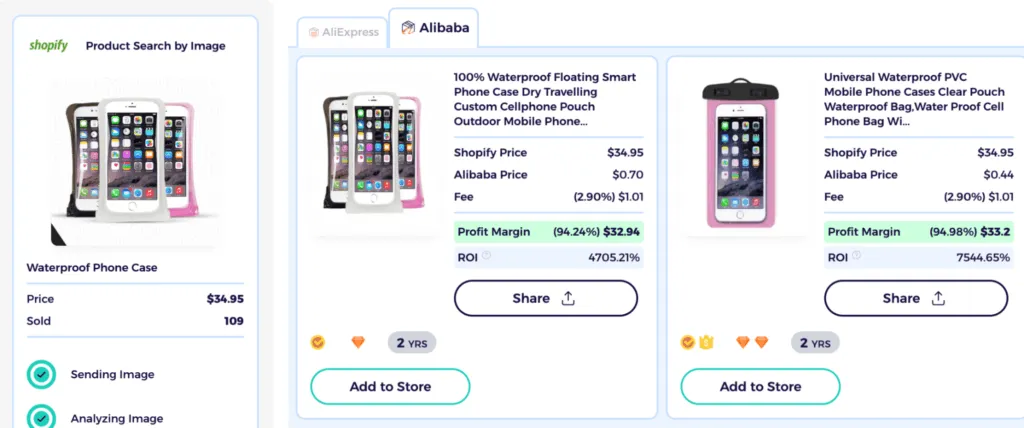
Other ways to find dropshipping suppliers include
- Exploring supplier platforms like DHgate and directories such as HyperSKU
- Asking for supplier recommendations in niche Reddit communities like r/ecommerce and r/dropship
- Checking the Wholesale Forum and other e-commerce forums for discussion around suppliers
Vetting suppliers requires ordering samples of the product so you can check its quality and authenticity in a physical manner. This also lets you gauge the handling and shipping time, which has a significant impact on the customer experience.
Step 5: Set Up and Customize Your Shopify Store
Now for the fun part: building and customizing your Shopify dropshipping store.
If I had written this guide 3 years ago, I would have shared a lengthy tutorial on how to design a Shopify store and set up pages.
Once you’ve created some assets, you can work on building your e-commerce store.
Your first step will be to choose an e-commerce platform. Shopify is a great option as it is easy to use and integrates with a variety of dropshipping apps and automation tools, and it’s used by like 90% of all dropshipeprs, soo….
You can use ZIK Analytics’ Shopify AI store builder to design your storefront and pages. Just choose a high-converting niche from its curated list, or let AI pick based on performance data and trends.
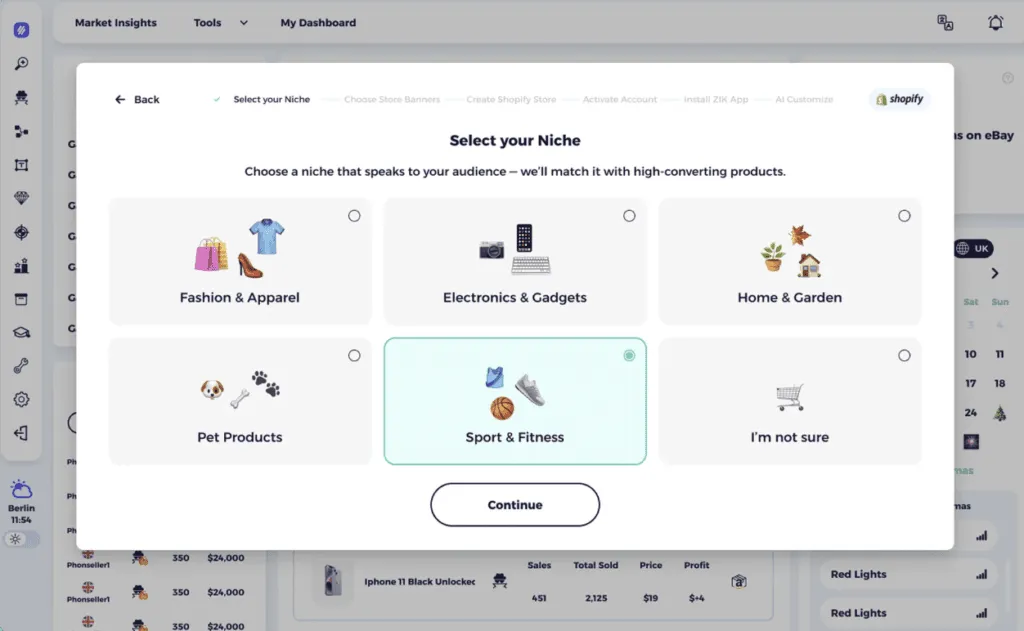
Next, the tool asks you to choose your homepage visuals, after which it automatically builds your branding, layout, and design based on the chosen niche.
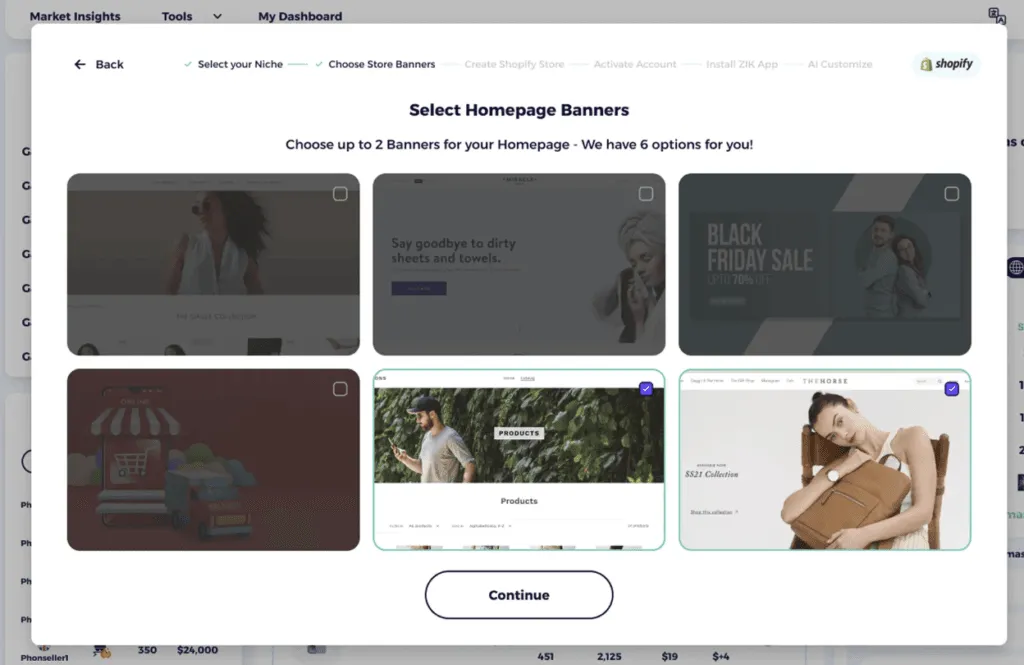
You also get the option to connect to ZIK’s app to carry out product research or competitor tracking at this point.

The final step is to publish your store. Once done, you can start uploading proven, data-backed items that are already performing well for other Shopify stores.
Of course, you can still design your store manually and build everything from scratch using popular Shopify themes. It gives you more flexibility and customization options, but it requires skills and more time to get your ready up and ready.
Note: You can use our AI store builder to create any type of store, including a one product Shopify store or Shopify POD store for selling custom-designed products.
Step 6: Install Dropshipping Apps and Import Products
The actual dropshipping process starts when you connect to a supplier’s platform and import items into your store.
The Shopify App Store has several apps that allow you to do this, including:
- Spocket: This platform gives you direct access to vetted, high-quality US and EU suppliers for faster shipping. You can also request a sample order to verify quality and inquire about custom orders through the Spocket Shopify app.
- Printify & Printful: These facilitate print-on-demand dropshipping, where you sell custom-designed products without managing inventory. The suppliers handle printing, packaging, and shipping for your store.
- Zendrop: This app features a clean interface and connects you with US suppliers for faster shipping times. You also get private labeling and custom packaging options for building a unique brand identity.
- CJdropshipping: It’s the ideal app for finding wholesale prices and fast shipping options in the US, EU, and other countries. You can also take advantage of CJ’s custom videography and photography services for your store.
Step 7: Configure Payment Processing and Shipping Settings
To configure shipping and payments, you’ll need to use the Settings menu in your Shopify admin dashboard.
Go to Settings > Payments and then activate the payment methods you wish to use for your store. For a dropshipping entrepreneur, Shopify Payments is usually the best choice because of the integrated experience and no extra transaction fees.
Shopify Payments supports multiple payment options, including all major credit cards and digital wallets. It also offers accelerated checkout, where customers can save their shipping and payment information for a quick purchase on their next visit.
But since Shopify Payments is not available in all countries, you may need to look into alternative methods like PayPal and Stripe to accept payments from customers. You can also look into local payment methods such as COD (cash on delivery), direct deposit, and cheque, based on how payments work in your country.
Step 8: Develop Marketing Strategies to Drive Traffic
Marketing doesn’t have to start from a blank canvas. With tools like ZIK Analytics’ Shopify Sales Tracker, you can get insights into the marketing strategies of competing Shopify stores and implement their best strategies on your own.
Let’s say you dropship pet supplies and want to see what other stores are doing in terms of marketing and adoption of technology. You can enter their store’s URL inside the Sales Tracker and click Search to view their performance.

ZIK will then show you things like the social channels they’re on, the ad channels they’re using, and the apps they have installed on their store. Additionally, you’ll get a handful of data, including the estimated revenue and sales they’ve generated, along with insights into their best sellers.
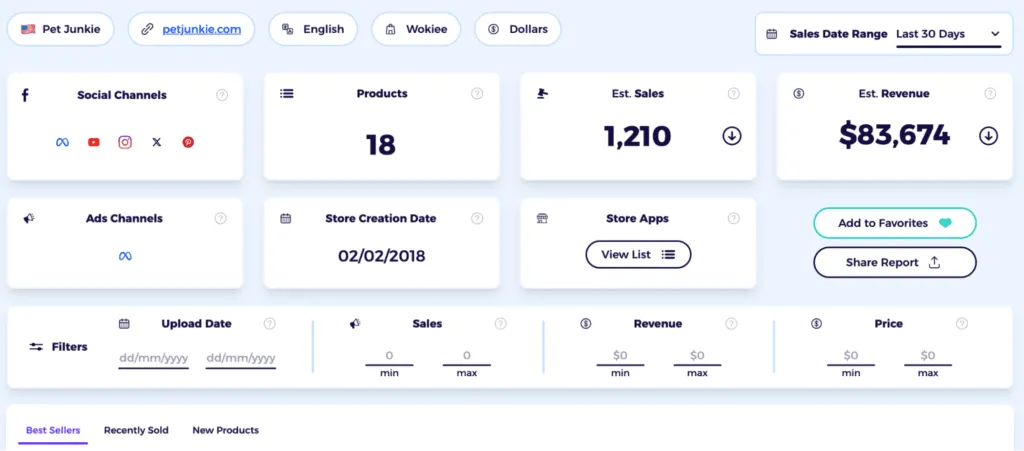
With all these insights at your fingertips, it’s easy to determine where you should focus your efforts (or where gaps exist for you to exploit).
Related reading: Shopify marketing strategies to help grow your online sales
Step 9: Automate Order Fulfillment and Customer Service
Most successful dropshippers automate the hardest parts of running their business: order fulfilment and customer service. These things are challenging in the sense that they take too much time if done manually.
For automating order fulfillment, you can use one of the dropshipping apps available on the Shopify App Store. Download the app and then, within its settings, enable the feature for auto-order placement. Apps like Zendrop and DSers offer this option, as well as synchronize inventory levels in real time to prevent the sale of out-of-stock items.
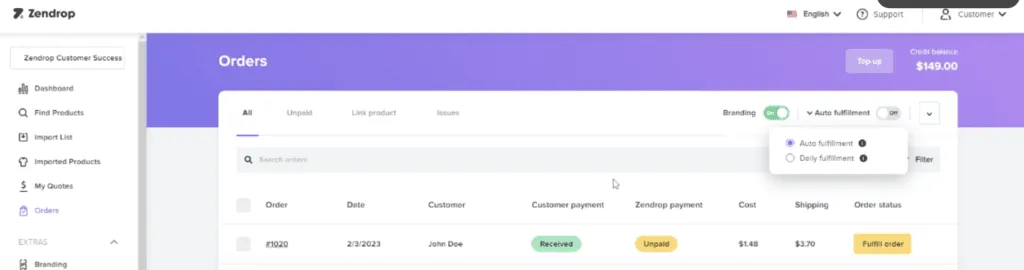
You should also be able to automate order tracking updates with most apps automatically fetching the tracking number from the supplier once the item has been shipped and pushed to your Shopify dashboard.
For customer service, Shopify has built-in features to automatically send confirmation emails to customers once their package is available for tracking. Make sure you have this notification enabled to keep customers in the loop about their orders.
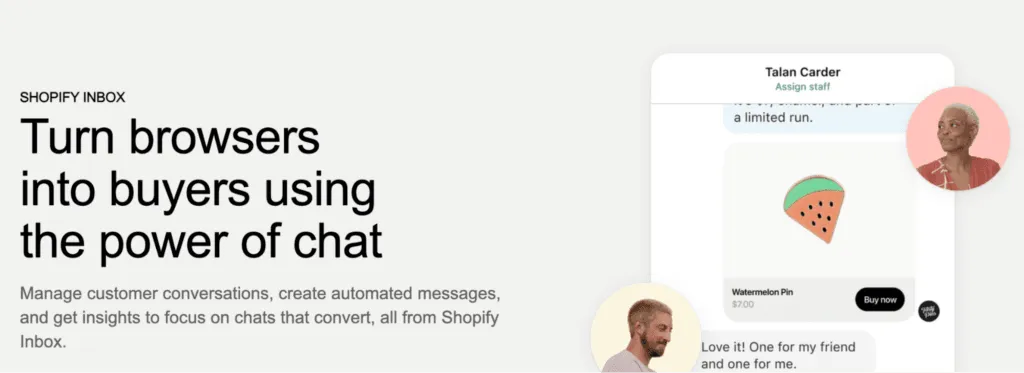
You can also use a chatbot on your site to answer people’s questions in real-time. Shopify Inbox is an option; even though it’s fundamentally a live chat tool for merchants to speak directly with customers, it has chatbot agents that can see a customer’s order history in real-time and suggest replies using basic AI.
Step 10: Optimize Store Performance and User Experience
Store speed and user experience have a significant impact on your ranking in Google and other search engines. They also affect your conversions and sales, with fast-loading stores leading to more impulse buys.
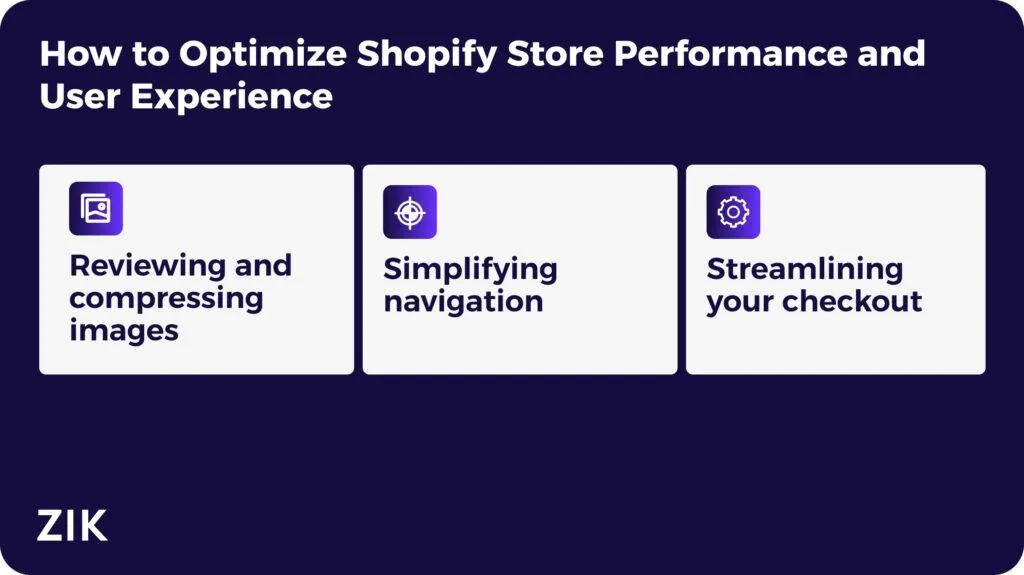
You can optimize these factors by:
- Reviewing and compressing images: Large image files significantly slow down load times. Using Shopify’s built-in image compressor allows you to reduce file sizes without affecting quality. Make sure to use modern formats like WEBP where possible to get the best results.
- Simplifying navigation: Set up your store in a way that customers can easily find what they need. For example, you can limit the number of items on your homepage and use clear menu labels (e.g., “clothes” instead of “attire) to avoid overwhelming visitors.
- Streamlining your checkout: Customers arrive at your checkout to complete a purchase. If you bombard them with 10-12 steps, they are likely to get irritated and leave. The best way here is to offer guest checkout and use popular payment options like Google Pay and Shop Pay to improve the user experience.
Step 11: Scale Your Dropshipping Business
Scaling a Shopify dropshipping business involves building automated systems and processes to handle increased orders and customer support.
You can use Shopify apps to handle repetitive tasks like order fulfilment to gain more time for growth-focused work. This can be supported by clear, documented procedures for handling the different aspects of your business.
You can also consider diversifying your business model once you get to a certain stage. For example, many dropshippers shift to a private label model after their product finds success. Others expand their store product line and tap into new channels such as Etsy and Amazon to get more eyeballs on their catalog.
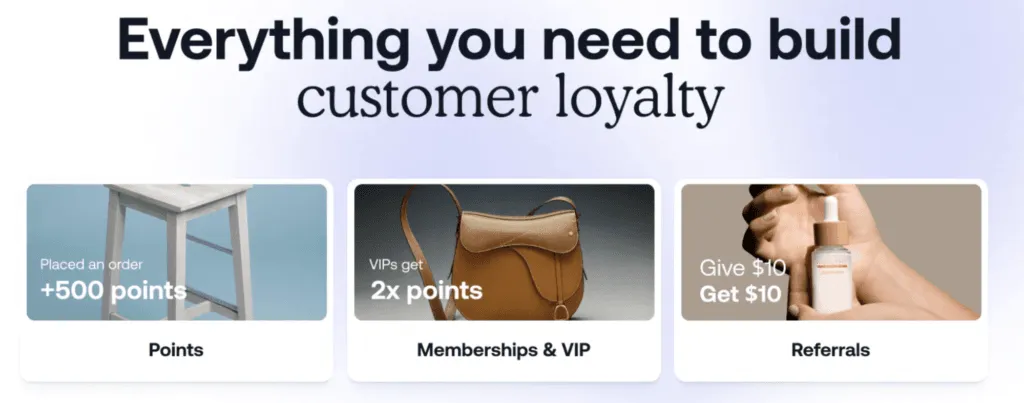
You can do the same and even take steps like launching a loyalty program via apps like Smile.io to encourage word-of-mouth and repeat business.
What is Shopify Dropshipping and How Does It Work?
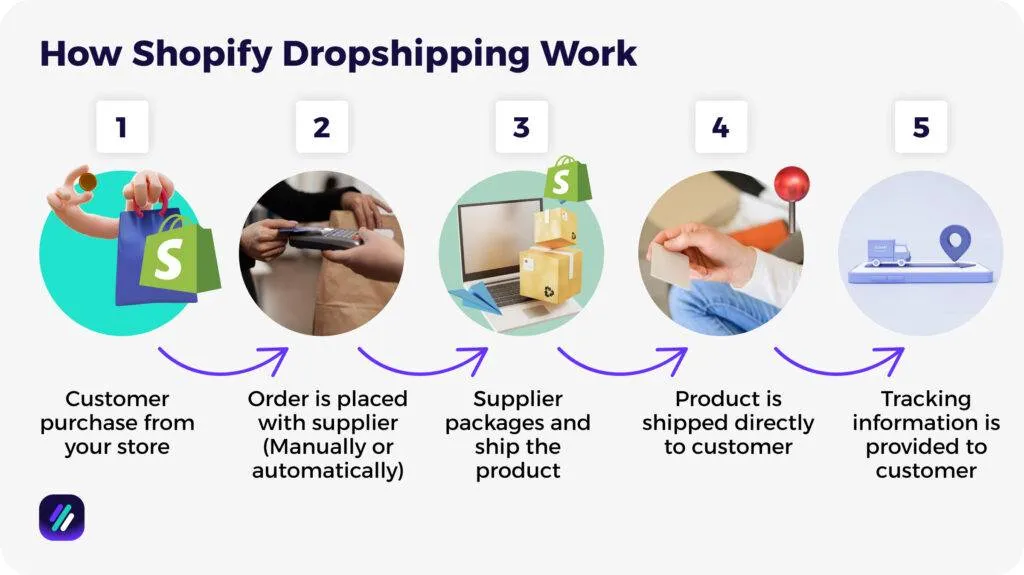
Shopify dropshipping is an e-commerce business model where you build a Shopify store and sell products through it without buying any inventory. The entire process is streamlined and can be automated using dropshipping apps available on the Shopify App Store.
Here’s how Shopify dropshipping typically works
- A customer visits your Shopify store, browses your product listings, and makes a purchase at the price you’ve set.
- After order confirmation and payment, the details of the orders are manually or automatically sent to your supplier.
- The supplier receives the order, finds the relevant item in their warehouse, puts it in a generic or custom-branded box, and hands it over to a shipping carrier.
- The supplier sends the product directly to the customer’s address and handles the entire logistics on your behalf.
- The supplier provides tracking information, which is then synced in your Shopify store and automatically sent to the customer.
Why Choose Shopify for Your Dropshipping Business?
Besides the stats I shared at the beginning of this guide, the ease of use and powerful dropshipping integrations are some more reasons to choose Shopify for your dropshipping business.
Shopify’s drag-and-drop website builder makes it easy to create a professional storefront without touching a line of code. Customizable themes allow you to change their appearance and prepare the layout for both desktop and mobile users.
Those using Shopify also get access to the Shopify App Store, which features numerous apps specifically designed for dropshipping (I touch on these shortly). No other platform offers this much integration or automation without requiring you to have technical knowledge of platform syncing and software specifications.
Common Mistakes to Avoid When Starting Shopify Dropshipping
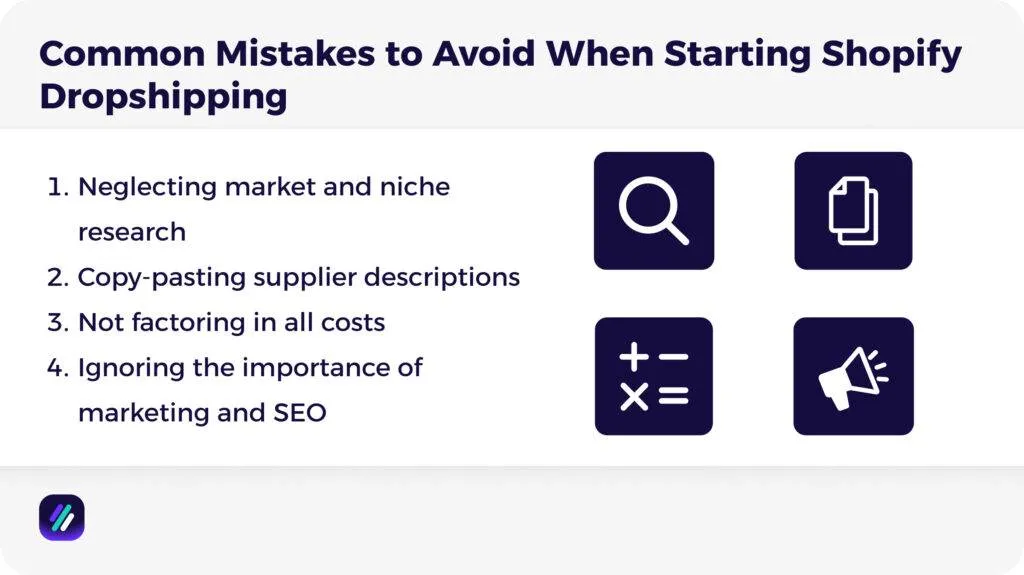
Shopify dropshipping looks simple on paper, but a lot of people get it wrong and end up profiting less from this business model. Here are some of the common mistakes they make:
Neglecting market and niche research
Selling a wide, random assortment of items or selling into an oversaturated market makes it difficult to find your feet. Tools like ZIK Analytics can help you focus on a specific niche and build your brand around that ideal customer.
Copy-pasting supplier descriptions
Supplier descriptions are often generic and don’t help customers adequately assess the product. Use high-resolution images (potentially lifestyle shots) from multiple angles, and write unique descriptions highlighting the product’s use cases and value in your distinct voice.
Not factoring in all costs
Not accounting for all your expenses results in incorrect pricing and lower profit margins. Make sure you’re factoring in all factors, including supplier fees, platform fees, marketing spend, taxes, and shipping costs before determining what price to charge for your items.
Ignoring the importance of marketing and SEO
Many Shopify entrepreneurs expect to gain organic traffic upon launching their store automatically. However, this requires a comprehensive marketing plan that includes both organic SEO (keyword research, website optimization) and a mix of email and social media marketing. Make sure to prioritize this while managing other aspects of your business.
Essential Tools and Apps for Shopify Dropshipping Success
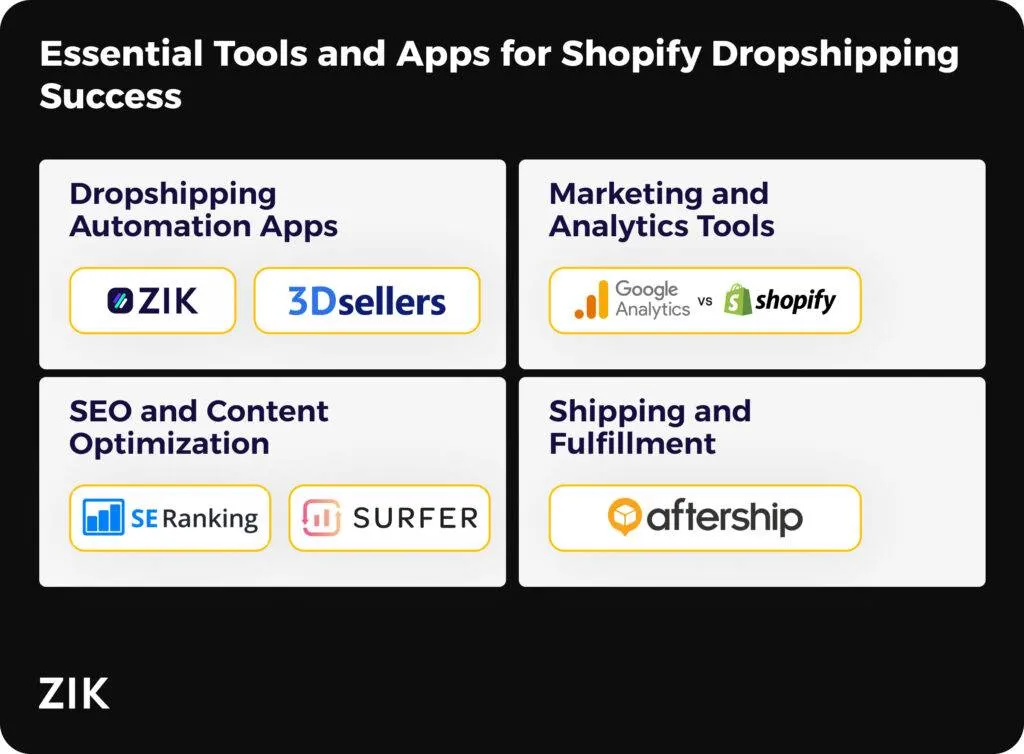
Tools act as your secret weapon for optimizing and scaling your Shopify dropshipping business. Here are some of the best apps and tools you can use to grow after launching, broken down by categories:
Dropshipping Automation Apps
- ZIK Analytics: ZIK Analytics uses AI algorithms to gather data from live Shopify stores for product research and competitor tracking. It also offers an AI store builder and supplier matching tool to help streamline your operations.
- 3DSellers: 3DSellers automatically updates inventory levels in your Shopify store whenever a sale is made on any connected channel. You also get to define pricing rules and margins that the tool automatically applies to protect your profit margins.
- DSers: DSers lets you choose products awaiting orders on your store in bulk and place them with AliExpress suppliers in one click. It also automatically syncs tracking numbers to integrated platforms to keep customers in the loop.
Marketing and Analytics Tools
- Microsoft Clarity: Microsoft Clarity offers visual analytics tools such as session recordings and heatmaps that reveal exactly how visitors interact with your store. You can use its data to optimize your user experience to ultimately increase conversions.
- Shopify Analytics: Shopify Analytics are reports that show where visitors come from and what items they often purchase together. Data like this enables you to create targeted campaigns and increase average order value (AOV) via bundling and upselling.
- Meta Tracking Pixel: Meta Tracking Pixel collects anonymous data about visitors coming to your store. This enables you to show targeted ads to people who, for instance, added a product to their card but didn’t buy.
SEO and Content Optimization
- SE Ranking: SE Ranking scans your Shopify site for common issues such as broken links and slow page load times. It also tells you how to fix them, plus keeps an eye on your competitors’ keywords to help you adapt your own strategy for better rankings.
- Surfer SEO: SurferSEO tells you what exactly to write on your product pages to attract customers searching for those items. You get simple, actionable tips (like keywords and headings to add) to make pages better match what Google desires.
Shipping and Fulfillment
- AfterShip: AfterShip pulls tracking information from various dropshipping suppliers and carriers into one dashboard. It also offers branded tracking pages and sends proactive alerts to your customers whenever their order has a new status.
- ShipStation: ShipStation connects with many different shipping carriers and allows you to compare rates and print shipping labels directly from one place. It also lets you set up rules to apply to specific orders, saving time and reducing manual work.
Find Winning Products for Your Shopify Store with ZIK Analytics
ZIK Analytics offers a suite of tools to help Shopify dropshippers find winning products for their store.
However, there are three tools that work better than others for dropshipping product research:
- Shopify Product Explorer shows you which products are selling across Shopify stores with real sales data. Search for keywords and filter by sales to identify trending dropshipping products that are generating revenue right now.
- Shopify Sales Tracker lets you monitor successful dropshipping stores. Enter a store URL to see their daily sales, revenue, and which products are performing best. Track them over time to spot new product launches and trends.
- AdSpy Tool shows you which ads competitors are running on Facebook and Instagram. See engagement metrics and save winning ads to reference when creating your own campaigns for dropshipping products.
You can also use the Dropshipping Item Finder to match products with suppliers across AliExpress and Alibaba.
Shopify dropshipping can turn into a profitable business when you have the right data. Get your ZIK Analytics trial and start finding products that are already proven to sell.
Frequently Asked Questions About How to Start Shopify Dropshipping
In this section, I’ll answer the frequently asked questions on how to start Shopify dropshipping:
Is Shopify dropshipping still profitable in 2026?
Yes, Shopify dropshipping continues to be profitable in 2026. However, finding success requires a specific focus on niche markets, creating a memorable brand leveraging automation tools, and treating it as a real business. You should also work on providing excellent customer service, as this touchpoint determines whether customers will continue buying from your store.
Do I need a business license to dropship on Shopify?
You can start dropshipping on Shopify as a sole proprietor using your SSN without a business license. However, a license is needed when you want to collect sales tax or use Shopify payment processing. Specific items like pet food can also trigger license requirements for merchants.
How long does it take to make money dropshipping on Shopify?
It takes about 3-6 months to start making money with Shopify dropshipping, with consistent income taking about 6-12 months, depending on your choice of products and marketing efforts. Turning dropshipping into a full-time income requires continuous testing and refinement of products, along with building automated systems to streamline order management and fulfillment.
Can I dropship without Shopify?
Although it’s possible to dropship without Shopify, we don’t recommend doing so. That’s because Shopify offers a user-friendly interface and connects with most dropshipping platforms and apps. Shopify also doesn’t have a listing or marketplace fee, and you only pay fees to your payment process after a sale has been made.
What’s the difference between Shopify dropshipping and Amazon FBA?
Shopify dropshipping involves building your own branded online store and having suppliers source, handle, and ship products directly to your customers. Amazon FBA involves sending products to an Amazon warehouse and having Amazon handle the packaging and fulfillment. The main difference is the purchase of inventory: FBA involves buying stock to send to Amazon, whereas dropshipping means your supplier owns the stock and sends it to customers from their own storage space.