
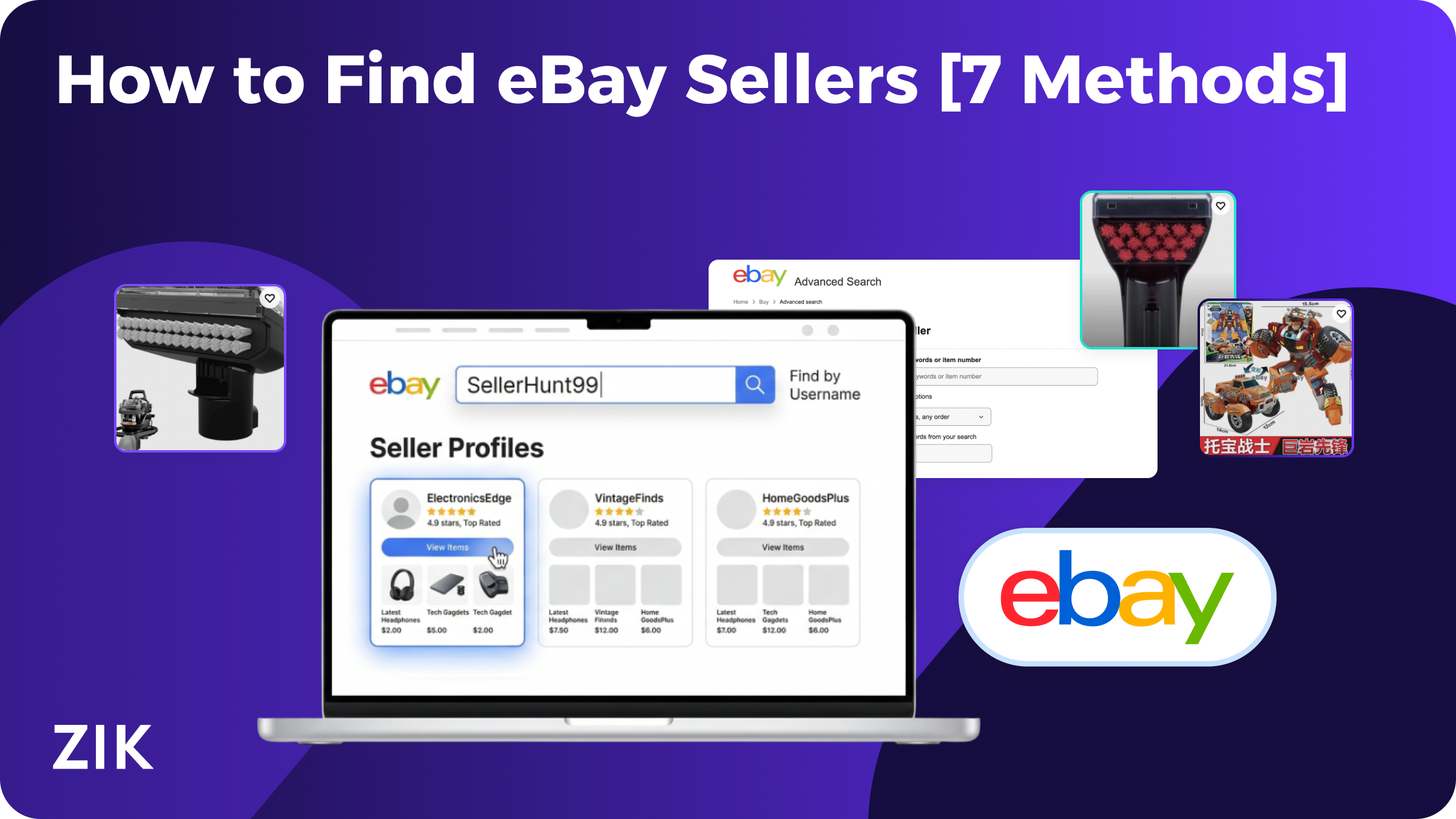
Your friend was raving about a particular product that they purchased from eBay, and you want to buy your own, too. You know the product and the seller information, so you type in eBay in the search bar to find an eBay seller that matches the information you have.
To find a seller on eBay, use Advanced Search and enter their username or store name, open any of their listings and click the seller’s name, or revisit a seller you have previously bought from.
Lucky for you, looking for specific sellers on eBay is easy if you know what to look for and how to find sold items on eBay.
In this blog post, we’ll go over some tips on how to find a seller on eBay using different approaches. With these strategies, it’s guaranteed that your search for a seller will turn out successful.
Method 1: Using ZIK Analytics eBay Competitor Research Tool
The first method involves using our eBay Competitor Research tool. This is a dedicated feature that lets you perform competitor analysis and see other details about specific sellers.
To use it:
- Log into ZIK Analytics and head over to the Competitor Research tab.

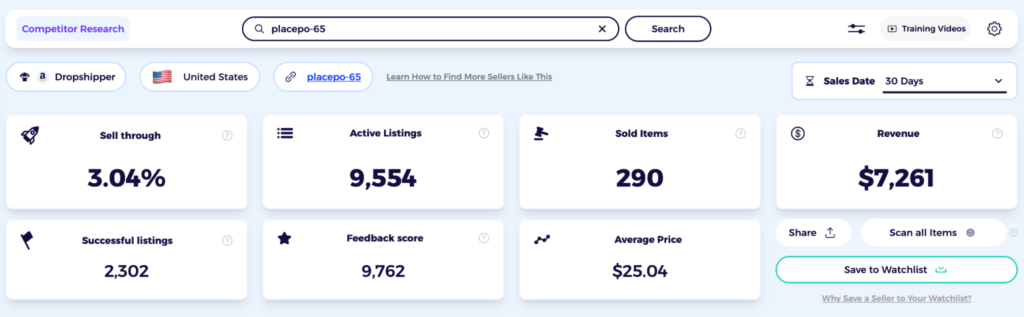
- Type or past the username of the seller and click Search.

- ZIK will then show you their store metrics such as sell-through rate, active eBay listings, revenue, sold items, feedback score, and average price.
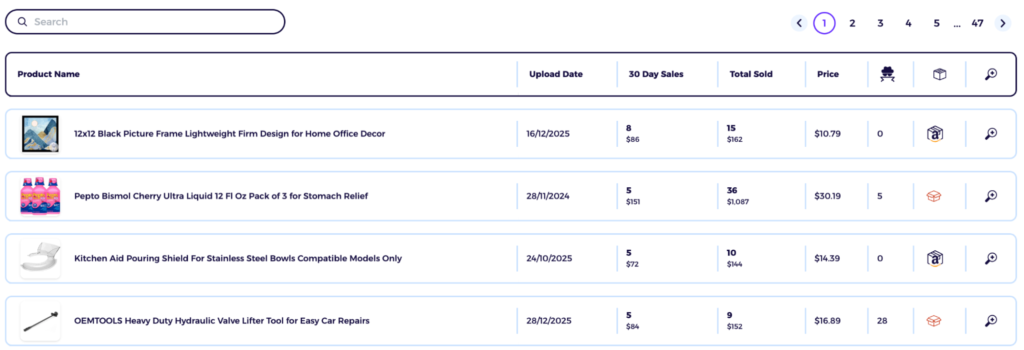
- Scrolling down on the page will show their full product catalog, with each listing’s 30-day sales, total sold, and current price.
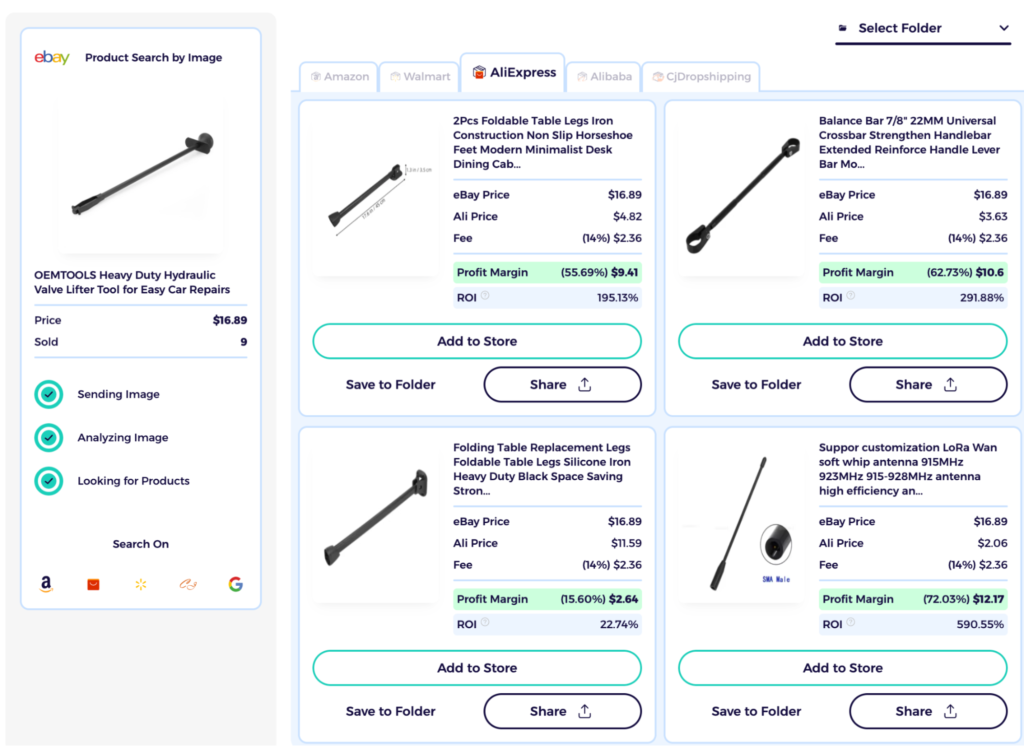
- If you want to source the same products as that seller, click the box icon in the fifth column. Doing so will open a screen where you’ll be able to see suppliers from Alibaba, AliExpress, and more. It will also show you the average price and potential ROI you can make by selling that product on eBay.
Method 2: Using ZIK Analytics eBay Product Research Tool
ZIK Analytics’ eBay Product Research tool lets you find sellers within any niche by searching for the products they sell.
To use it, make sure to follow these steps:
- Log into ZIK Analytics and go to the Product Research tab
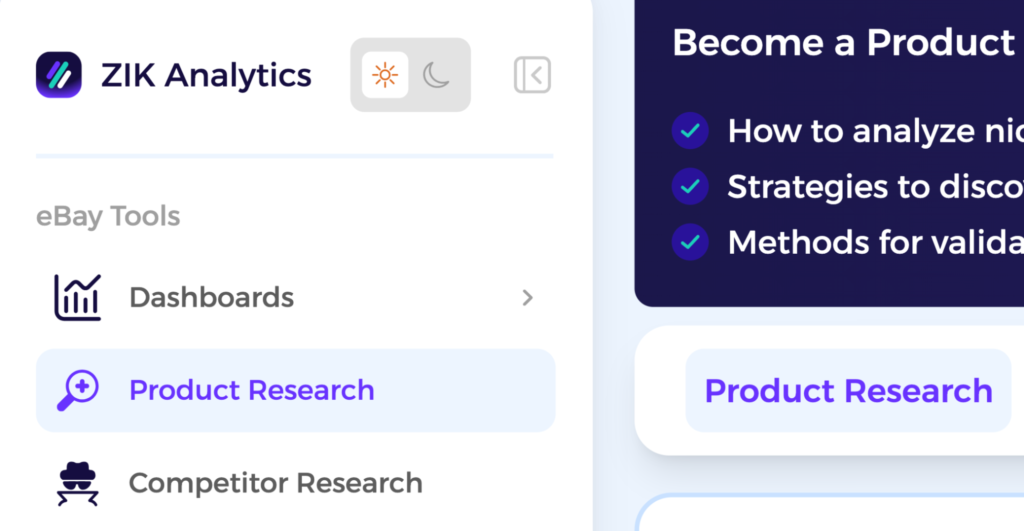
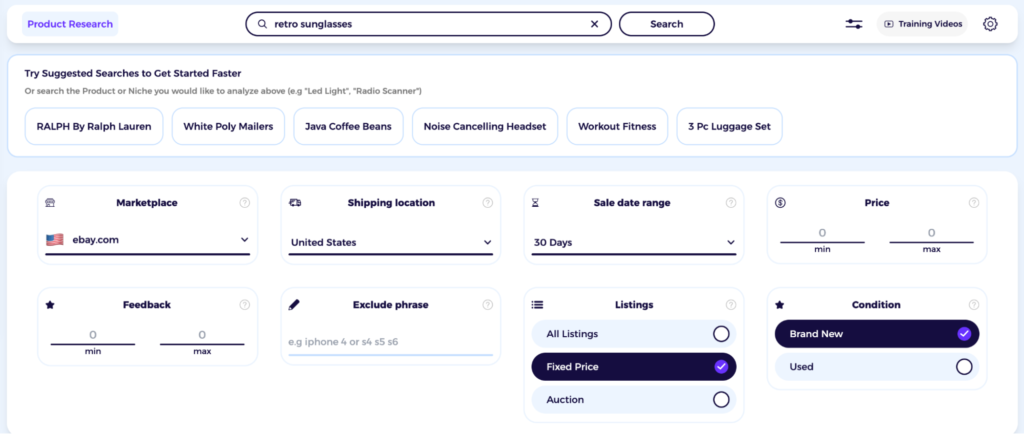
- Enter a keyword related to the products that seller carries and select your target eBay marketplace
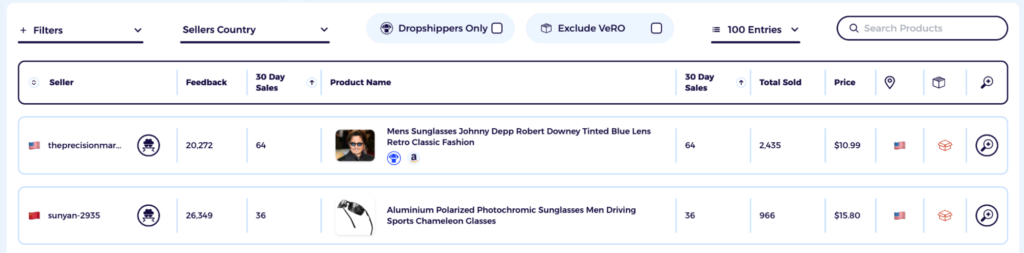
- Click Search and scroll down to the results table, which shows the seller behind each listing along with their feedback score, 30-day sales, and total sold
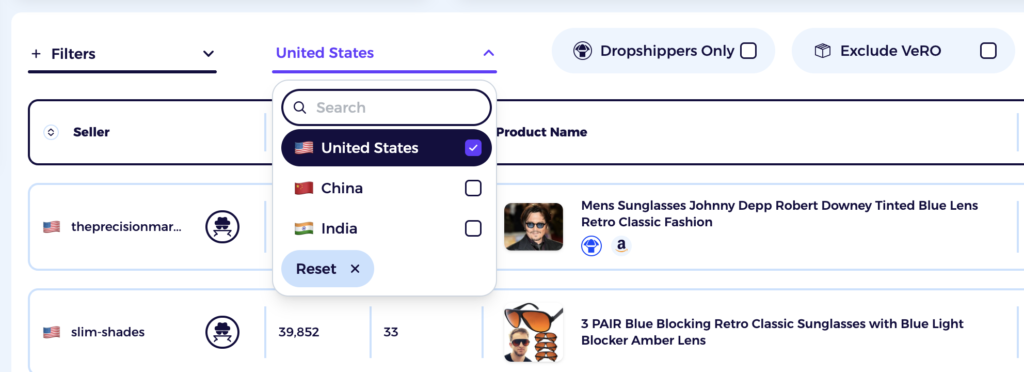
- Use the Sellers Country filter to narrow down results by location if needed (for example, choose the United States if you want to see a list of sellers only from there)
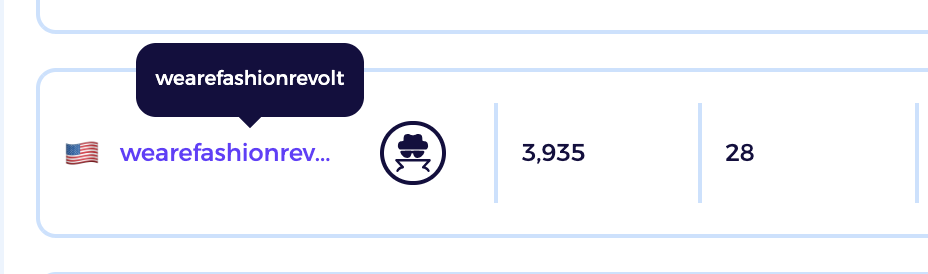
- Once you spot the seller, click their name to open their eBay store
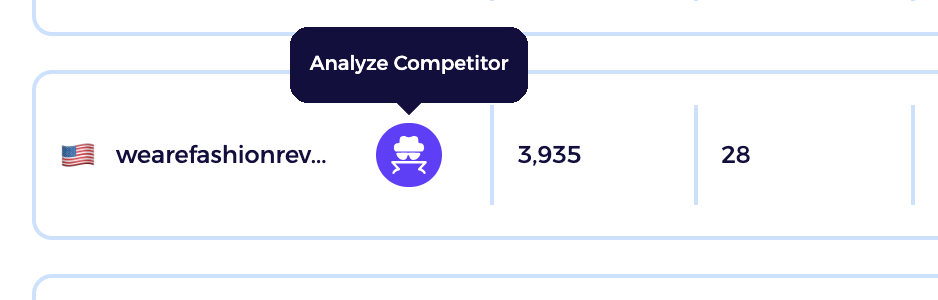
- To see deeper data such as their sell-through rate, top products, and revenue, click the Analyze Competitor icon to open their full store breakdown in ZIK
Method 3: Using ZIK Analytics eBay Market Insights
ZIK Analytics’ eBay Market Insights lets you discover top-selling products and find high-performing sellers on eBay. Using this feature, you can identify trending eBay sellers and see which items in their catalog are driving the most sales for their business.
Here are the steps:
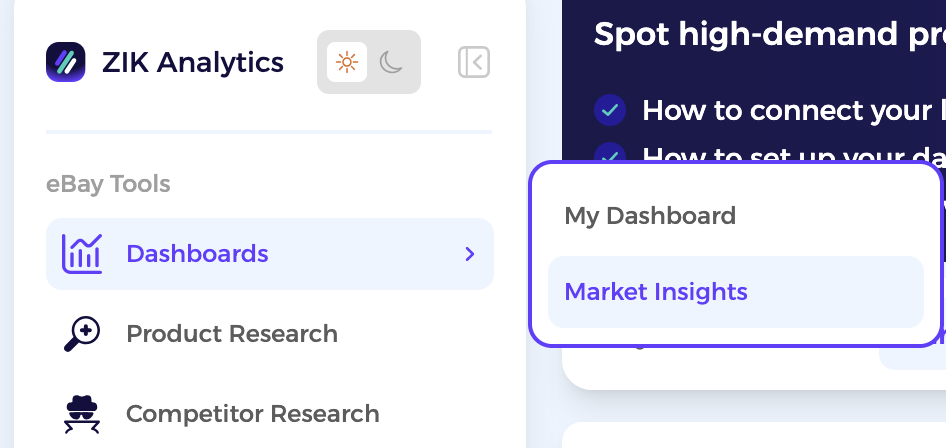
- Log into your ZIK Analytics account and click on the Market Insights tab
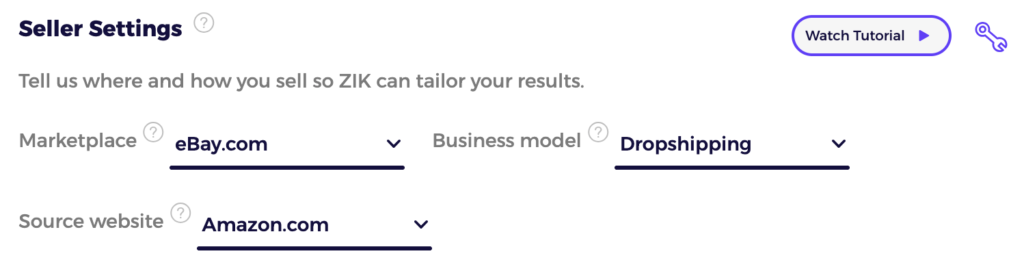
- Set your target marketplace (eBay), business model (such as eBay dropshipping or arbitrage), and supplier (for example, Amazon or Walmart)
- Scroll to the Trending Dropshippers column to see a list of top sellers that updates every 24 hours
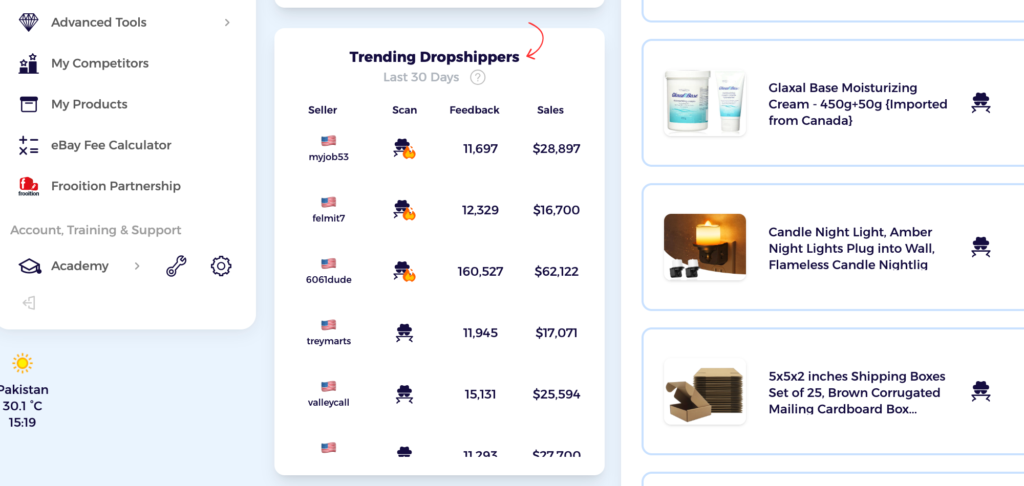
- Focus on sellers with a flaming icon or high feedback scores, as these are benchmarks for strong sales performance

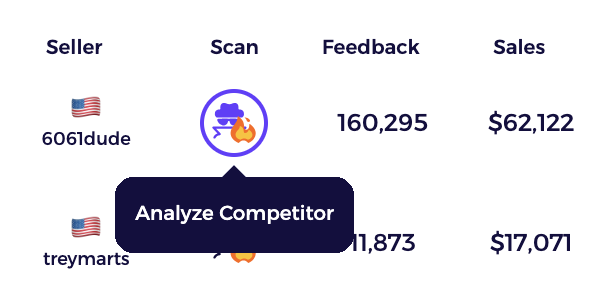
- Click the eBay spy tool icon next to a seller’s name if you want to dig deeper into their store. Taking this step opens up the eBay Competitor Research tool that shows the seller’s complete inventory, sold products, and pricing
Method 4: Using eBay Advanced Search
eBay’s Advanced Search is pretty handy when it comes to finding a specific seller. It’s basically a tool that lets you filter listings by username, store name, or seller ID. That makes it easy to find a particular seller as well as see their activity on the marketplace.
Here’s how to use eBay Advanced Search:
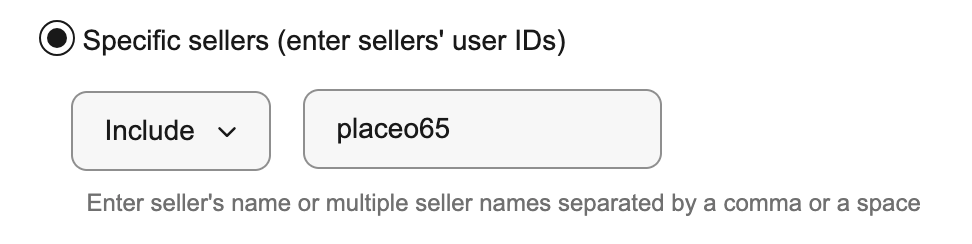
Search By Seller Name
If you have the seller’s exact username:
- Click “Advanced” next to the main search bar

- Select “By Seller” from the left-hand menu
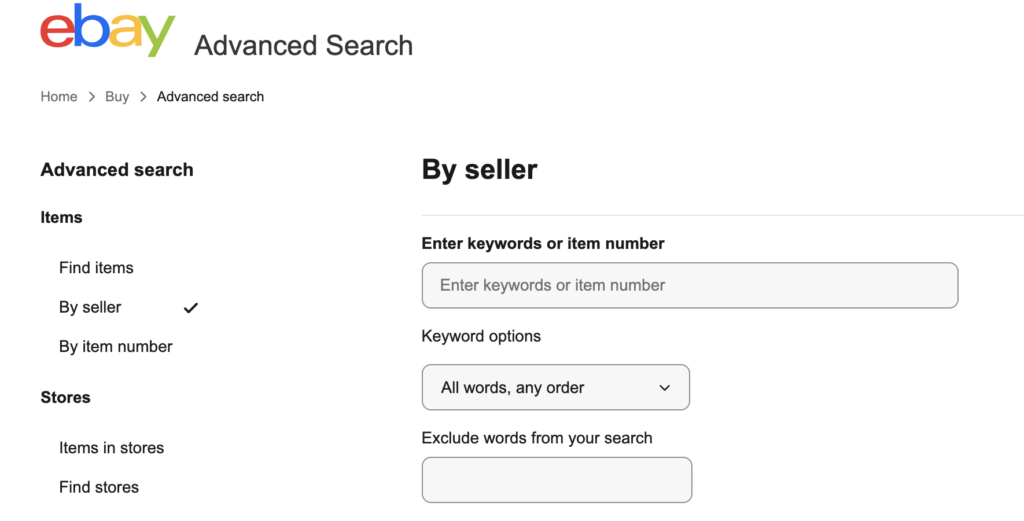
- Check Only show items from
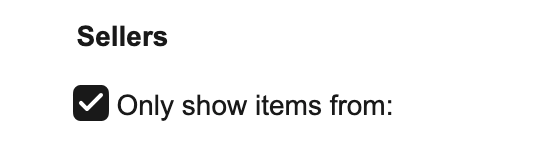
- Type the username into the field and hit Search
Search From a Listing Page
If you’re already browsing and want to explore a seller further:
- Open any product listing
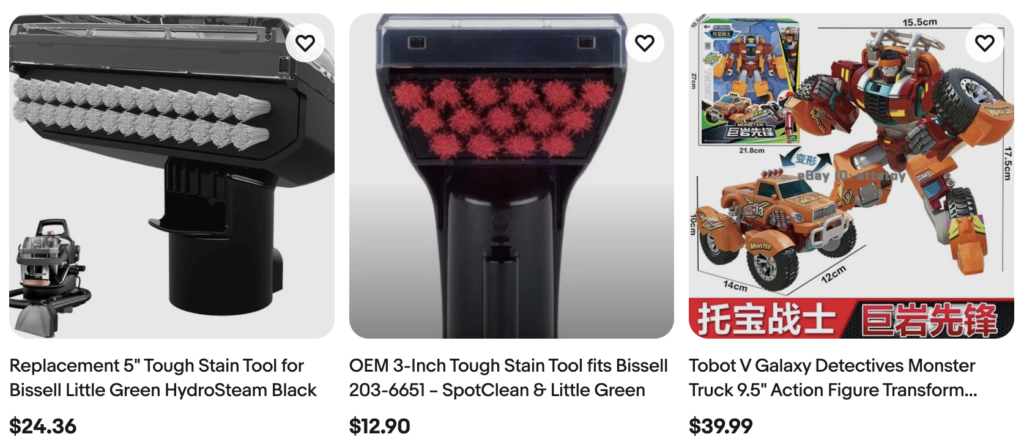
- Look for the Seller Information section on the right side of the page
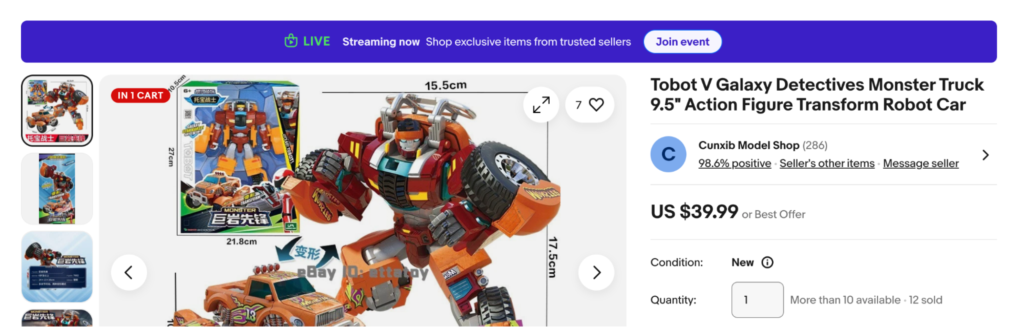
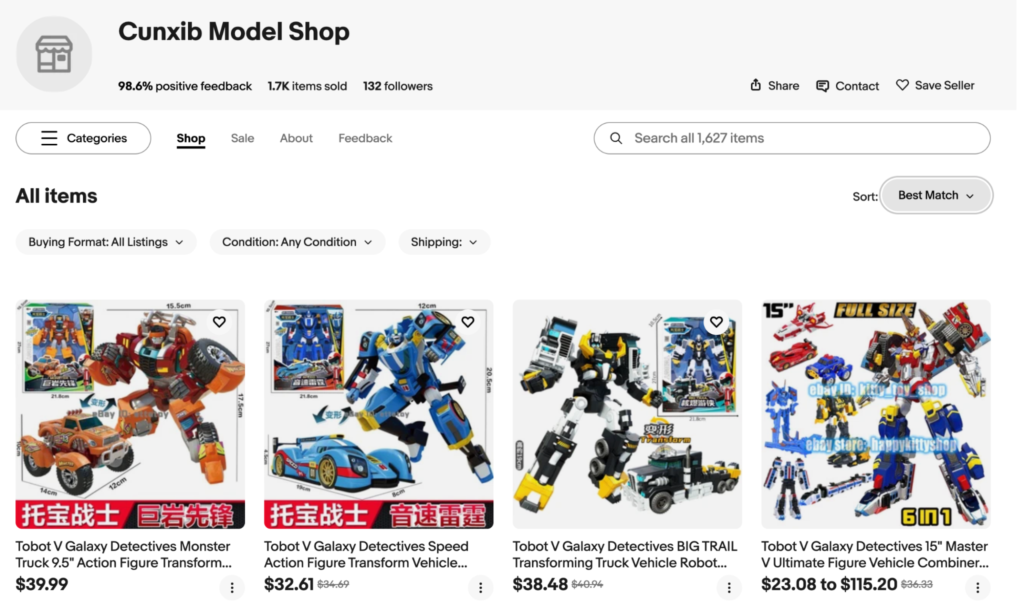
- Click their username to go to their profile

- Browse the seller’s page to see their full inventory
Search By Store Name
If you know the store name but not the username:
- Click “Advanced” next to the search bar
- Select “Find Stores” from the left sidebar
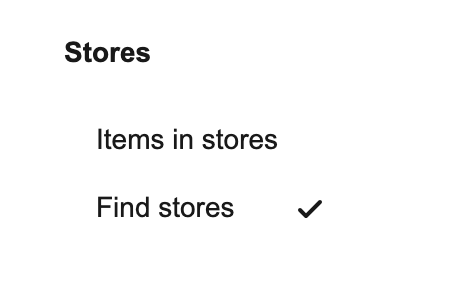
- Type the store name into the field and hit Search
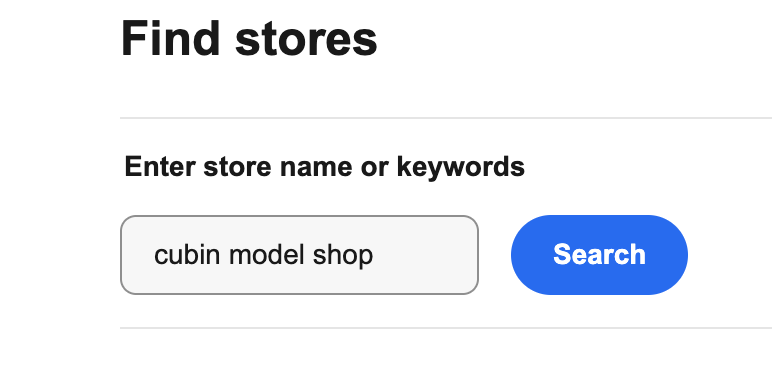
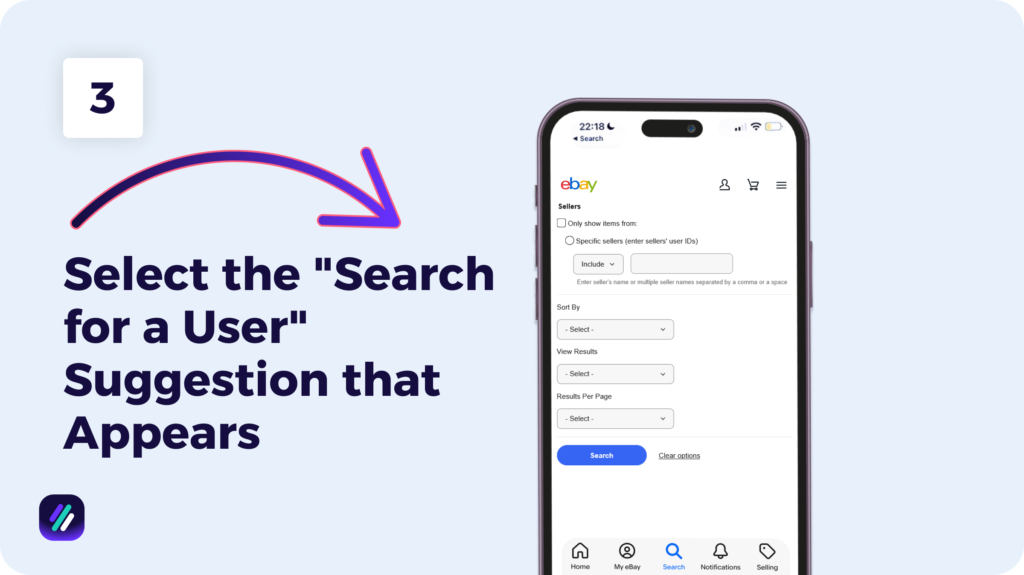
4. By Username on Mobile
- Open the eBay app
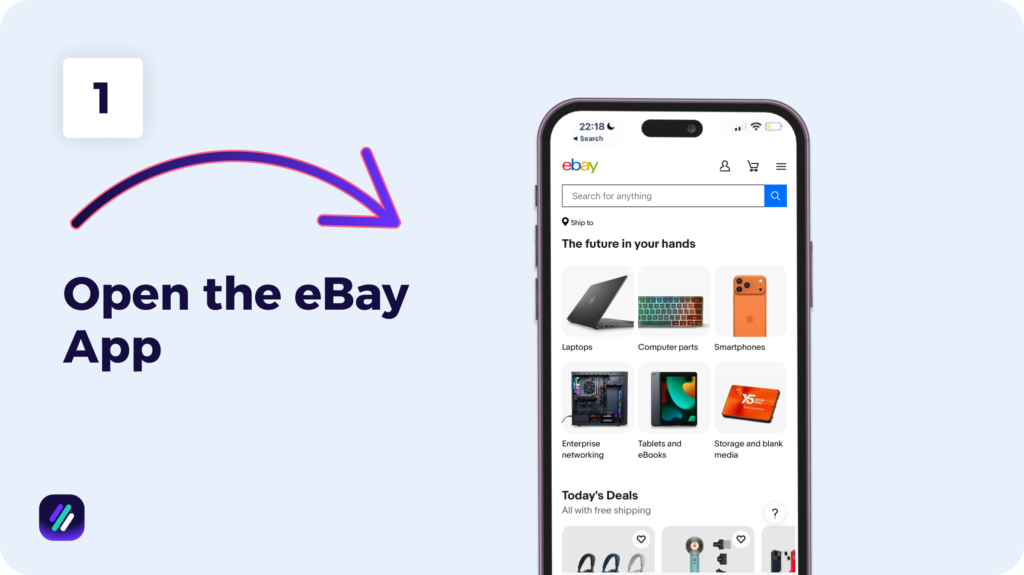
- Type the seller’s username into the search bar
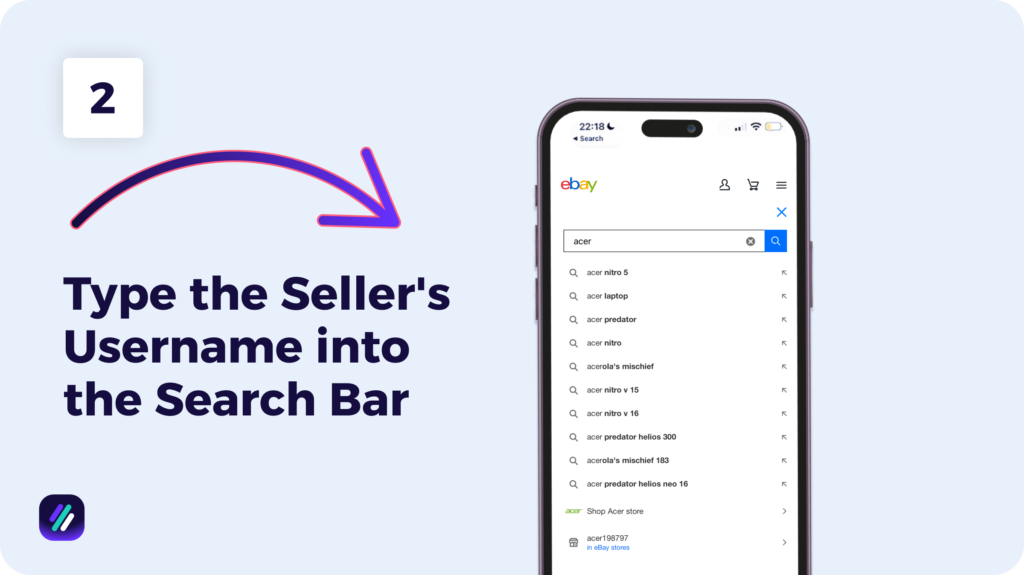
- Select the “Search for a user” suggestion that appears
Method 5: Find Sellers You’ve Saved
You probably have a list of sellers you saved at some point while browsing eBay. To see them, head over to My eBay and select Saved Sellers from the left-hand panel. That will bring up every seller you’ve added to your favorites. On mobile, tap My eBay, choose Saved, and choose the Sellers tab.
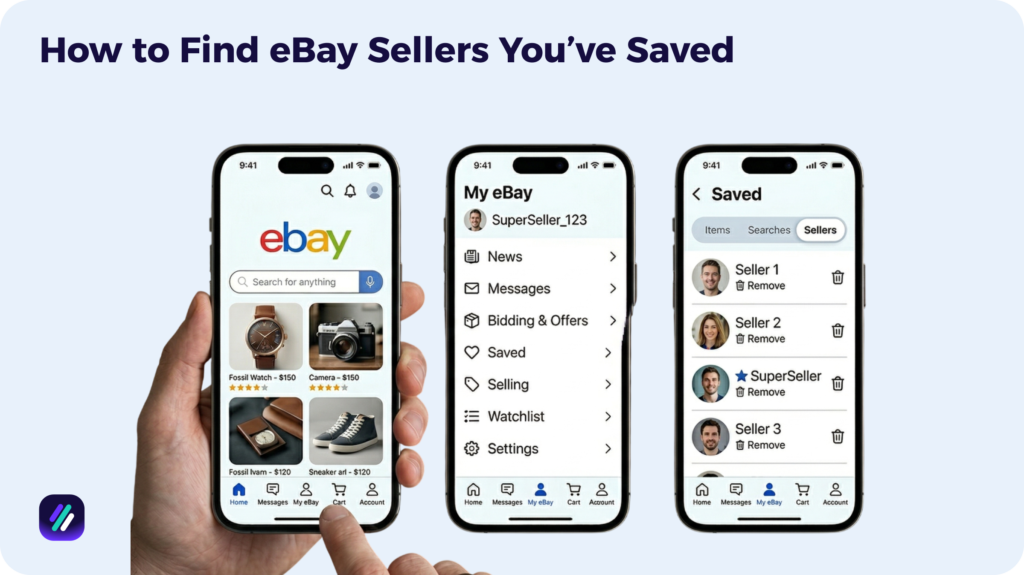
If you want to add a new seller to this list, open one of their listings and then click Save this Seller” near their username. Alternatively, you can click the heart icon on their profile page to do the same.

Method 6: Find a Seller You Bought From
If you’ve shopped with a seller before and want to find their eBay store, you can do so by going through your Purchase History. People typically do this to reorder a product they liked or to browse the seller’s current listings for similar items.
To find a seller you bought from, go to My eBay, select Purchase History, and locate the item you bought from them.
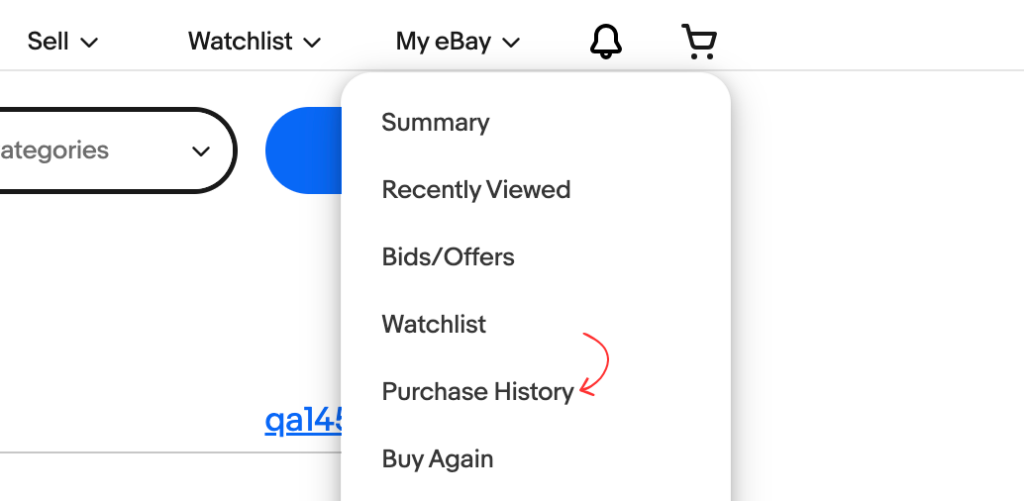
Then click the seller’s username next to the listing to go to their store.

If the purchase was made a while back, search the earlier years using the date range filter. You can look as far back as 2023, as eBay stores’ purchase history for up to three years.
Find Winning eBay Sellers & Spy on Their Stores with ZIK Analytics
ZIK Analytics has a suite of tools to help you find successful eBay sellers and analyze what makes them profitable.
However, I specifically want to mention three tools that make competitor research and store analysis easier:
- eBay Competitor Research Tool lets you spy on any eBay seller’s store. Enter their username to see monthly revenue, find sold items, and top-performing products. Add successful sellers to your Watchlist to track when they list new inventory.
- eBay Product Research Tool shows you which items are ranking highest in eBay’s search results based on sales volume. Search for keywords and filter by price and condition to find profitable items in your niche.
- eBay Bulk Scanner scans entire competitor stores and matches their listings to Amazon or Walmart products. Filter by sales, profit, and competition to find the most profitable items to resell.
You can also use our Best Selling eBay Items tool to see what’s trending in the last 48 hours, and the eBay Fee Calculator to calculate profit margins before listing.
Get your ZIK Analytics trial today and start finding winning eBay sellers to learn from and products to sell.
Frequently Asked Questions About How to Find a Seller on eBay
In this section, I’ll answer the questions people frequently ask about finding a seller on eBay.
Can you search for a seller on eBay?
Yes, you can search for a specific seller on eBay. On desktop, use the Advanced search feature and enter the seller’s username under the Sellers section. On mobile, type the username directly into the search bar to get information about the seller. Keep in mind that you need the seller’s exact username, which may differ from their store name.
Can I find a specific seller on eBay?
Yes, you can find a specific seller on eBay by searching for their exact username through eBay’s Advanced Search. Typing their username in your browser using the format seller:username can also help you find that specific seller. You can also type ebay.com/usr/your_username_here into Chrome or another browser to go directly to the seller’s profile.
How do you find someone’s shop on eBay?
To find someone’s shop on eBay, go to ebay.com/usr/username in your browser and replace “username” with their seller name. You can also type their username into the eBay search bar, which may bring up their store profile.
If you don’t know their username, search for a product they sell, open a listing, and click their seller name to go to their store.