
You’ve been swayed by the thought of reaching millions of potential buyers worldwide.
But before you head over to eBay and create your first listing, know that a major portion of success depends on the products you choose to sell.
I’ve seen plenty of sellers do everything right but fail just because they didn’t spend enough time researching winning items for their store.
Don’t be that seller. In this guide, I’ll show you the correct way to do eBay product research and the tools you can use to find profitable items faster.
What is eBay Product Research?
eBay product research is the process of using data, trends, and analytics to find profitable products to sell.
You look at things like sell-through rate and overall sales volume to determine whether a product has enough demand to make it viable for your eBay business. The insights you gain help you make informed decisions about which items to sell and at what prices.
Why is eBay Product Research Important?
eBay product research is crucial for identifying gaps and profitable opportunities in the market as it gives you the insights you need to identify winning products and capitalize on trends before they become saturated.
Here are a few ways it helps:
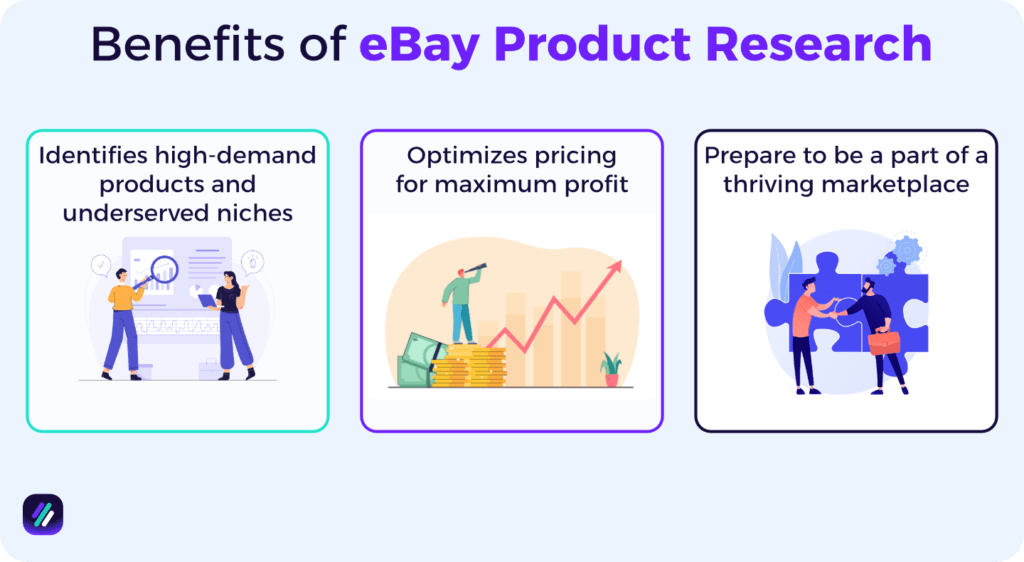
Identifies high-demand products and underserved niches
Not every trending dropshipping item you see on TikTok or Instagram is a winning product. eBay product research helps you validate whether the product you’re considering selling is worth your time and money.
Data like sell-through rate and completed listings show you which items are generating consistent sales for other sellers. Insights into competition levels and demand trends help you identify underserved niches that can become the focus of your eBay dropshipping or retail business.
Optimizes pricing for maximum profit
With more than 18 million active sellers on eBay, getting your pricing right is important for staying competitive and building trust with buyers. With the “sold listings” feature in eBay product research tools, you can check the real prices at which similar items sold rather than what the sellers are asking.
If you see those identical products selling at $25-$30, pricing yours at $24 or below is a good way to attract price-conscious buyers while still maintaining decent margins.
Prepare to be a part of a thriving marketplace
In Q3 2025, eBay reported a Gross Merchandise Volume (GMV) of $20.1 billion, up 10% from the previous year. That number shows millions of transactions happening across the platform.
With research on what to sell and how to position your products, you can tap into that volume and carve out your own piece of the market.
The Core Metrics That Predict Sales on eBay
Both eBay itself and tools that track eBay sales generate specific data points that indicate if a niche or item will perform well on eBay.
These fall into four categories:
Demand Signals
Demand signals indicate whether a sufficient number of buyers are interested in a product or eBay niche. ZIK Analytics offers an eBay Product Research tool that tracks a number of demand signals, including:
- Sold items: The total number of items sold within a specific timeframe (e.g., the last 30 or 60 days) is a key indicator of stable or inconsistent buyer interest.
- Sell-through rate: This metric shows the percentage of active listings that result in a sale, helping you determine how quickly an item brings a sale for the merchant. A high sell-through rate (above 50% is ideal) gives off a positive demand signal.
- Sales earnings: The total revenue generated from sold items shows the overall market size for a product. Higher earnings indicate rising consumer demand and willingness to spend in that category.
- Sales trends: Identifying if sales for a product are trending up or down over time helps determine if the demand is consistent or seasonal.
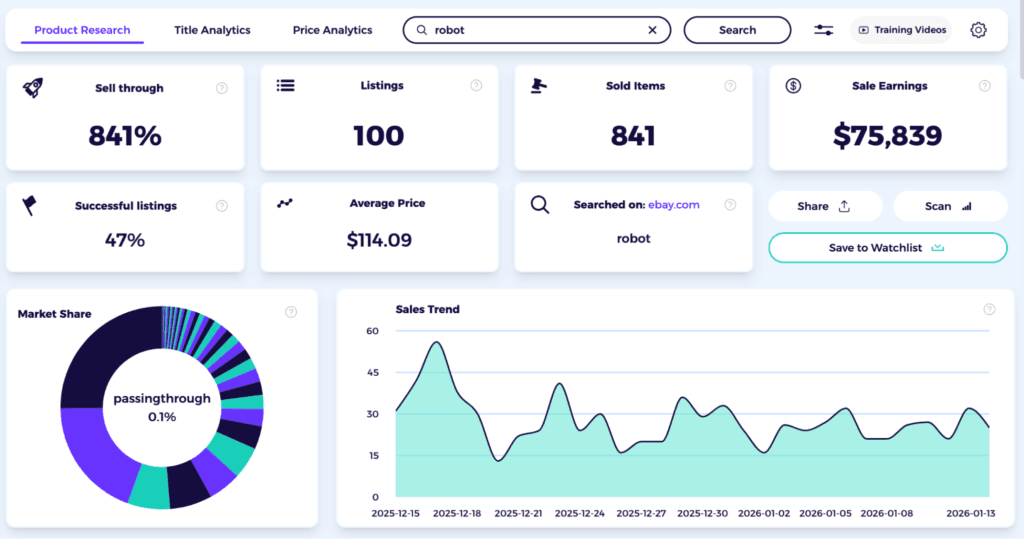
Using these data gives you essential insights into the performance of the actual product and whether you should invest time and money into it.
Competition Signals
Competition signals help you understand the market landscape and adjust your strategy to remain competitive and appealing to buyers.
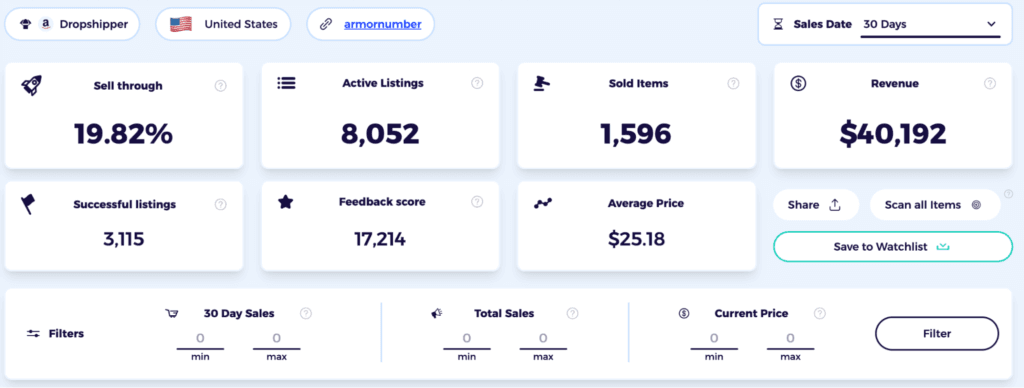
At ZIK, we also offer an eBay Competitor Research tool that provides valuable signals about competitors based on their real-world performance.
Just enter the eBay store name or seller ID of the competitor you want to analyze, and the tool will give you:
- Revenue: The overall estimated revenue the seller has generated in a specific period.
- Active listings: The total number of items the seller currently has listed on eBay.
- Sell-through rate: The percentage of active listings that successfully resulted in a sale, indicating how efficiently they convert inventory. A rate above 50% implies that the seller is quite successful at making sales on eBay.
- Successful listings: The specific number or percentage of individual listings that had at least one sale.
- Average price: The average price point at which the competitor’s items are selling.
- Feedback score: The seller’s overall feedback rating, which helps assess their credibility and customer satisfaction levels.
- Business model: The type of business the seller is running (e.g., dropshipper, wholesaler, etc).
Profit Signals
Profit signals are the specific data points that help you determine a product’s profitability before you commit to selling it.
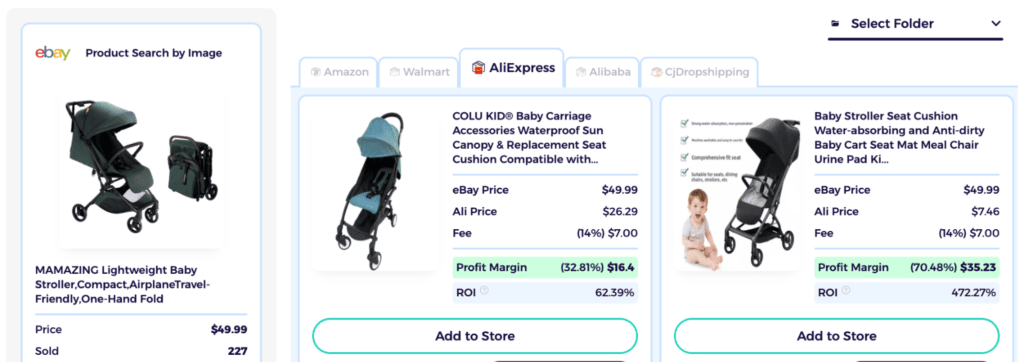
ZIK Analytics’ Shopify supplier matching tool offers the following profit signals to help you make informed sourcing decisions:
- eBay price: This is the market price at which the item is selling on eBay. It’s the maximum potential revenue others have generated so far on a sale.
- Ali price: This is how much the item costs to source from an AliExpress supplier. The lower this price is compared to the eBay price, the higher your profit potential.
- Fee: This represents the estimated eBay and other platform fees associated with the sale. The tool automatically accounts for this when calculating an item’s profitability.
- Profit margin: This is the actual dollar amount and percentage you would keep as profit from the sale after covering the supplier cost and platform fees. A margin is 30% or above is considered good for a dropshipping business.
- ROI: This is the return on investment, or how much money you’re making compared to what you spent upfront. For a dropshipper, an ROI of 50% or above is typical since you don’t source the physical product, and costs remain relatively low.
Timing Signals
Timing signals help you understand consumer behavior and optimize listings so you can make a good impression on eBay Cassini (eBay’s search algorithm).
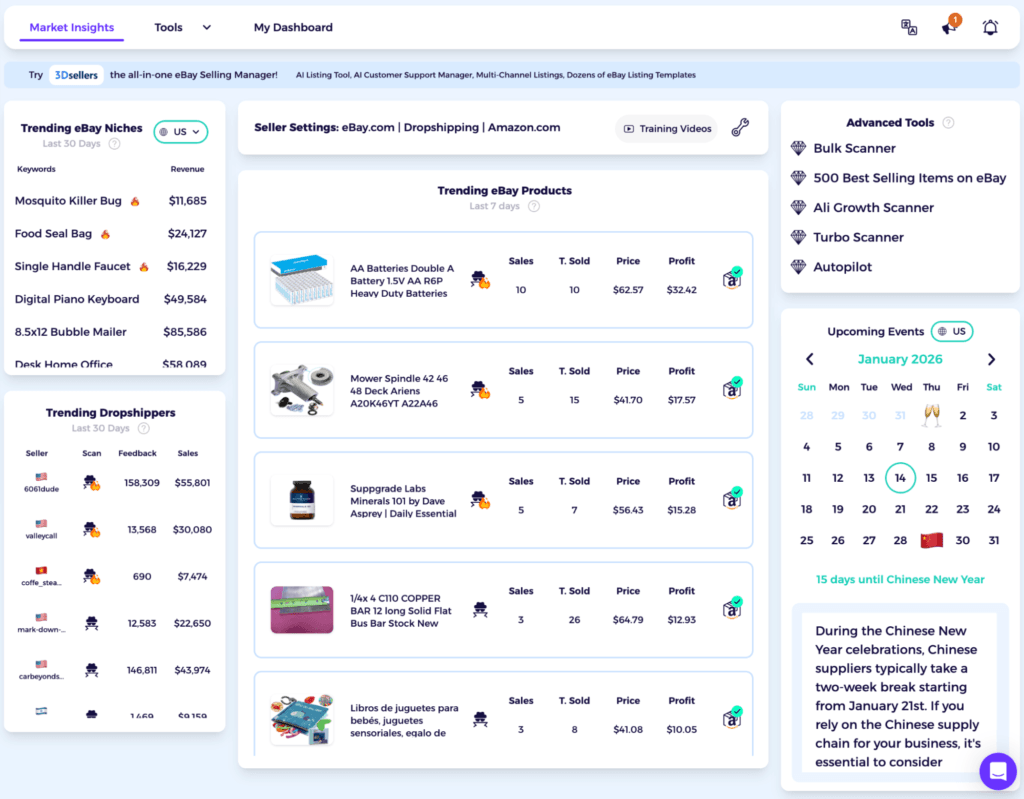
With ZIK Analytics’ eBay Market Insights, you get a few trends and seasonal insights that can help you optimize your selling strategy:
- Trending eBay niches in the last 30 days: This signal shows which dropshipping categories have pulled in more customers within the past month. You can use it to quickly identify profitable opportunities and add relevant products to your store while the demand is high.
- Trending eBay products last 7 days: This signal focuses specifically on individual products with high buyer activity in the most recent week. It gives you the opportunity to add hot-selling items to your store before people get bored and the trend fades.
- Trending dropshippers last 30 days. This signal helps you analyze the emerging competitors in your space. By seeing which eBay dropshippers are performing well and analyzing their stores, you can find gaps or opportunities that help you stay competitive in the market.
- Upcoming events calendar: This signal helps you plan ahead for seasonal demand, holidays, or major shopping events. You can use it to create promotions tied to future events in advance, capturing early search traffic and preventing eBay slow sales.
Step-by-Step eBay Product Research Workflow (Repeatable)
Now for the part where I share the steps involved in researching products on eBay. To make things easier, I’ve created a workflow that you can repeat every time you want to research a new item.
Click to download the eBook and master eBay product research for winning items.Step 1: Define the Niche + Constraints
The niche you choose can make or break your eBay business. So you’ll want to pick something where you have a sourcing advantage or expertise.
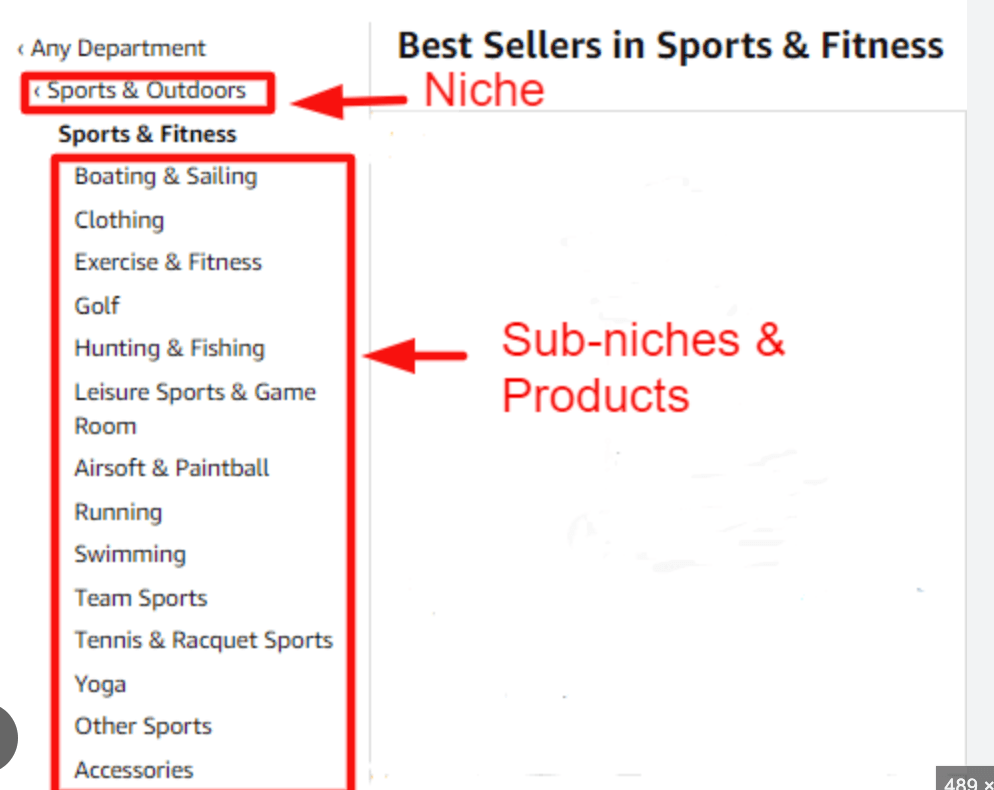
Make a list of a few dropshipping niches and then pick one. Then narrow its scope by exploring the sub-niches within the main niche.
For example, you might go from “computer accessories” to “gaming keyboards” or “bluetooth headsets” to get specific with your research.
Next, see if you can find items that solve a particular problem for consumers. Most dropshipping niches contain items that address specific pain points of end users. These are the products that tend to sell consistently.
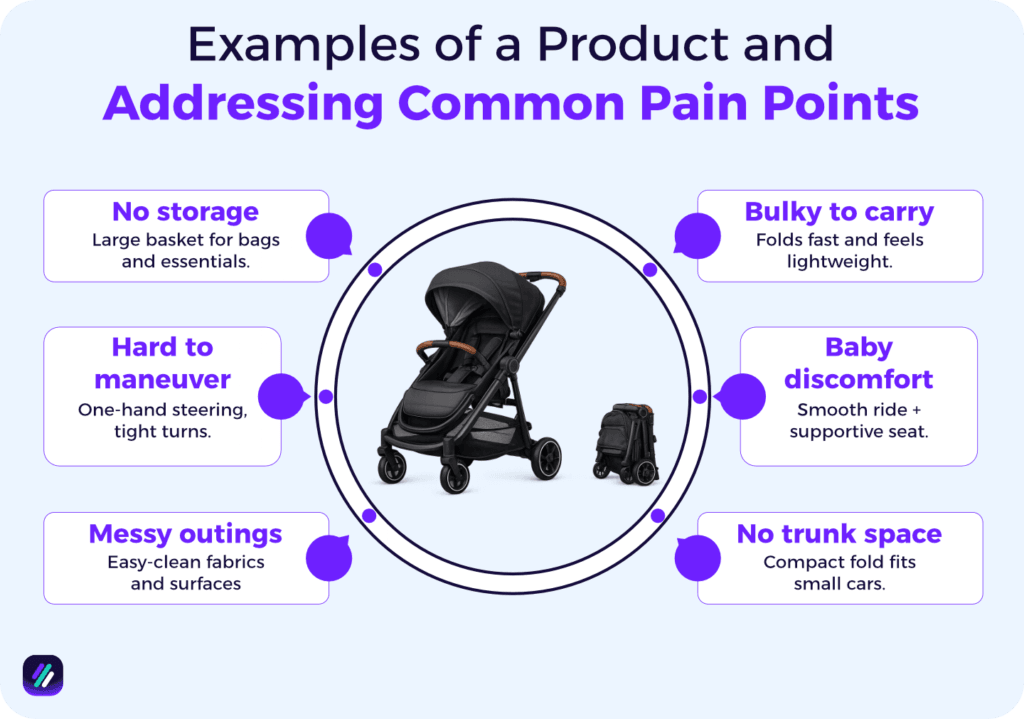
While you’re at it, see if there are any constraints that might come in your way of selling those products. For example, some dropshipping niches have:
- Shipping restrictions: Niches like batteries and aerosols have carrier restrictions that make them harder or more expensive to ship.
- Fragile items: Products like glassware or electronics can break easily during shipping, leading to refunds and unhappy customers.
- Seasonal demand: Some niches only sell well during specific times of year, leaving you with dead inventory sitting on shelves the rest of the year.
If you’re already running an eBay store and have made decent profits in the past few months, use that data to inform your research. A quick tip is to use ZIK’s eBay competitor research tool to get an overview of what’s proven to work in your store.
For example, the tool gives you a list of best-selling items that drove the most sales in the past 30 days. Seeing which categories those items fall under can help you refine your initial choice of a dropshipping niche.
Step 2: Build a Seed List (10–30 ideas)
After defining your niche, consider building a list of 10-30 ideas that will act as your starting point for deeper research. Using Google Sheets or Excel makes this easy to do, and you can view different data points and compare things at a glance.
To build this seed list, drill down on:
- Competitors: See which stores are doing well in your niche. An easy way to do this is to look for the “Top Rated Plus” badge on a merchant’s profile. This badge reflects sellers who consistently deliver good service and make sales. You can then check their sold listings to see which items are driving the most sales for their store.
Sub-niches: Broad categories such as ‘Pet Supplies” are too saturated for new sellers. Instead, dive deep into the category to find those underserved “micro-niches” that you can tap into with your store. To do this, go to the eBay Category directory and choose a niche. You should then see sub-categories based on different levels of depth, such as Pet Supplies > Bird Supplies > Feeding & Watering Supplies > Automatic Bird Feeders. - Social media trends: Social media is where products take off before they make their way to marketplaces like eBay. Items that go viral on TikTok or Instagram often see a massive surge on eBay 2–4 weeks later. You can browse the TikTok Creative Center to see which physical products are trending in user-generated videos. Use keywords like “eBay find” and “game changer” to filter for unique items for your research.
- Supplier catalogs: Your suppliers are the first to know what is being manufactured for the upcoming season. They see the “macro-trends” before anyone else and can be a source of competitive intelligence for your business. As such, you should browse their catalogs to find potential hot sellers that can give you a competitive edge. See the “New Arrivals” section on AliExpress or look at “Top Sellers” on Alibaba to inform your research.
Here’s what your seed list will look like:
| Idea # | Sub-Niche | Where You Found It | Why It Looks Promising | Notes |
| 1 | Collapsible silicone travel kettles | Competitor store | Top-rated seller moved 140+ units this month | Surge in “nomadic travel” and compact living |
| 2 | Magnetic acrylic calendar for fridge | Social trend | Viral TikTok #organizationhacks (2M+ views) | Minimalist kitchen aesthetic is peaking |
| 3 | HEPA filter replacements (generic) | Sub-niche | Home & Garden > Air Purifier Parts | High “repeat buyer” potential for 2026 |
| 4 | Universal phone gimbal stabilizer | Supplier catalog | “Hot Sale” on Alibaba New Arrivals | Massive growth in short-form content creators |
| 5 | Heavy-duty furniture shifting tool | Social trend | High engagement on “home DIY” videos | Solves a physical pain point for solo movers |
Step 3: Deep Dive Into Best-Selling Products Based on the Seed List
With your seed list in place, the next step is to explore each idea more closely. At this stage, the goal isn’t to validate demand with numbers or metrics. It’s simply a way to move from abstract ideas to real, concrete listings.
Start by searching for one of your seed ideas on eBay. Use simple, direct terms that describe the product. For example, if your seed idea is collapsible silicone travel kettles, you could search for “collapsible silicone kettle” to see all the relevant listings.
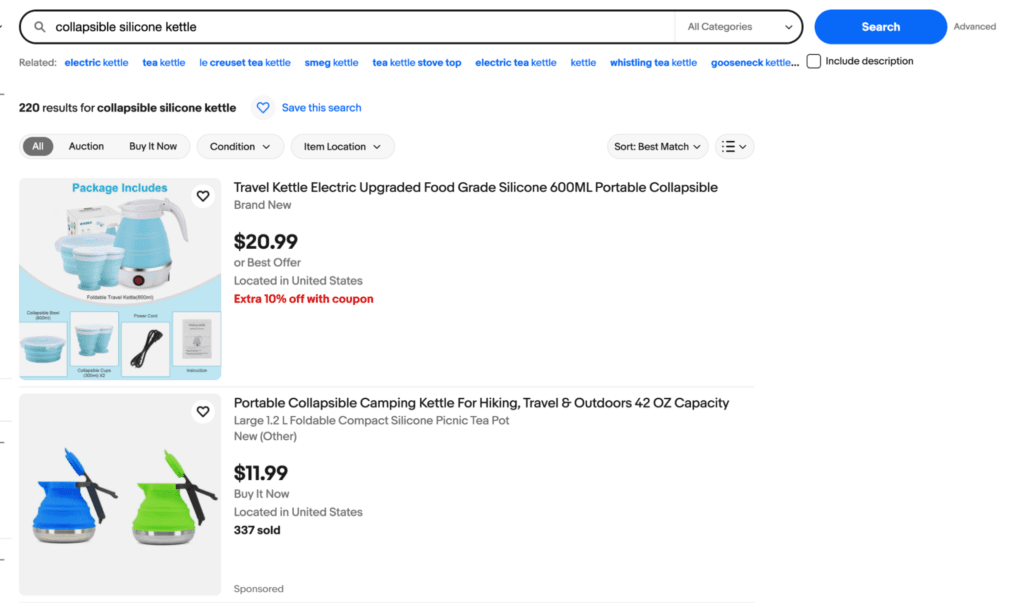
Now scroll down to the left-hand side bar and check the filter for “Sold Items.” This changes your view from items that stores want to sell to items that people are actually buying on eBay. only on listings with a recent “date sold”, because if the last sale was three months ago, the demand has likely dried up.
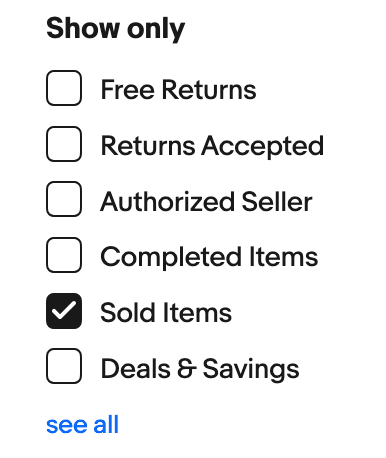
Look at sold eBay listings and look for patterns to identify the best-selling products in that niche. For example, you might notice that the “0.5L blue kettle” appears 8 times in the sold results, whereas the “1L gray kettle” only appears once. This tells you which variation buyers prefer and which one you should focus on selling.
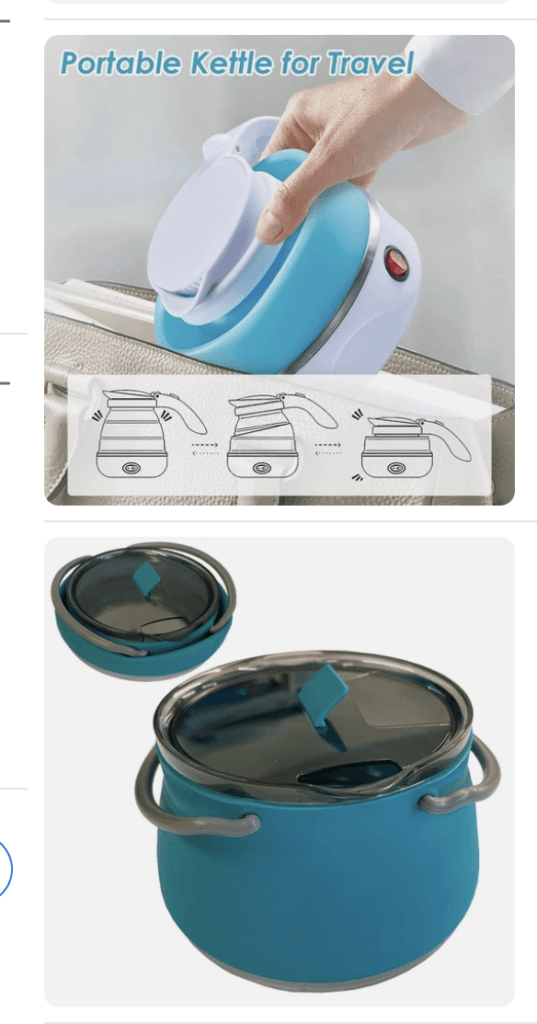
By the end of this deep dive, you should have converted your seed list into a potential best-sellers list. The items on this list shouldn’t be classified as “winners” just yet. Instead, they’re the products that make sense to take into the next step, where you’ll validate demand more formally.
If some of your shortlisted products have higher price points, they may offer greater profit potential with fewer sales. Our guide to eBay high-ticket dropshipping explains how to evaluate and sell premium products successfully while managing the additional risks they can bring.
Step 4: Validate Demand with Data
Now, take your list of top selling items on eBay from step 3 and validate their demand to find actual winning items for your store.
eBay product research tools are best for this purpose. For example, ZIK Analytics’ eBay product research tool lets you view things like:
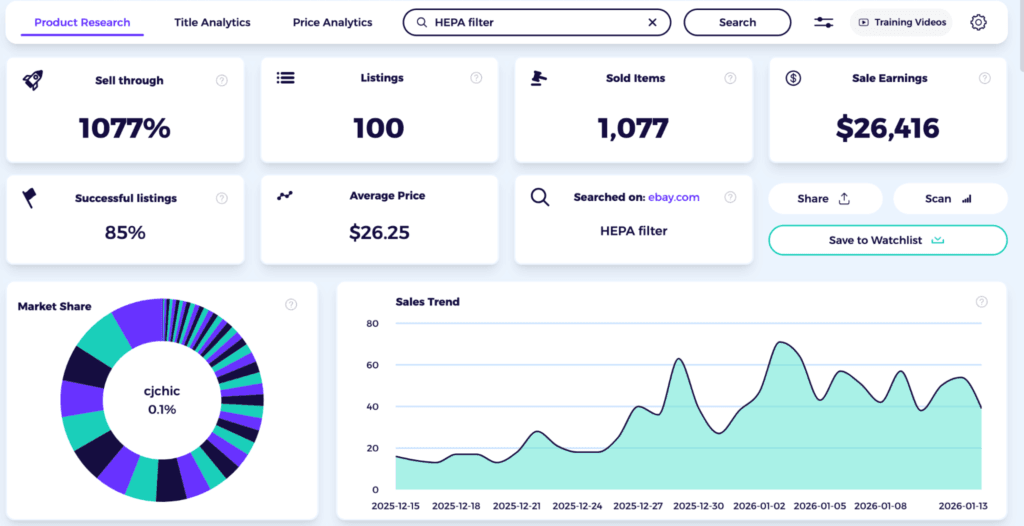
- Sell-through percentage: This measures how many listings for this product actually resulted in a sale. Look for a sell-through rate of at least 500%. This suggests that for every listing, there are multiple buyers, indicating high demand and low competition.
- Successful listings: Aim for a niche where more than 50% of the sellers have sold at least one unit. If only one seller is making the majority of the sales, it may be too difficult for a new store to compete.
- Sales trend: You want to see a stable or upward line. If there’s a sharp drop-off in recent months, it suggests the trend is dying.
- Average price: Is it close to what you had in mind? Or a price that doesn’t make sense in terms of profitability?
For instance, I searched for HEPA filters using ZIK, and the metrics showed that it has done enough to be classified as a winner in my research.
Step 5: Analyze Competition & Listing Quality
Your eBay product research isn’t complete without analyzing how potential competitors are listing and promoting the items you want to sell.
With ZIK Analytics’ eBay competitor analysis, you can dive deep into competitors’ data and see if there are any gaps or weak spots that you could fill.
Take the eBay usernames of the top sellers based on your research and put them into the tool one by one. Then see the following metrics like sell-through rate, successful listings, and feedback score to analyze their performance.
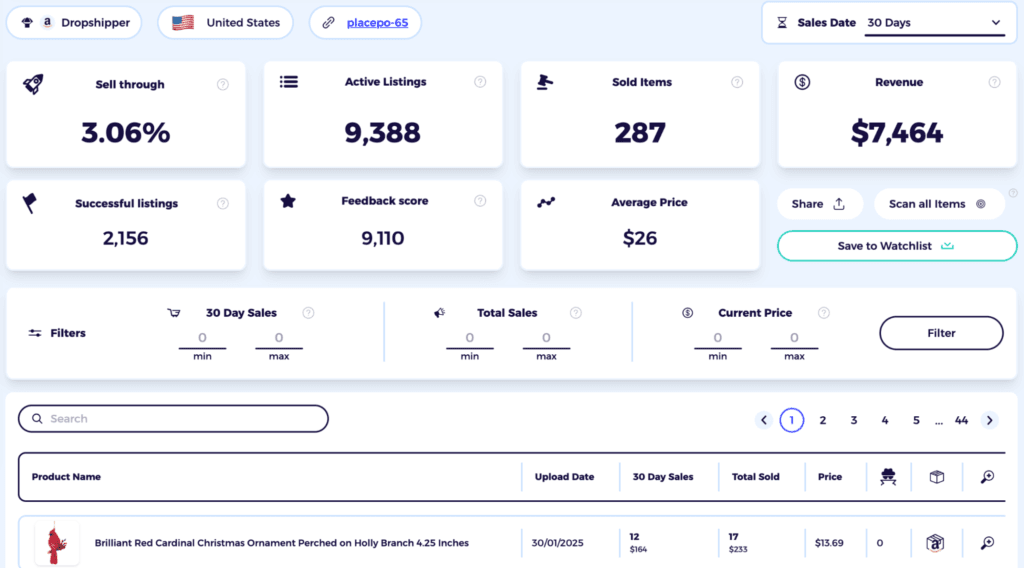
Clicking the link icon in the tool lets you jump to their live eBay listings.
When evaluating a listing, you’ll want to check:
- Images: See if they are using original, high-quality photos or generic images. Based on your findings, you will decide the type of shots you’ll use in your own listings.
- Title optimization: Are their titles short or descriptive? ZIK’s Title Builder can show you which “long-tail” eBay keywords they’ve covered or overlooked.
- Item specifics: eBay’s search algorithm relies heavily on detailed item specifics (brand, color, material, dimensions). If a competitor has left these blank, filling them out on your listing can give you an advantage.
Another thing to check is the type of feedback your competitors have received from buyers. This can help you find potential shortcomings that you can capitalize on to differentiate your storefront.
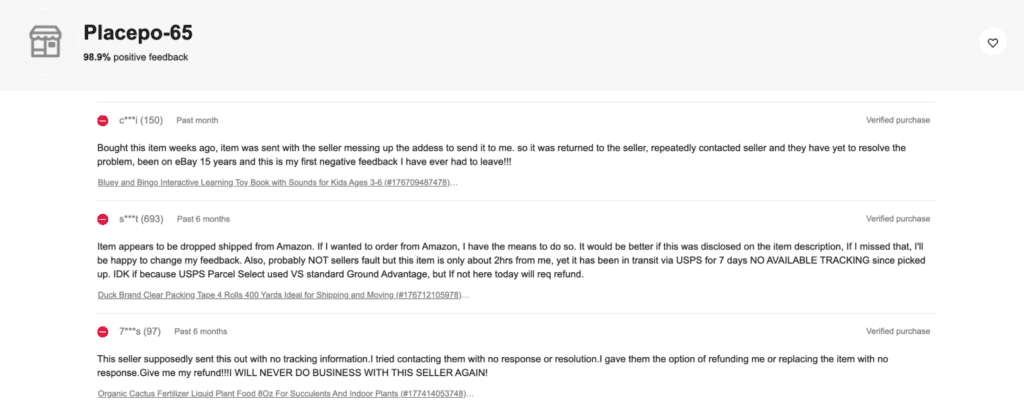
For example, if customers complain about slow shipping times, you might be able to win business by using a local dropshipping supplier.
Step 6: Profit & Pricing Model
Before committing to a product, you must ensure it is financially viable. A high-volume product is useless if the margins are eaten up by overhead.
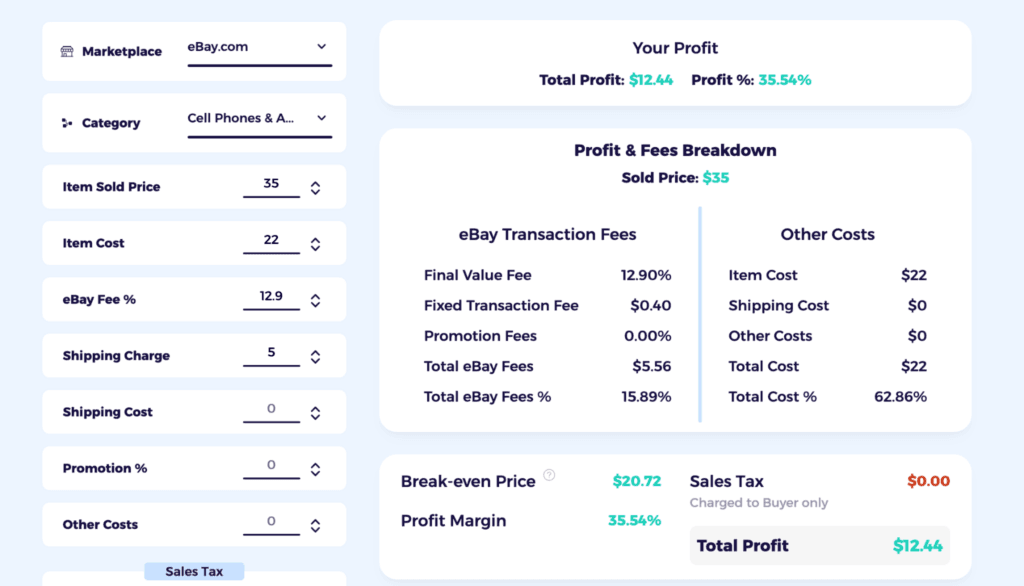
You can use the ZIK Analytics eBay Fee Calculator to get an accurate picture of your potential take-home pay. Simply plug in your:
- Supplier cost: What you pay for the item + shipping to the customer.
- Sale Price: Enter a figure on the average market price found in Step 4.
- eBay category fees: These vary depending on the type of product being sold.
The best eBay fee calculator will automatically deduct eBay’s final value fees and payment processing costs, showing you the net profit and ROI (Return on Investment).
Step 7: Source & Risk-Check
Moving on, check the sources behind the best-selling products you’ve sourced so far. Most sellers source from AliExpress or Alibaba software for eBay dropshipping, who are either manufacturers or distributors with warehouses in multiple locations worldwide.
Don’t blindly trust the sources just because they are the company behind a top-selling product. Make sure to:
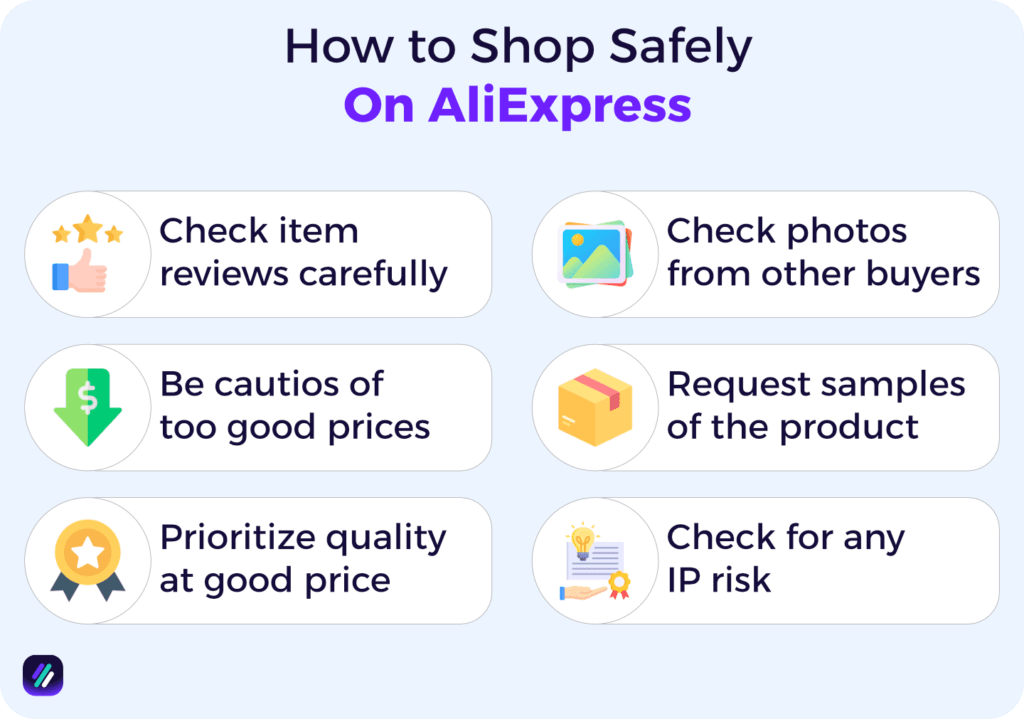
- Prioritize quality: Source products with high customer satisfaction ratings. Look for suppliers with a “Gold” status or those who have been active for 3+ years with a 95% or higher positive feedback rate.
- Request samples. Order a sample to check the build quality and shipping speed personally before listing the item.
- Mitigate risks. Check for “Intellectual Property” (IP) risks. Avoid items that look like branded knock-offs or patented designs. eBay Vero filters can help you avoid categories that don’t sit well with eBay.
Step 8: Run Market Test
With a winning product and reliable supplier in the bag, you’re good to run a real-world market test to see if everything you did till now will make you profits selling on eBay.
You can do this by:
Publishing 3-5 Listings
Launch 3–5 separate listings for the same winning product to test different variables. This approach allows you to see which combination of factors triggers the eBay algorithm. These can be based on:
- Keyword variations: Create one listing with a title packed with high-volume, broad keywords and another with descriptive, “long-tail” keywords (use the ZIK eBay Keyword Tool for data).
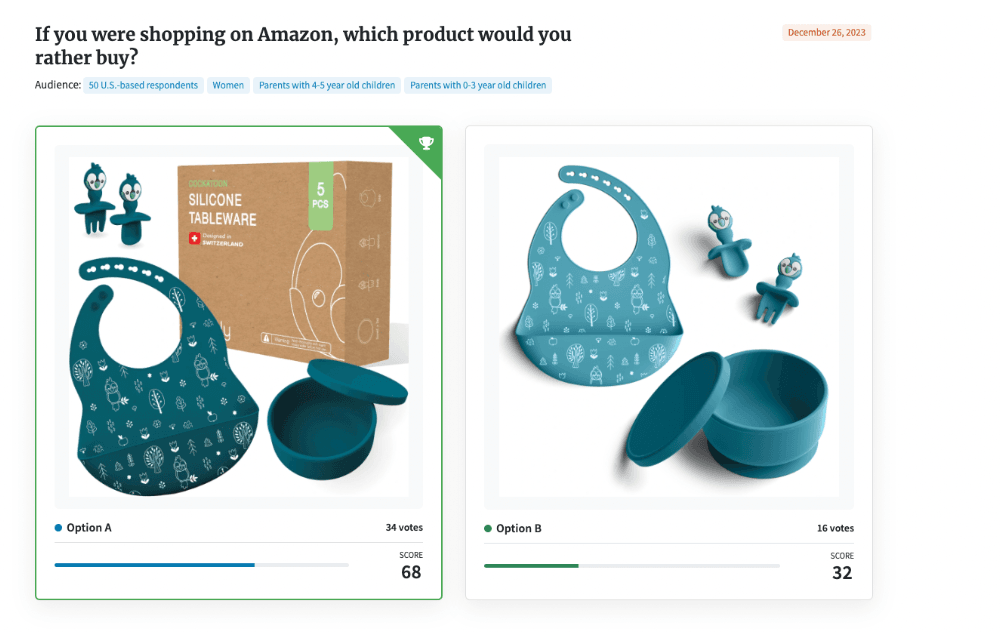
- Visual variations: Test a professional studio shot on a white background against a “lifestyle” image showing the product in use. Lifestyle images often drive higher engagement on mobile than static visuals.
- Pricing variations: Test a “premium” price with free shipping against a “value” price with a small shipping fee to see which your specific sub-niche prefers.
Running a Promoted Listings Campaign
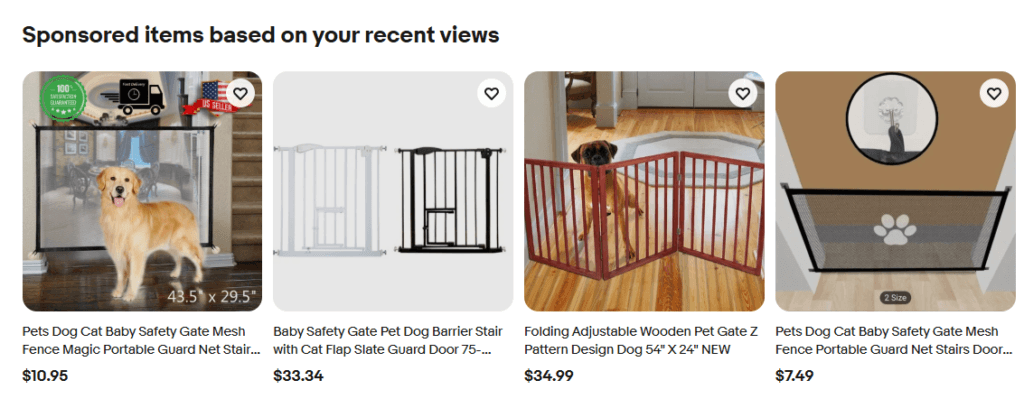
Organic ranking takes time, but you need data quickly. Use eBay Promoted listings to “buy” your way to the top of search results. By driving targeted traffic to your 3–5 variants immediately, you can gather enough data in 7 days to make an informed decision, rather than waiting weeks for organic impressions.
Monitor Daily Metrics
Check your eBay Seller Hub metrics daily for the first week to see which variants are capturing buyer attention:
- Impressions: Is the listing being seen? If not, try raising your Promoted Listings ad rate to see if impressions improve.
- Click-Through Rate (CTR): Are people clicking the main image and title? (Aim for a CTR ≥ the category median).
- Add-to-Cart & Watchers: Even if they haven’t bought yet, “Watchers” are a high-intent signal that your pricing is attractive.
- Message Volume: If you get multiple questions about the same feature, update your Item Specifics to reduce friction.
If eBay Seller Hub feels limited, explore the best eBay seller hub alternatives for product research, dropshipping, listing management, and growing sales.
Applying The Kill/Keep/Scale Rule
After 7-10 days of data, apply a simple rule to decide the fate of your variants:
- Kill: If a listing has a low CTR (below the category median) and zero sales/watchers, disable the listing. A result like this usually means the core concept is not resonating.
- Keep: If a listing meets the median CTR and has at least 1 sale or several watchers, it shows promise. Revise the description and continue running the test with a slightly higher ad budget.
- Scale: The winning variant will have the highest sales velocity and a healthy profit margin (confirmed in Step 6). This is your winner. Double down on this listing format, order bulk inventory from your supplier, and scale up your eBay marketing efforts.
How ZIK Analytics Speeds Up This Workflow
If you’re looking for the best tool to research products and optimize listings on eBay, ZIK Analytics has got you covered.
Our platform offers a suite of tools to help eBay sellers find winning products and scale their stores faster.
However, I specifically want to mention three tools that make the dropshipping product research process a breeze:
- eBay Product Research shows you which items rank highest in eBay’s search results based on sales volume. Search for keywords and filter by price and condition to find profitable items quickly.
- eBay Competitor Research Tool lets you analyze any seller’s store. Enter their username to see monthly revenue, sold items, and top products. Track successful sellers over time.
- eBay Title Builder is your eBay keyword tool for creating optimized titles. Enter a keyword to see search volume, competition, and sales data. Build titles that rank higher and get clicks.
You can also use eBay Autopilot to automate product discovery and eBay Bulk Scanner to scan competitor stores at scale.
Get your ZIK Analytics trial today and start using the best eBay product research tool to find products that sell.
Frequently Asked Questions About eBay Product Research
In this section, I’ll answer the questions people frequently ask about eBay product research.
Is product research on eBay free?
Yes, product research on eBay is free using the official Product Research tool (formerly Terapeak). This tool is accessible to all registered eBay sellers through the Seller Hub or eBay app. You can use it to view historical sales data and trends that can help you make informed selling decisions.
Can you make $500 a month on eBay?
Yes, you can make $500 a month on eBay, often by selling part-time or running it as a side hustle for dropshipping. Profits come when you’re able to source high-demand products for cheap (thrift stores or clearance sales are good sources) and list them at a markup. Some sellers hit their revenue goals quickly by flipping hot items like electronics or brand-name clothing, but it takes time and consistent effort to figure out what works best for an eBay store.
What is the biggest-selling product on eBay?
Fashion, especially clothing and accessories, electronics, and home and garden items, are some of the biggest-selling product categories on eBay. Specific items that sell well on eBay year-round include iPhone cases, clutch bags, women’s tops, and beauty items like face cream. Although their demand might fluctuate during different seasons, most of these high-demand items drive massive sales for eBay merchants.
What happens if you sell more than $1000 on eBay?
Selling over $1000 can put you near or over your initial monthly eBay selling limit. Exceeding this limit might temporarily prevent you from creating new listings until the month passes or your allowance is increased. eBay automatically reviews and increases limits for active sellers who consistently perform well in terms of generating sales and revenue.
How much can I sell on eBay without paying tax in 2026?
There is no limit to how much you can sell on eBay without owing taxes in 2026. However, you’ll only receive a Form 1099-K from eBay if your sales exceed $20,000 AND you have more than 200 transactions. So if you’re selling personal items at a loss (like used clothes or furniture for less than you paid), you generally don’t owe tax since there’s no profit to report.