
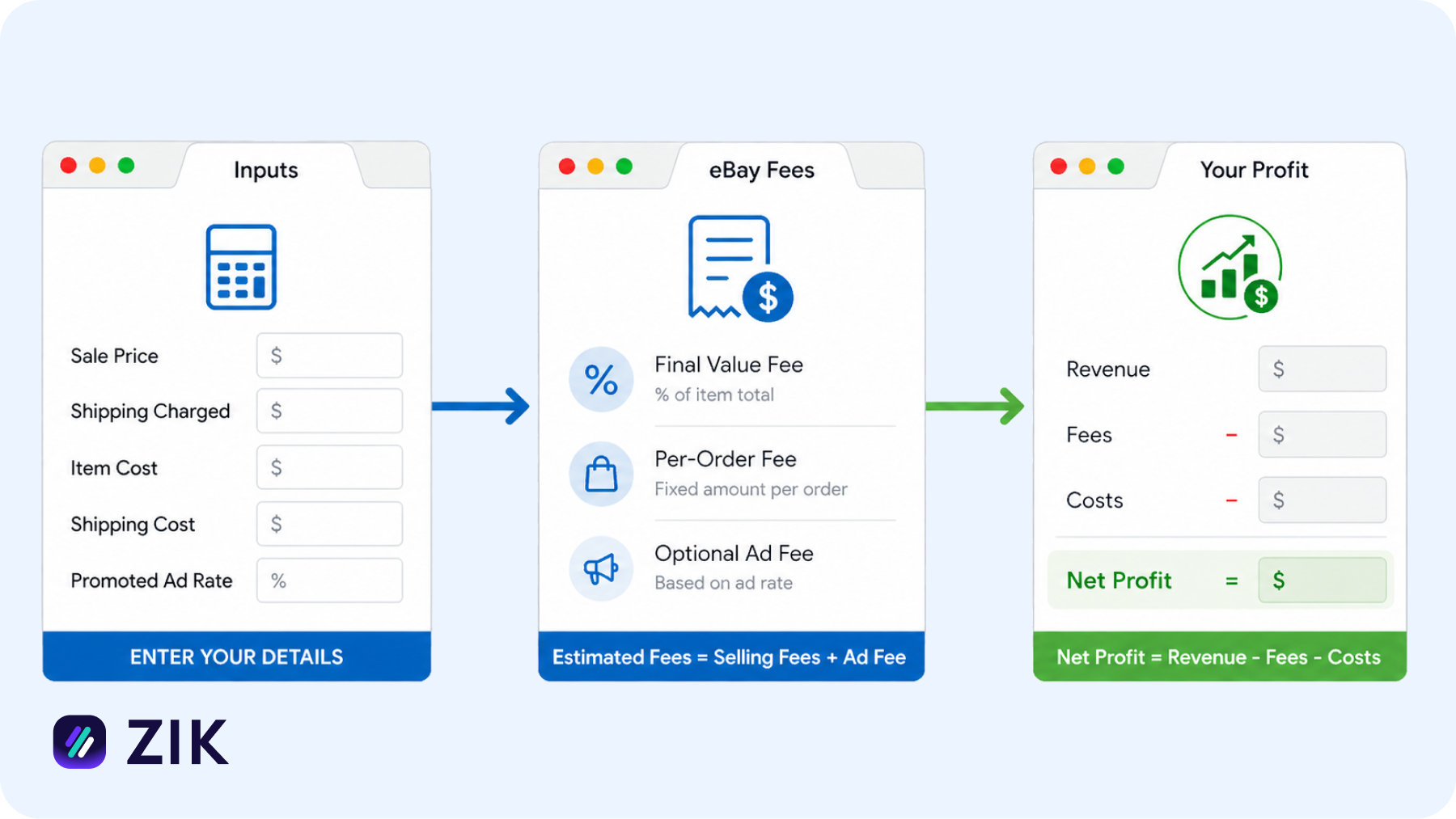
Selling on eBay looks simple at first. You list a product, set a price, and expect to make a profit. But once the sale goes through, you quickly realize something is off. Your margins are smaller than expected, or worse, completely gone.
That’s because eBay fees are not always obvious upfront. Final value fees, payment processing costs, eBay shipping fees, and optional ad fees can stack up fast. If you’re not factoring them in correctly, you end up pricing your products too low without even noticing.
This is where things start to break down. You might be getting sales, but your actual profit tells a different story.
The solution is simple. You need a reliable way to calculate your true costs before you list anything. The best eBay fee calculators help you break down every expense, estimate your real profit, and set prices with confidence.
In this guide, you’ll discover the best eBay fee calculators you can use to make your dropshipping expenses more predictable and your profits more consistent.
| Calculator | Price | Other Features |
| ZIK Analytics | Free | Product research, competitor research, AI tools, Shopify tools, supplier matching |
| eBayFeesCalculator.com | Free | Multi-platform calculators, country-specific settings, payment fee breakdown, ad & tax inputs |
| FinalFeeCalc | Free | Mobile app simple fee calculations |
| Easync | Included in a paid platform | Automation tools, auto ordering, repricing, stock syncing, analytics |
| Closet Assistant | Free | Cross-listing, Poshmark automation, reseller tools, sales tracking |
| Spocket | Free (calculator) / Paid platform | US/EU supplier sourcing, AliScraper, AI tools, business generators |
| GoNukkad | Free | Ecommerce services, listing support, marketing services |
| SaleCalc | Free | Multi-calculators, visual charts, custom fee inputs, iOS app |
| Investomatica | Free | Multi-platform calculators, local data saving, regional tools, regular updates |

ZIK Analytics
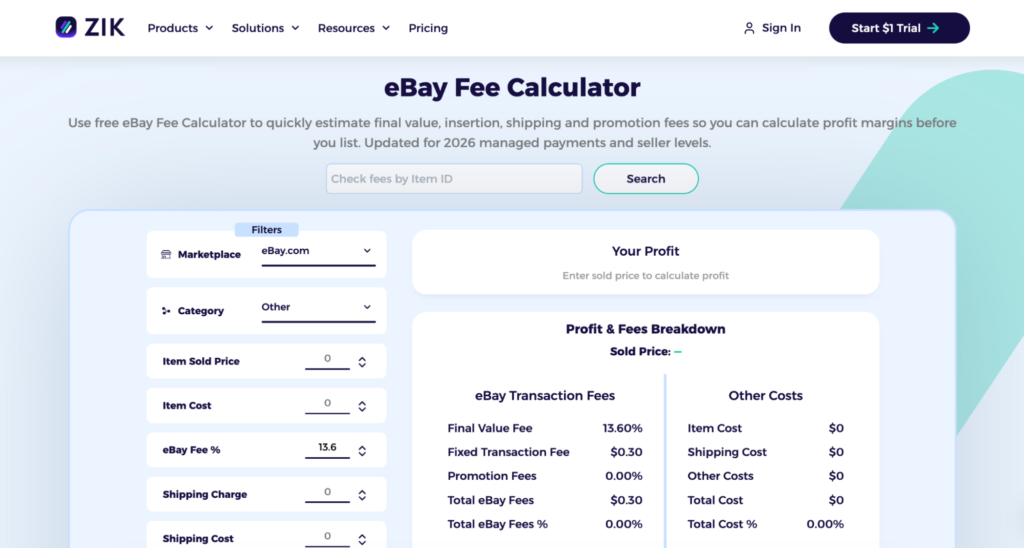
ZIK Analytics is primarily an eBay product research and competitor analysis tool built for eBay sellers. You use it to find profitable products to dropship on eBay, analyze what other sellers are doing, and validate whether an item is worth listing in the first place.
As part of that broader workflow, it includes an eBay fee calculator to help you check the numbers before you commit to a product.
You enter your marketplace, category, selling price, and sourcing cost, along with optional inputs like promoted listing rates. From there, you get a breakdown of your expected profit, including your breakeven point and margins.
Pros
- Accurate profit validation: Helps you check if a product is actually profitable before you list it
- Real fee inclusion: Uses actual eBay fee structures, like final value and payment processing fees
- Pricing guidance: Helps you set the right selling price based on real costs
- Break-even clarity: Clearly shows the price point where you stop losing money
- Product filtering: Helps you eliminate low-margin products and focus on better opportunities
Cons
- Missing real-world factors: Does not account for returns, refunds, or defects that affect actual profit
- Manual input risk: Calculations depend on what you enter, so errors can impact accuracy
Other Features
- Product research tools: Let you find trending and high-demand products using real eBay sales data and filters
- Competitor analysis: Allows you to track other sellers, analyze their listings, and see what products are performing well
- Shopify tools: Includes features like a Shopify sales tracker and store analysis to monitor revenue and trends across Shopify stores
- AI tools: Offers tools like a title builder and an AI-powered Shopify store builder to help with listing and store setup
- Supplier sourcing: Helps you match products with suppliers from platforms like AliExpress, Amazon, and Walmart
eBayFeesCalculator.com
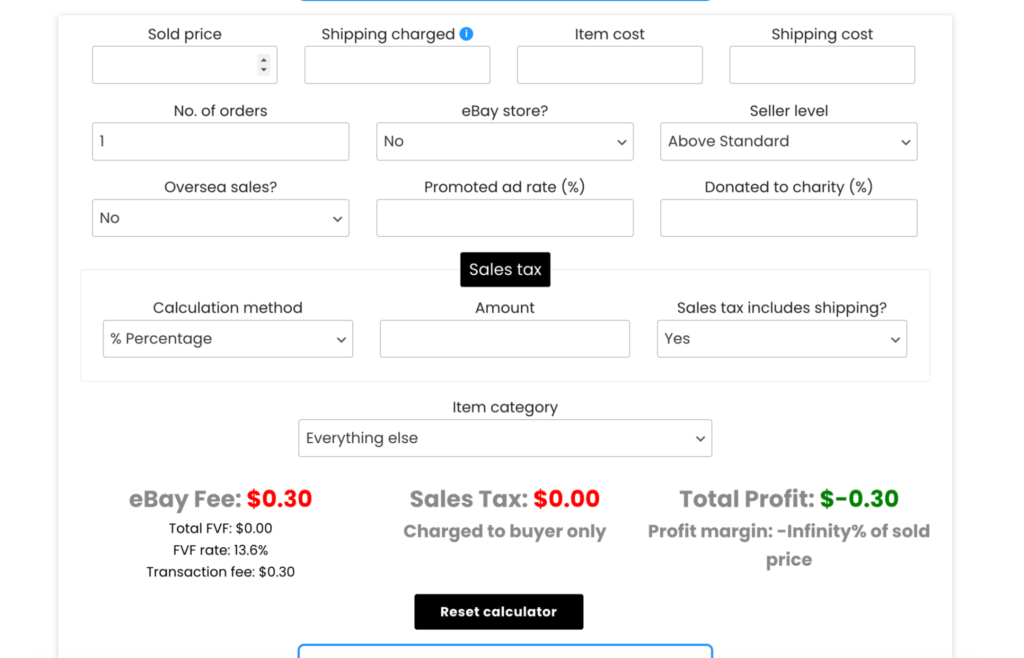
If you just want a quick way to estimate eBay fees without signing up or using a full tool suite, eBayFeesCalculator.com is a quick, free option.
You enter your item price, shipping cost, and a few basic details, and the calculator updates your estimated fees in real time. This makes it easy to test different price points and see how small changes affect your profit.
It’s just a standard web calculator, and it won’t even ask about credit card information or your email. Instead, it shows you the fee breakdowns across different marketplaces and payment methods.
Pros
- Ease of use: Lets you calculate fees in under a minute with simple inputs
- Real-time updates: Adjusts results instantly as you tweak price or cost values
- High-value awareness: Helps you quickly see how much fees impact expensive items
- Responsive support: Feedback and suggestions can get quick responses from the creator
- Beginner-friendly: Straightforward setup makes it easy if you just want quick estimates
Cons
- Accuracy concerns: Fee estimates can be off compared to actual eBay charges, especially on tighter margins
- Outdated data: May not reflect recent eBay fee changes in certain regions, like the UK
- Reliability issues: Results may not match real fee structures, leading to incorrect profit assumptions
- Risk for sellers: Inaccurate calculations can cause you to underprice and lose money
- Support inconsistency: User experiences with support and feedback handling can be unreliable
Other Features
- Multi-platform support: Lets you calculate fees across eBay, Amazon, Etsy, PayPal, Stripe, and more
- Regional settings: Supports country-specific fee structures for the US, UK, EU, AU, and other markets
- Payment breakdown: Includes PayPal and eBay managed payments in the total fee calculation
FinalfeeCalc
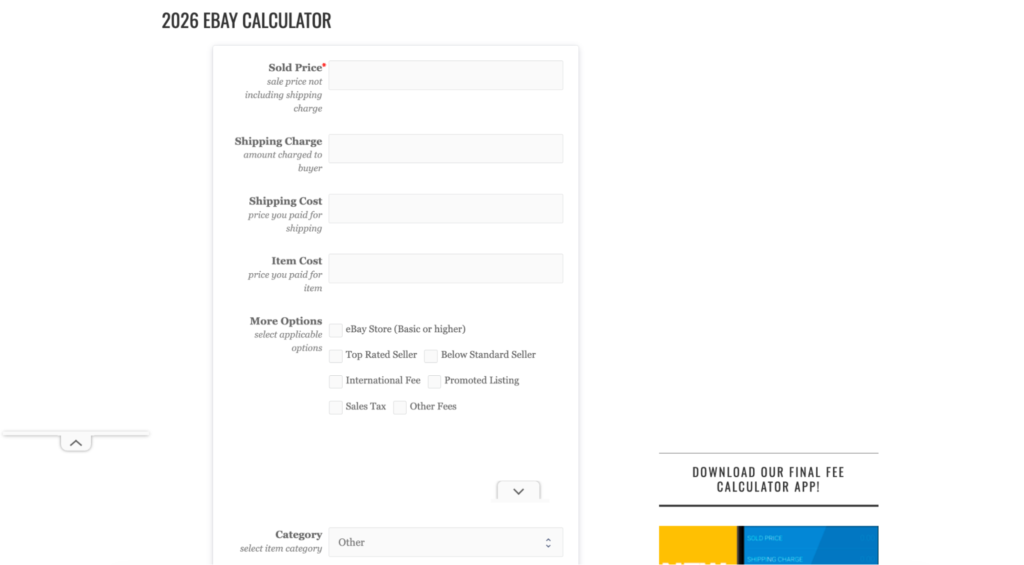
If you’re looking for a simple and no-frills way to estimate eBay fees, FinalFeeCalc is one of the more straightforward tools available.
You don’t need to sign up for an account or use another software just to access a dropshipping tool.
You just enter your item price, shipping, and basic cost details, and it quickly shows your estimated fees and remaining profit. It also includes PayPal calculations, which are useful if you want to see the combined impact of selling and payment fees in one place.
The tool focuses purely on quick calculations rather than advanced features. You won’t find automation, integrations, or product research here. Instead, it works best when you want a fast, lightweight way to check numbers without distractions.
Pros
- Ease of use: A simple interface makes it easy to calculate fees without confusion
- Free access: No signup required, so you can start using it immediately
- Up-to-date: Reflects recent eBay fee changes for more accurate estimates
- Mobile access: Available as an app so you can check fees on the go
- Dual calculation: Works for both eBay and PayPal fees in one place
Cons
- Limited functionality: Only covers basic fee calculations without advanced features
- No automation: Does not support bulk calculations or workflow automation
- No integrations: Cannot connect with eBay, suppliers, or other selling tools
- Outdated interface: Feels barebones and not as modern as other tools
Other Features
No other fees are present for the tool.
Download this eBook now and learn how to sell on eBay like a pro.Easync
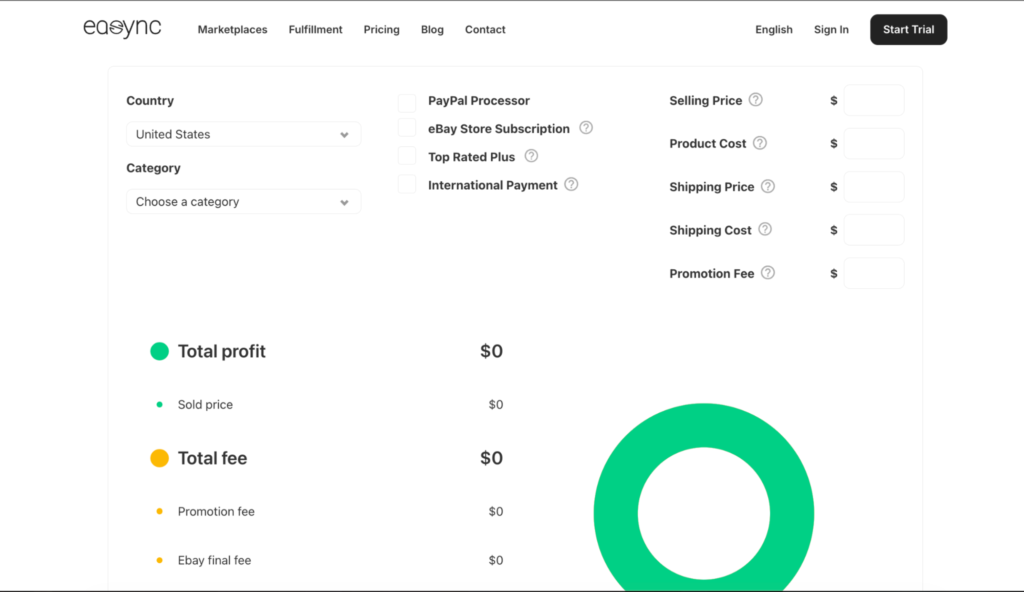
Easync offers an eBay fee calculator as part of its broader dropshipping automation platform.
You can use it to break down the main costs involved in a sale, including final value fees, payment processing fees, shipping costs, and overall expenses. By entering your pricing and cost details, you get a clearer view of how much profit you’re actually making after fees.
Unlike standalone calculators, this tool sits within a system designed for managing your eBay dropshipping operations. That means it’s not just about estimating fees. It’s about helping you understand your numbers alongside sourcing, pricing, and order fulfillment workflows.
Pros
- Full profit calculation: Includes product cost, shipping, ads, and fees to show actual profit
- Category accuracy: Accounts for category-based fees and store subscription differences
- Payment integration: Combines PayPal and payment processing fees in one view
- Detailed breakdown: Shows clear separation of final value fees and other expenses
- Global support: Handles eBay international shipping fee scenarios for selling across different regions
Cons
- Manual process: No automation, so you need to input values for every calculation
- Basic interface: Functional but lacks a modern or polished design
- No bulk analysis: Cannot analyze multiple products or run batch calculations
- Missing real-world factors: Does not include returns, refunds, or defects
- Input dependency: Accuracy depends on manual inputs, which can lead to errors
Other Features
- Product sourcing: Helps you find products and suppliers for your listings
- Automated repricing: Adjusts your prices based on supplier price changes
- Auto ordering: Automatically places orders from suppliers to customers
- Stock syncing: Keeps product availability and pricing updated in real time
- Order fulfillment: Uploads tracking and manages fulfillment automatically
- Multi-platform support: Works across eBay, Amazon, Shopify, and other platforms
- Analytics and reporting: Tracks sales performance, profit, and store metrics
Closet Assistant
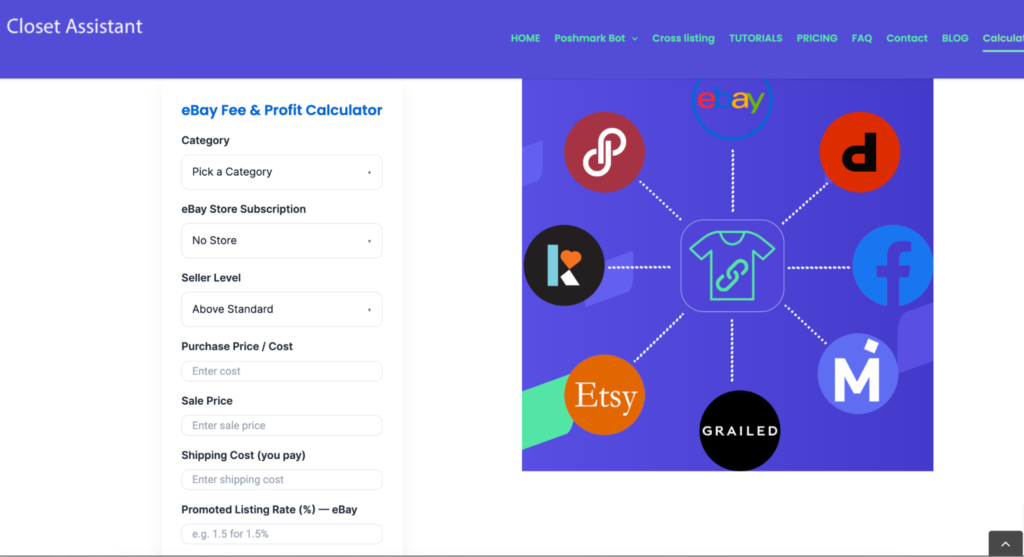
Closet Assistant offers a simple eBay fee calculator as part of a broader reseller-focused toolset.
You can use it to quickly estimate fees by entering basic details like item price and cost. The tool gives you a rough idea of your potential profit, making it useful for quick checks before listing a product.
Unlike more advanced platforms, this calculator is not built specifically for eBay dropshipping or deep profit analysis. It’s more of a lightweight tool designed for casual sellers who want a fast way to understand fees without dealing with complex inputs.
Pros
- Ecosystem support: Part of a larger reseller toolkit, not just a standalone calculator
- Free access: Completely free to use with no signup required
- Ease of use: Simple interface with no learning curve
- Beginner-friendly: Helps you understand eBay fees without complexity
Cons
- Limited inputs: Only supports basic calculations with minimal customization
- No advanced modeling: Does not include ads, detailed shipping breakdowns, or automation
- No bulk analysis: Cannot analyze multiple products or support product research
- Not dropshipping-focused: Lacks features tailored for eBay dropshipping workflows
- Secondary tool: Feels like a supporting feature rather than a core part of the platform
Other Features
- Poshmark automation: Automates sharing, following, and engagement on Poshmark
- Cross listing: Lets you list products across eBay, Poshmark, and other marketplaces
- Auto actions: Supports relisting, commenting, and price adjustments automatically
- Sales tools: Includes features like revenue estimation and sales management
- Product organization: Helps with product research and managing your inventory or “closet.”
Spocket
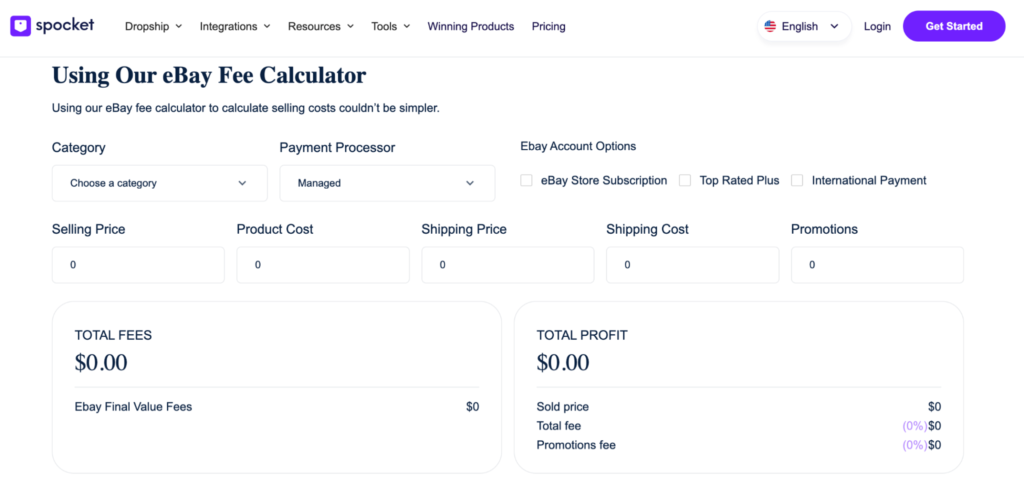
Spocket offers an eBay fee calculator as part of its broader dropshipping platform, which is primarily focused on sourcing products from US and EU suppliers.
You can use the calculator to estimate basic costs by entering your selling price, product cost, and shipping. It gives you a quick snapshot of your potential profit, making it useful when you’re validating products during the sourcing stage.
Unlike tools built specifically for eBay sellers, Spocket’s calculator is more general. It’s designed to support multiple ecommerce use cases rather than provide a detailed breakdown of eBay-specific fees.
Pros
- Ecosystem support: Part of a broader dropshipping platform, not just a standalone calculator
- Ease of use: Simple and beginner-friendly interface
- Free access: No signup required to use the calculator
- Basic profit view: Includes price, cost, and shipping for quick profit estimates
- Sourcing validation: Useful for quickly checking margins while researching products
Cons
- Limited depth: Very basic compared to more advanced eBay fee calculators
- No detailed breakdown: Does not include category-based fees or promoted listing costs
- No automation: Lacks bulk calculations or workflow automation
- Limited inputs: Missing advanced options like store-level settings or ad rates
Other Features
- Supplier sourcing: Access to products from US and EU suppliers
- AliExpress integration: Connects with AliScraper for importing products
- AI tools: Includes tools like DropGenius for product and store ideas
- Profit calculator: Separate tool for calculating general profit margins
- Business tools: Offers extras like an invoice generator and a business name generator
GoNukkad
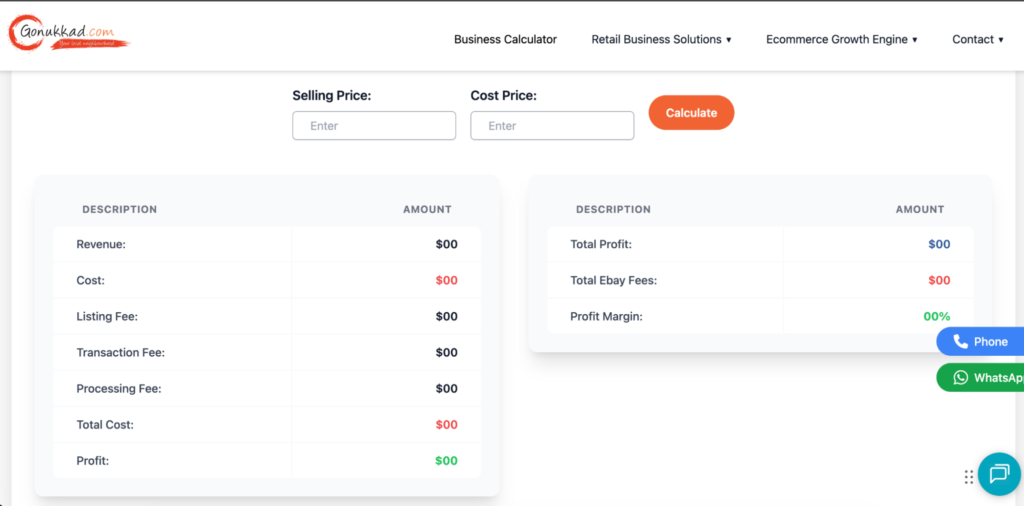
GoNukkad offers a basic eBay fee calculator designed to give you a quick understanding of selling costs.
You enter simple inputs like your selling price and cost, and the tool provides a rough estimate of your fees and potential earnings. It focuses more on helping you grasp the overall cost structure rather than delivering a detailed or highly accurate breakdown.
This makes it more suitable if you’re just starting out and want a general idea of how eBay fees work. However, it lacks the depth and precision you might need if you’re actively managing margins or scaling a dropshipping business.
Pros
- Ease of use: Simple interface for quick fee estimates
- Basic profit awareness: Helps you understand the relationship between fees and earnings
- Beginner friendly: Useful for learning how eBay costs are structured
Cons
- Limited inputs: Very basic calculator with minimal customization
- No detailed breakdown: Missing advanced components like ads, store level, or fee specifics
- No automation: Does not support bulk analysis or integrations
- Low depth: Feels more informational than a fully functional tool
- Weaker credibility: Interface and reliability feel less established compared to other tools
Other Features
- Ecommerce services: Offers support for listing management and account handling
- Marketing support: Provides services aimed at helping grow and scale your business
SaleCalc
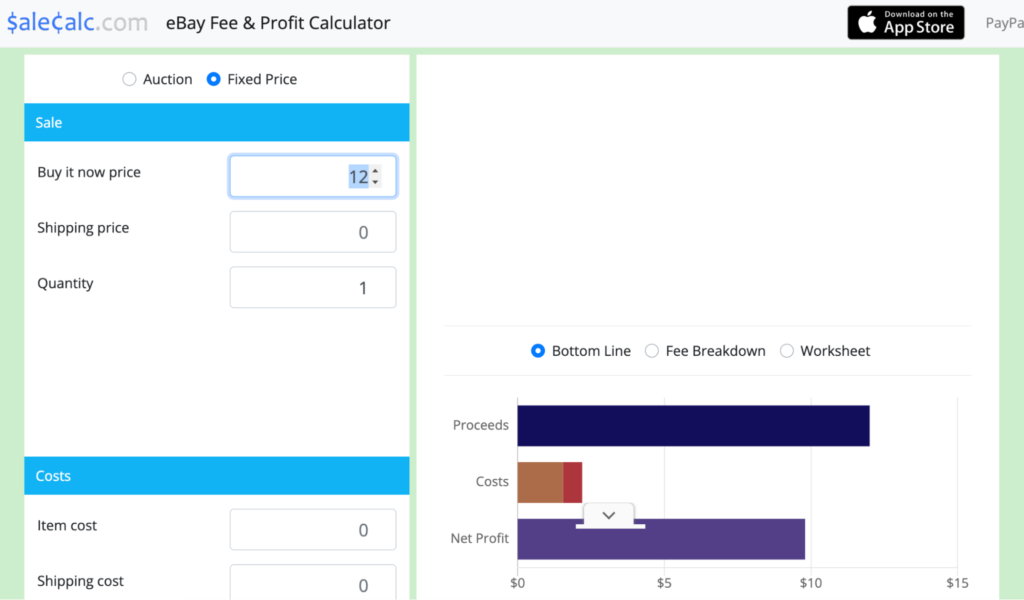
SaleCalc is a more detailed eBay fee calculator that goes beyond basic estimates and focuses on helping you understand your full profitability.
You can input your item price, costs, and fee settings, then adjust variables like category rates, payment processing, and listing upgrades. From there, it shows not just your fees, but also your net profit, margin, and return.
Pros
- Target pricing: Lets you calculate the exact selling price needed to reach your desired profit
- Fee coverage: Includes both eBay and payment processing fees in one calculation
- Selling formats: Supports both auction and fixed price scenarios
- Visual insights: Provides charts to break down profit, costs, and fees
- Custom inputs: Allows you to adjust category rates and payment fees for better accuracy
Cons
- Outdated interface: Feels old and not as modern as other tools
- Limited global support: Primarily focused on US fee structures
- No automation: Does not include integrations or bulk calculations
- Manual input: Requires entering data for each product individually
- Not dropshipping-focused: Lacks features tailored for dropshipping workflows
Other Features
- Multi calculator support: Includes tools for Amazon, PayPal, Etsy, and more in one platform
- Mobile access: Available as an iOS app for on-the-go calculations
- Real-time updates: Adjusts results instantly as you input values
- Saved settings: Remembers your inputs so you don’t have to re-enter them
- Quick start options: Let’s you launch calculators with pre-filled values
Investomatica
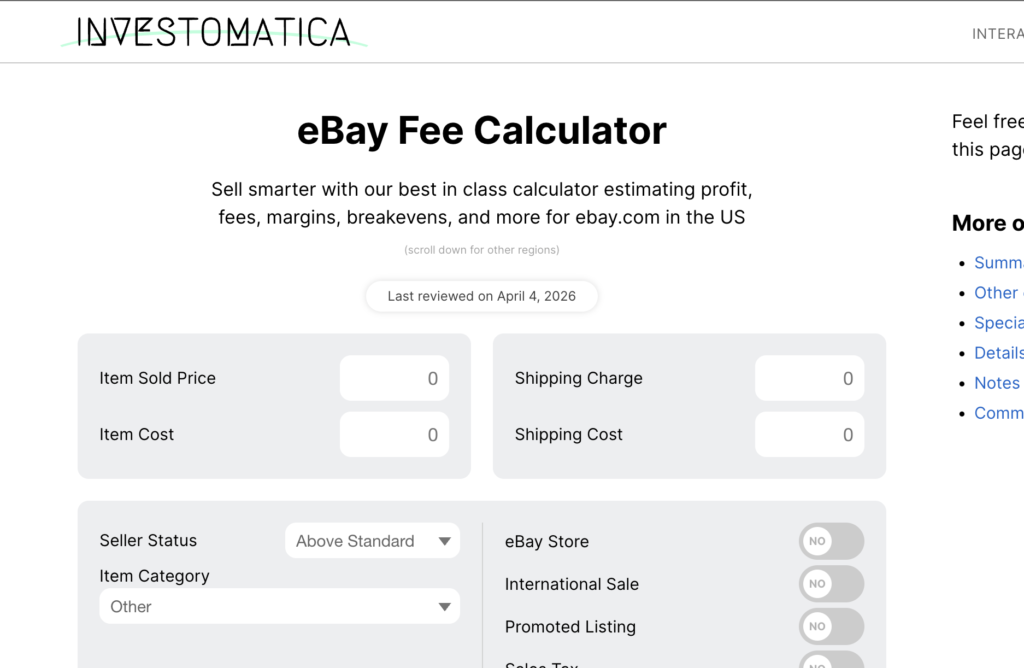
Investomatica is a more advanced eBay fee calculator designed to give you a detailed view of your profitability rather than just a simple estimate.
You enter your selling price, item cost, shipping, and additional variables like seller status, category, promoted listings, and taxes. Based on that, the tool calculates your total fees, profit, margin, and even your return on cost.
What makes it different from simpler calculators is the level of detail. It breaks down fees based on real conditions like category rates and seller performance, and includes features like breakeven analysis so you can understand exactly where you start making money on eBay.
Pros
- Detailed inputs: Includes seller status, category, store level, and ad rates for accurate calculations
- Break-even analysis: Shows exactly when you start making profit
- Full metrics: Displays profit margin, return on cost, and more, beyond just fees
- Regional support: Works across multiple regions like US, UK, CA, and AU
- Auto updates: Recalculates instantly and saves inputs locally for convenience
Cons
- Basic interface: Functional but not polished or premium
- Manual input: No automation or integrations with eBay or suppliers
- Beginner complexity: Can feel overwhelming due to many input options
- Estimation only: Not synced with eBay, so results are based on estimates
Other Features
- Multi-platform tools: Includes calculators for Etsy, Poshmark, Mercari, StockX, and more
- Local data saving: Keeps your inputs so you don’t have to re-enter values
- Regular updates: Adjusts to changes in eBay fee structures over time
- Specialized calculators: Offers dedicated tools for eBay Motors and different regions
What is an eBay Fee Calculator?
An eBay fee calculator is a tool that helps you estimate your total fees and actual profit before listing a product.
You enter details like your selling price, product cost, and shipping, and the calculator breaks down what you’ll pay in fees, such as final value fees and listing fees. From there, you can see your net profit, profit margin, and breakeven point.
This matters because eBay fees are not always obvious upfront. Without calculating them properly, you risk pricing items too low and cutting into your margins.
Shipping costs can also have a significant impact on your profitability, especially when buyers purchase multiple items. Understanding how to combine shipping on eBay can help you reduce shipping expenses and improve your overall profit margins.
eBay also provides its own calculator, which gives you an estimate of the fees for a specific listing. Using these tools helps you evaluate whether a product is worth selling before you commit to it.
Why do you need an eBay Fee Calculator?
Here are reasons why dropshippers need eBay fee calculators:
- Hidden fee awareness: Helps you account for final value, processing, and optional fees upfront
- Profit calculation: Shows your actual profit after all costs are deducted
- Price comparison: Lets you test different price points to find better margins
- Budget planning: Helps you manage costs and plan your spending more accurately
What makes an eBay Fee Calculator Great?
Here are some features to look out for when choosing an eBay fee calculator:
- Feature depth: Includes more than just fee calculation, such as profit analysis or research tools
- Product insights: Helps you identify better products based on profitability and margins
- Up-to-date data: Reflects the latest eBay business policy changes
- Fee flexibility: Adapts to different categories, store levels, and selling scenarios
Let ZIK Analytics Calculate Your eBay Fees for Your eBay Dropshipping Product Research
ZIK Analytics combines fee calculation with product research, so you can evaluate profitability while you’re still deciding what to dropship on eBay.
Here are the key tools you can use:
- eBay Product Research Tool helps you find items that are already selling on eBay. You can check demand, pricing, and competition, then use those insights to estimate if the product will be profitable after fees.
- eBay Competitor Research Tool lets you analyze other sellers, their listings, and their pricing strategies. This helps you understand how they price products and how fees might affect their margins.
- eBay Product Explorer shows trending and high-performing products across the marketplace. You can use this to spot opportunities, then calculate fees before listing.
- eBay Price Tracker allows you to monitor price changes over time. This helps you adjust your pricing strategy while keeping your fees and margins in mind.
By combining these tools, you’re not just calculating fees after the fact. You’re factoring them into your product research and pricing decisions from the start.
Frequently Asked Questions About eBay Fee Calculator
Here are some frequently asked questions about the eBay fee calculator:
What percentage does eBay take in 2026?
eBay typically takes around 10% to 15% per sale in 2026, depending on the category and seller setup. Most sellers pay about 12% to 15% plus a small fixed fee per order. When you include optional costs like eBay promoted listings, total fees can reach around 14% to 16% of the sale price.
Does eBay take 14%?
eBay can take around 14%, but it’s not a fixed rate. The final value fee depends on your product category, store setup, and additional costs like promoted listings. In many cases, total fees fall between 12% and 15%, and can reach around 14% or more when all charges are included.
Are eBay fees 15%?
eBay fees can be around 15%, but they are not fixed. The exact percentage depends on your product category, store subscription, and optional costs like promoted listings. Most sellers pay between 12% and 15%, though total fees can go higher when additional charges are included.
How to avoid eBay fees?
You can’t completely avoid eBay fees, but you can reduce them. Choose categories with lower fees, avoid unnecessary listing upgrades, and limit promoted listings if margins are tight. You can also optimize pricing, use your free listings wisely, and consider an eBay store subscription if it lowers your overall selling costs.
What are the new rules for sellers on eBay 2026?
eBay’s 2026 updates focus on ads, fees, and seller tools rather than one single rule change. One major update is to Promoted Listings, where priority campaigns now get top placement in search results, increasing visibility but also affecting costs.