
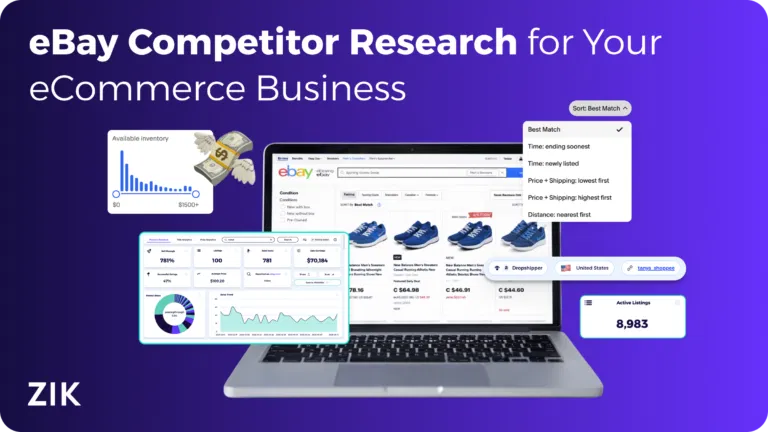
Are you someone looking to start selling or dropshipping on eBay? Then competitor research is one of the things that should be at the top of your to-do list.
eBay competitor research tells you which dropshipping products and strategies are working for other stores so you can replicate their successes and find gaps to exploit.
With 17.6 million active sellers on eBay (and counting), competitor research is non-negotiable for creating a store that survives and thrives in the long run
What is eBay Competitor Research?
eBay competitor research is the practice of researching and evaluating other eBay stores. It involves reviewing their best sellers, pricing, sales volume, and other performance metrics to understand what makes them successful. The goal is to find gaps and opportunities that can help you gain a competitive edge in the marketplace.
How Different is eBay Competitor Research from eBay Product Research?
eBay competitor research involves analyzing eBay’s sellers’ performance based on their recent sales volume, best sellers’ performance, and other metrics.
eBay product research, meanwhile, is the process of analyzing individual items to see their impact on sales and determine whether they are high-demand products with low competition.
One complements the other. eBay competitor research is often one of the best ways to find best-selling products on eBay.
Doing product research is often a great way to find top-performing eBay stores in particular niches.
Therefore, it’s essential to use both techniques to grow your eBay store.
Why You Should Research Your eBay Competitors
There are several reasons to research your competitors on eBay. It’s mostly done to:
- Understand competitor strategies: Analyzing competitors helps you learn about their marketing and sales strategies. It also helps you understand the type of workflows they use to streamline their operations and drive business success.
- Reveal the
top winning eBay productsthat are selling well for your competitor. Research can help you uncover profitable eBay items in your competitors’ catalog. It can also help you identify the source of those products and which channels competitors use to promote them. - Set competitive pricing: Competitor analysis tools provide the average sold price for specific items. This allows you to price your inventory high enough to maintain profit margins but low enough to win the “Best Match” search placement.
- Understand demand trends across categories: By analyzing the sell-through rate (the ratio of listings to actual sales) of your competitors, you can identify which niches are growing and which are becoming oversaturated. With that information, you can gear your efforts toward high-demand categories before they peak.
- Check average eBay shipping times vs competitors: Researching how quickly your competitors ship can give you an idea of customer expectations in your niche. If most sellers are offering “Next Day” delivery on their products, you may need to optimize your handling time to remain a viable choice for potential shoppers.
- Improve SEO and listing visibility: Studying competitor listings allows sellers to identify effective keywords, item specifics, and optimized eBay listing formats that help items rank higher in eBay’s “Best Match” search results. Implementing similar or better eBay SEO practices increases the chances of potential shoppers seeing your listings.
- Understand marketing and promotion strategy (Promotions and Promoted Listings): Observing how competitors use eBay’s marketing tools, such as running sales events or utilizing eBay Promoted Listings, offers insights into effective advertising techniques. You can use those insights to develop your own promotional strategies to increase product exposure and drive sales.
Ways to do eBay Competitor Research
eBay competitor research can be done in several ways. Here are the methods available to new sellers:
Manual Research
To manually research competitors on eBay, search for products similar to yours and see which sellers appear at the top of search results or have high sales volume.
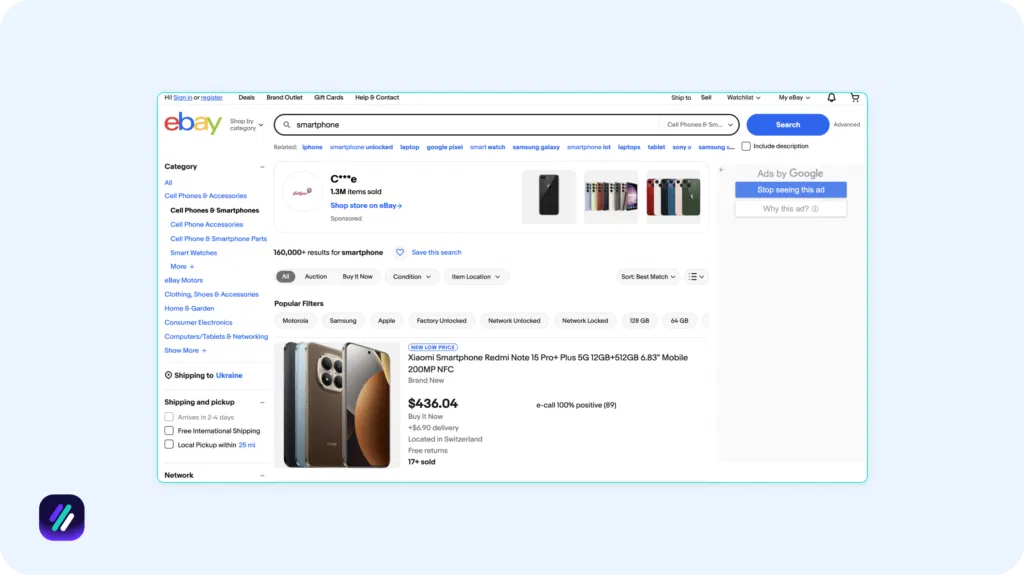
Once you identify them, click on their store name to evaluate their reliability (use 4.5 or above as a benchmark for star rating and 98-99% as a benchmark for feedback score).

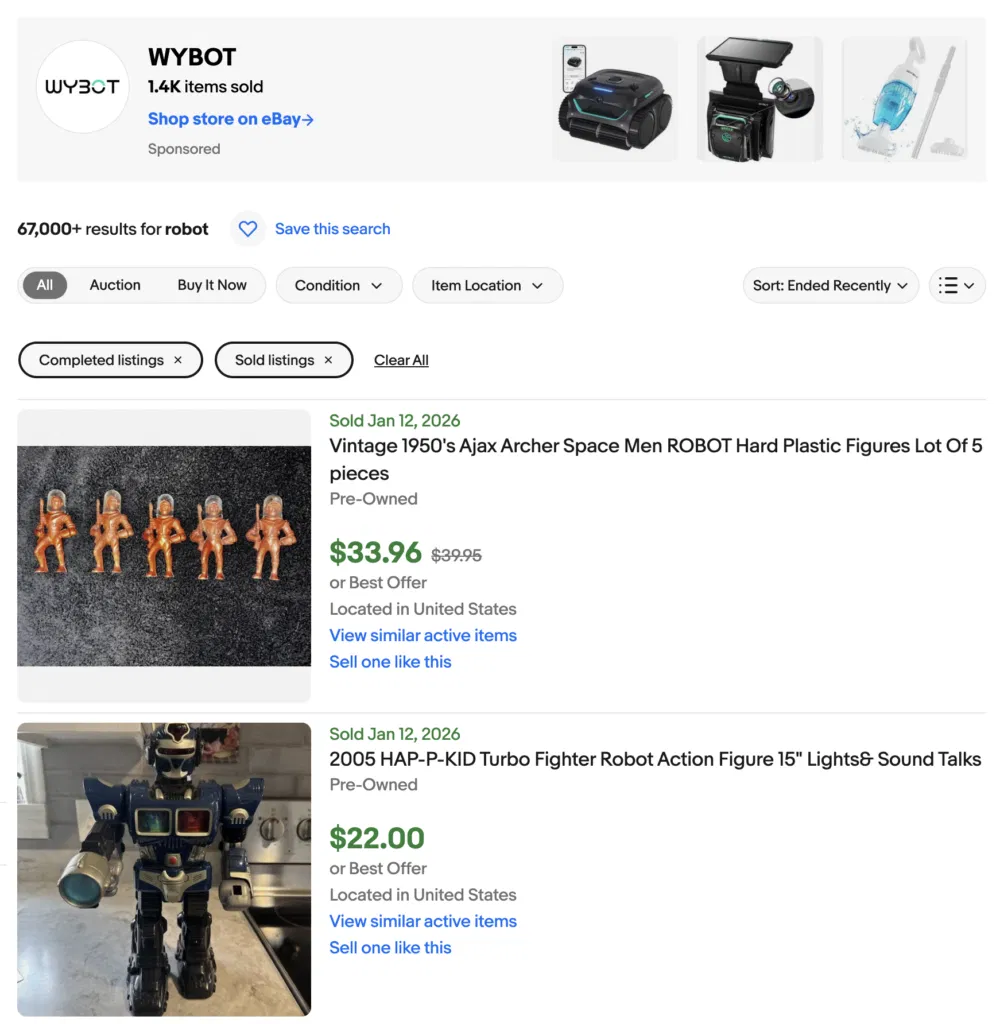
You can also manually click into a competitor’s listing and then the “Sold” history to see exactly how often an item sells, recent sale dates, and any historical price changes they have made to remain competitive.
Using eBay’s Built-In Data
eBay’s own data can tell you a lot about competitors. Using sourcing insights from its product research tool you can see graphical representations of competitor market share in specific niches to determine which sellers dominate the space.
You can also use eBay’s standard advanced search to filter for a specific competitor’s username and view things like their active listings alongside their “Completed” and “Sold” history.
Plus, get Quality and Traffic reports that allow you to compare your own impressions and conversion rates against the “Category Average.” These reports are available via Seller Hub and provide benchmark data that reveals whether your competitors’ listings are superior in terms of image quality, SEO, or other specifics.
Using an eBay Competitor Research Tool
Perhaps the easiest way to do eBay competitor research is to use a tool designed for that exact purpose.
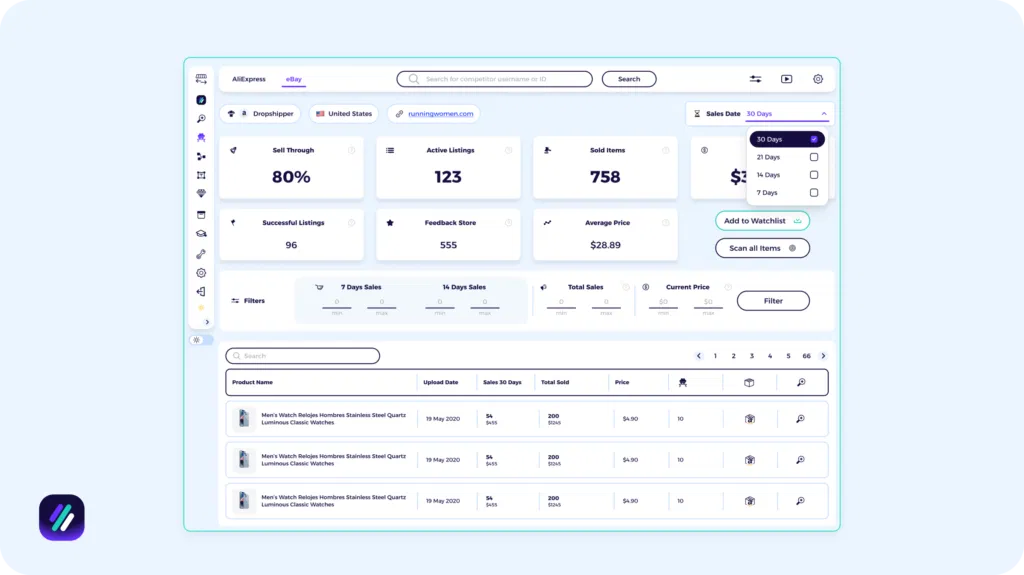
At ZIK Analytics, we offer an eBay Competitor Research tool that allows you to reverse engineer a competitor’s business model by entering their store name or seller ID. You can instantly view metrics like their sell-through rate, get a ranked list of their top-performing items, and match those products to suppliers like AliExpress.
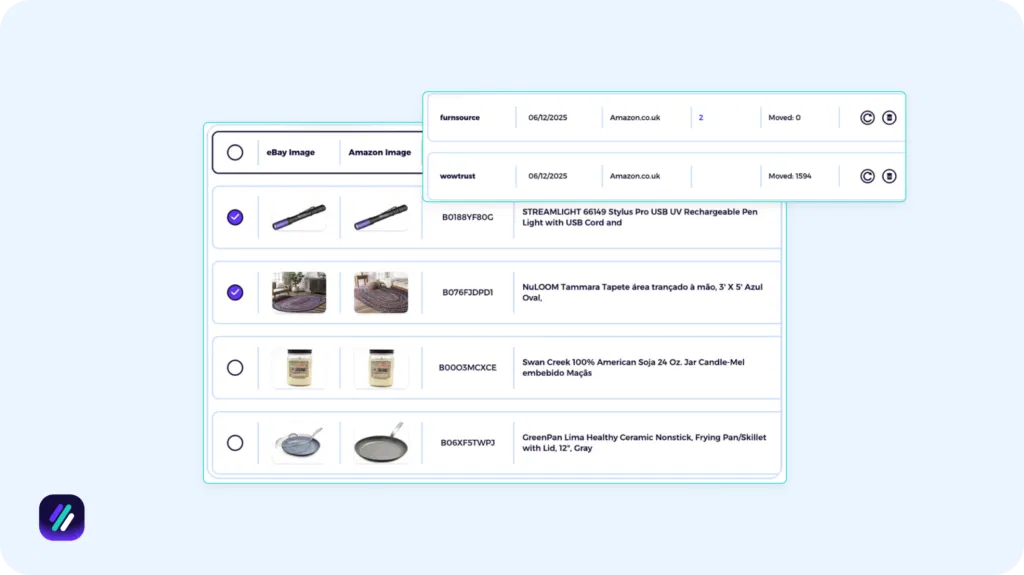
A Bulk Scanning tool is also available to analyze an entire competitor’s store in one go. By filtering for specific items that meet your defined criteria, this tool makes it easy to build a catalog in seconds.
Service-based 3rd Party Research Team
The least common way to do eBay competitor research is to hire a third-party that monitors your rivals’ stores and provides detailed reports about their performance over specific periods (e.g. last 30 days).
Companies like QuikTek offer third-party research services where they break down competitors’ overall sales figures into specific datapoints, such as total revenue per specific brand, color, and size. They can also analyze the pricing strategy of established eBay sellers and provide recommendations to improve your own product placement.
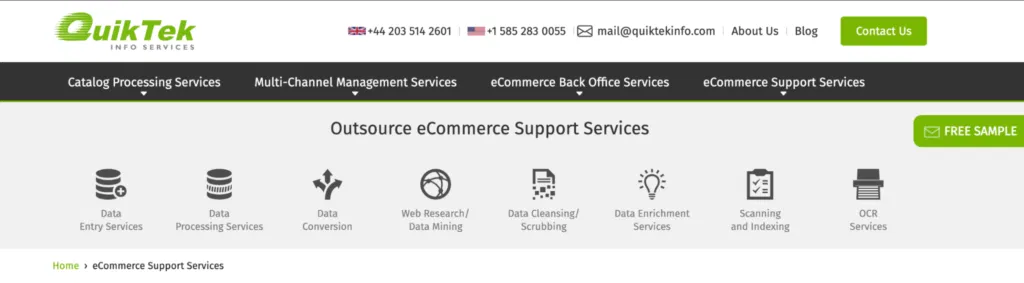
However, this method is optional and typically utilized by high-volume eBay businesses that manage thousands of SKUs per month.
Click to download your free eBook and jumpstart eBay dropshipping todayHow to Do eBay Competitor Analysis Using ZIK Analytics
Now it’s time to look at the actual process of doing a competitor analysis on eBay. To make things easier for you, I’ve broken it down into steps you can follow to get insights on other eBay stores.
Step 1 – Get your competitor seller ID
Finding a competing store’s seller ID is the first step to gathering the information you need to perform eBay competitor analysis.
To get the ID, open the seller’s store or profile page, and their ID will be what appears after ebay.com/str. Here’s an example:
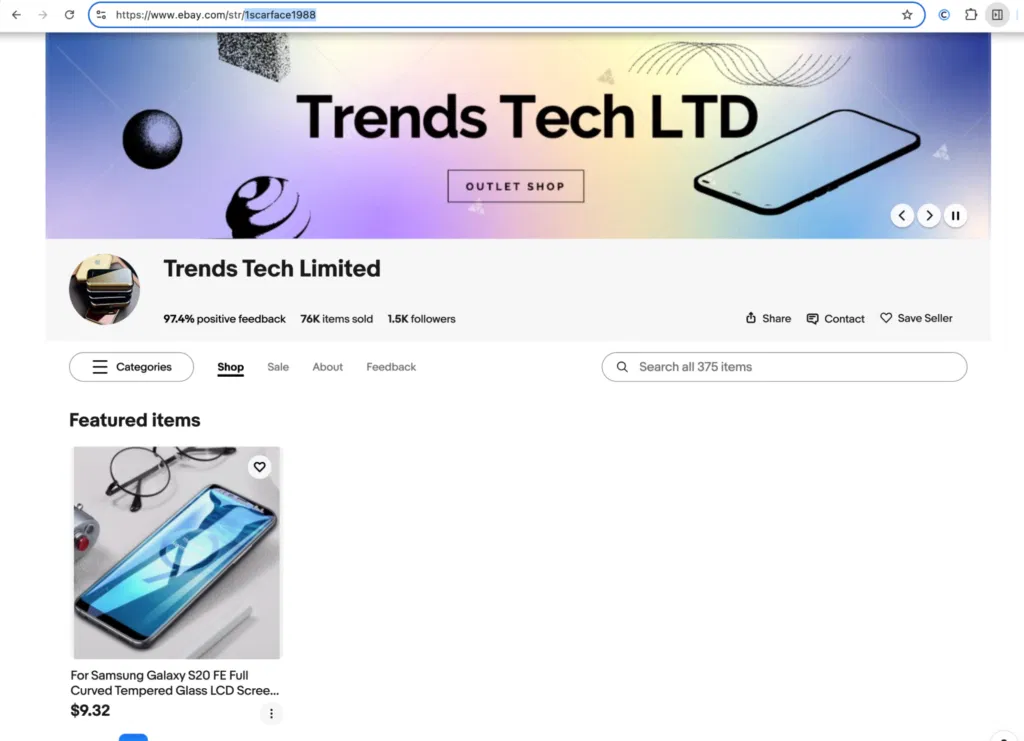
In this case, the seller ID is 1scarface1988.
Copy the seller ID as you’re going to need it later. (Note: The name of the seller ID may differ from the name of the seller and their store.)
Step 2: View Your Competitor’s Top-Selling Products
Next, you’ll use ZIK’s eBay Competitor Research tool to look into the store’s best sellers. To do this, open the tool and take the following steps:
1. Enter the seller’s ID
In the empty search field, enter the seller ID you found in the previous step.

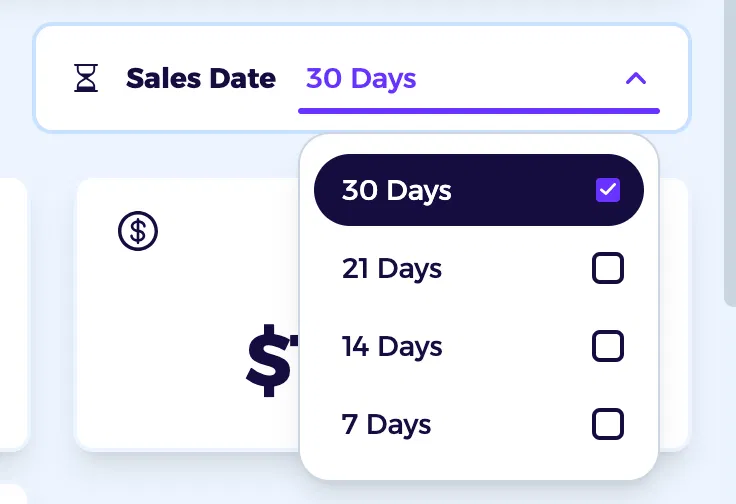
2. Choose a date range (7,14, 21 or last 30 days)
In the dashboard that opens, select a data range over which you want to analyze the competitor’s performance.
3. Check key performance metrics
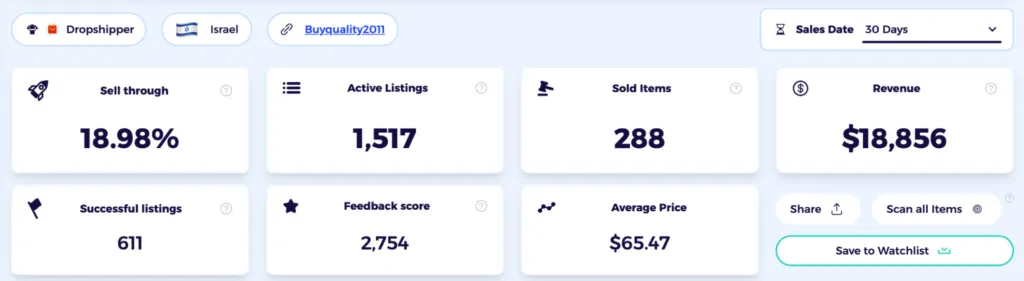
The eBay competitor analysis tool also shows you metrics such as active listings, sold items, estimated revenue, feedback score, and sell-through rate. Checking these can give you an idea of whether the seller is a competitor worth evaluating.
4. Review their best-selling items
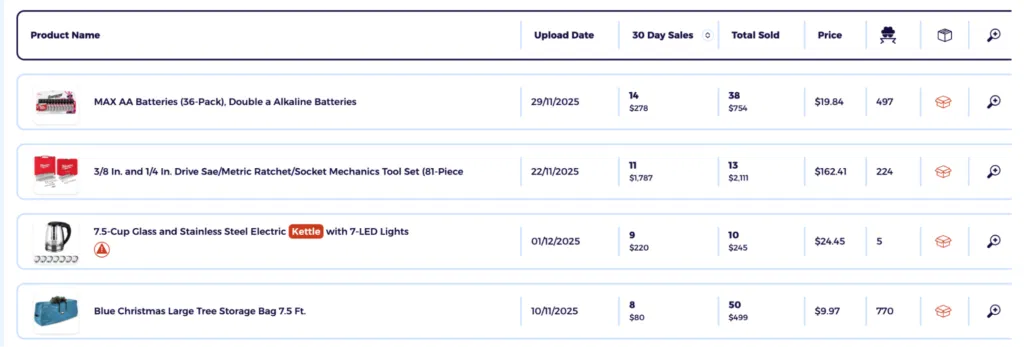
Scroll down, and you’ll see a list of products with their upload date, 30-day sales, total sold eBay items, pricing, and number of competitors. Analyze the top 3-5 products, as the list is curated to show the best-performing items at the top.
5. Add the seller to your watchlist
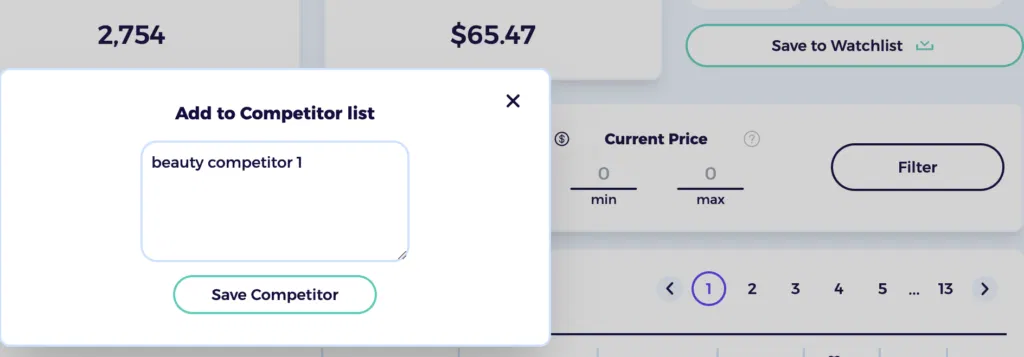
To keep tabs on the seller, ZIK gives you the option to add them to a Watchlist. Doing so allows you to quickly view that seller’s metrics. You also get the option to write a custom name before saving the seller to your list
Step 3: Find Best-Selling Items for Your Own Product Niche
Wondering what the top sellers are in the dropshipping niche you picked for your eBay business. You can find out by using ZIK’s eBay Product Research tool.
1. Search your niche keyword
Open the tool and enter any keyword related to your niche in the empty search field.

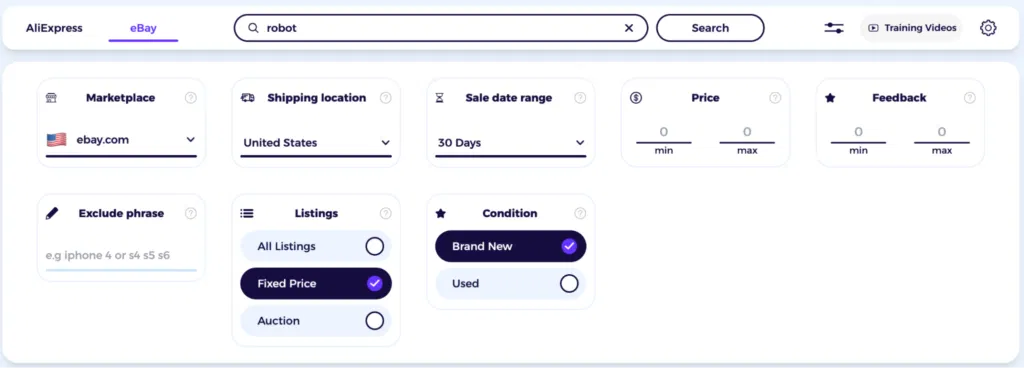
2. Apply basic filters
Filters like Marketplace (ebay.com, ebay.co.uk, etc.), shipping location, condition, and type of listing can help you refine your search to get better results. You can even define a sales date range and set a minimum and maximum price and feedback score to narrow down your results.
3. View the niche performance overview
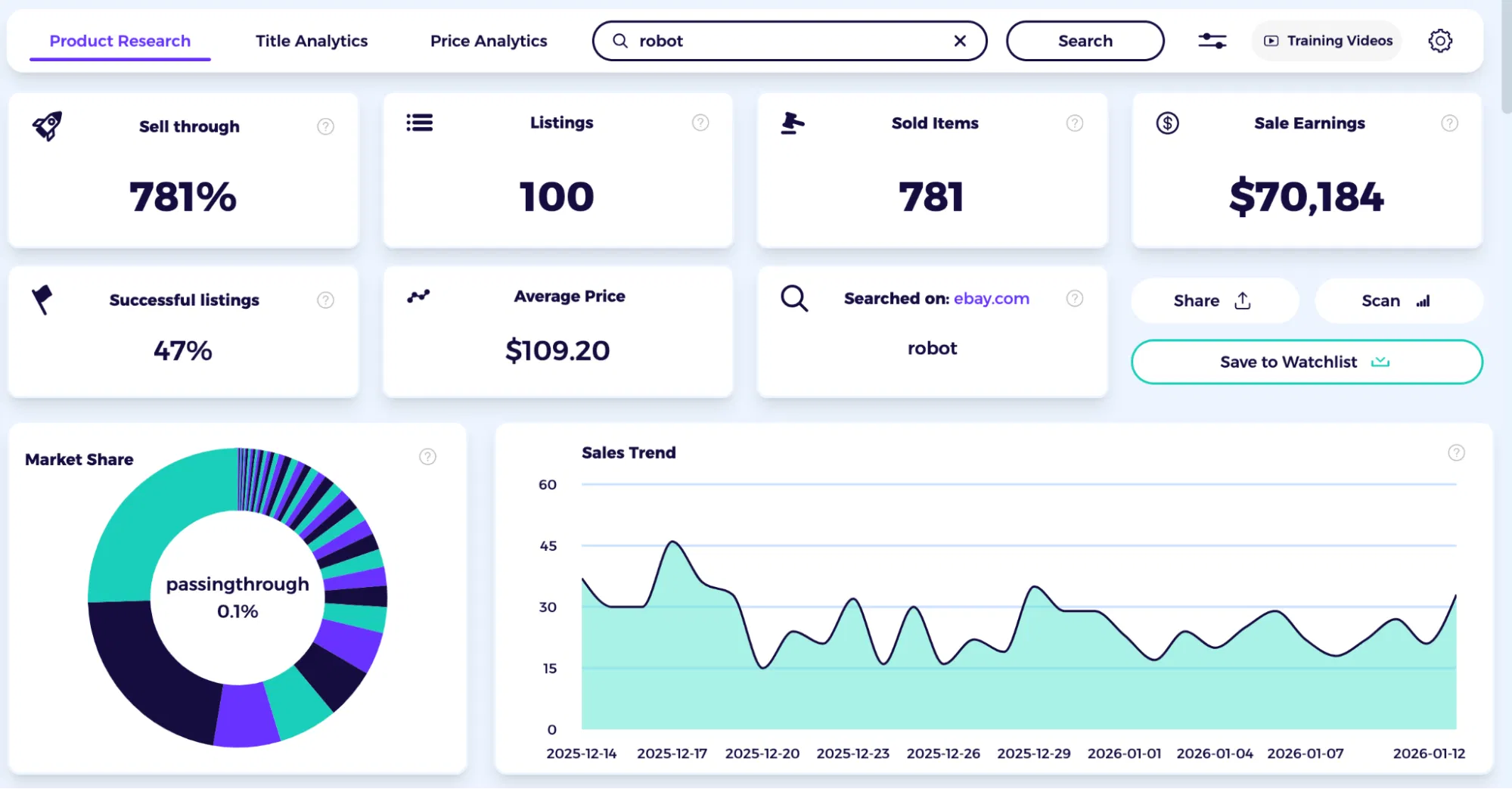
Now check how the niche has been performing on the whole. In this example, it shows that it has had a 781% sell-through rate and $70,184 in sales earnings over the past 30 days, which is quite decent. You can also see the sales trend, which has been mostly stable with a few variations here and there.
4. Check the top sellers in the niche
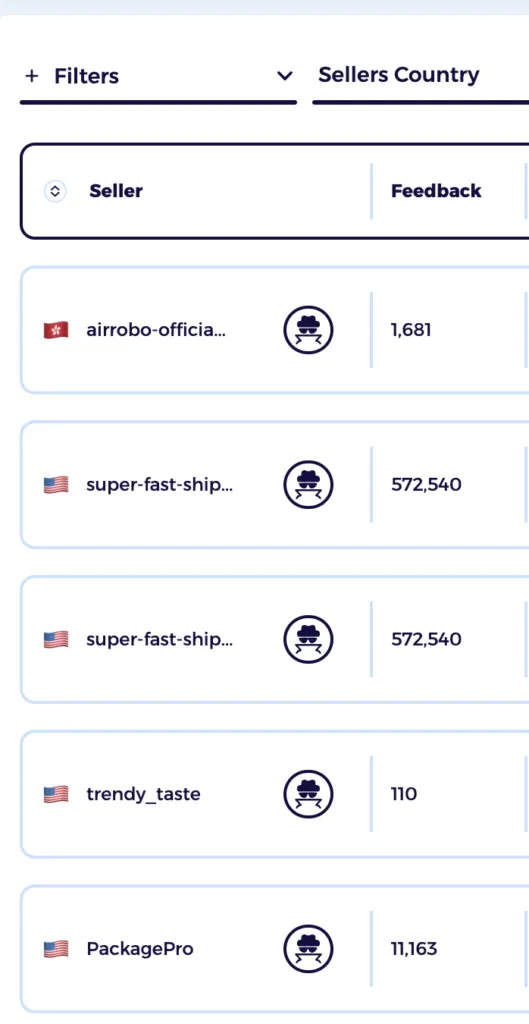
Now you can scroll down and get a list of the best-selling items and the merchants behind them. You can view the list of top sellers in the leftmost column of the screen. If you want, you can filter the results by the seller’s country in order to view competition in a specific region (such as local competition in your own country.
5. Scan any seller for deeper insights
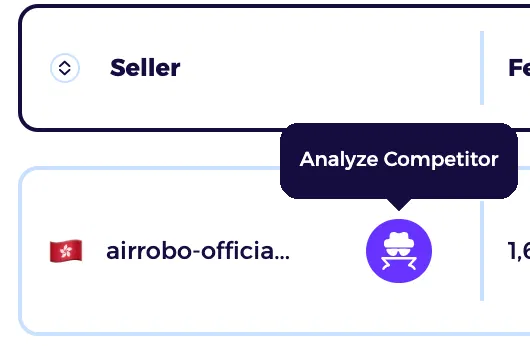
If you want to see how the seller is performing, you can click the spy detective icon to go to eBay Competitor Research and get the insights, as we saw in the previous step.
Step 4: Analyze Listing Quality Standards
The way competitors set up their listings can tell you a lot about the psychological tactics they use to attract people to their store. Here’s what you’ll want to analyze:
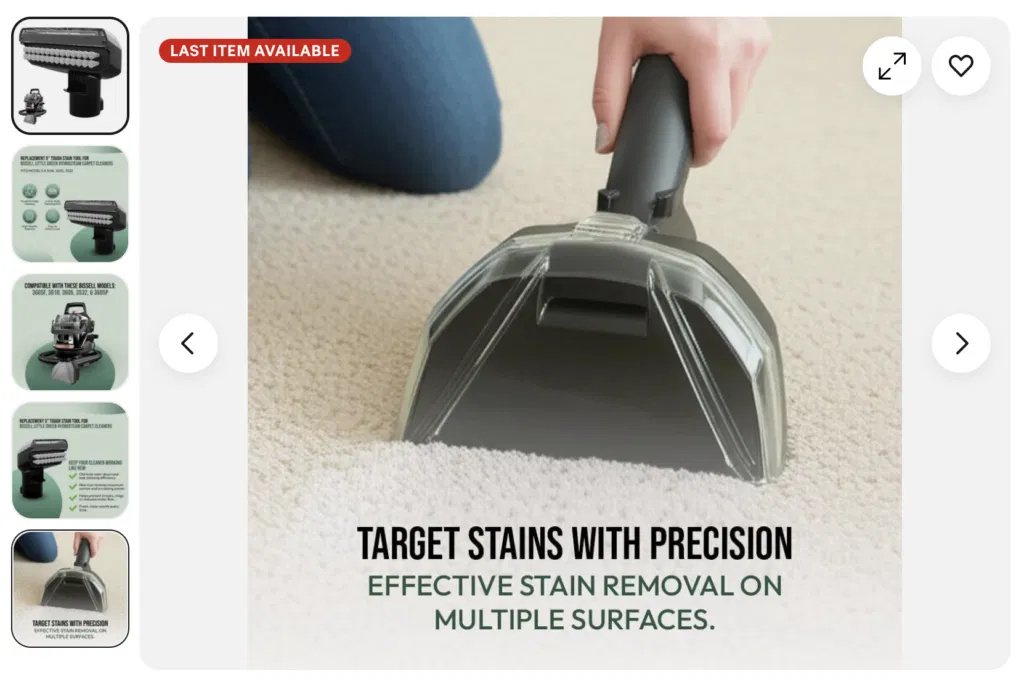
1. Compare photo count and photo style
Check the number of images used in the listing. Highly successful stores often use the maximum allowable photos (eBay allows you to add up to 24 images to a listing) to thoroughly showcase the item.
You’ll also want to observe the style of the image, i.e., whether it’s a lifestyle image for a studio shot showing the item in use. Plus, check if they use detailed close-ups and multiple angles or follow a certain structure for their images. Doing so can give you an idea of how many and what type of images to use in your own listings.
2. Review item-specific completeness
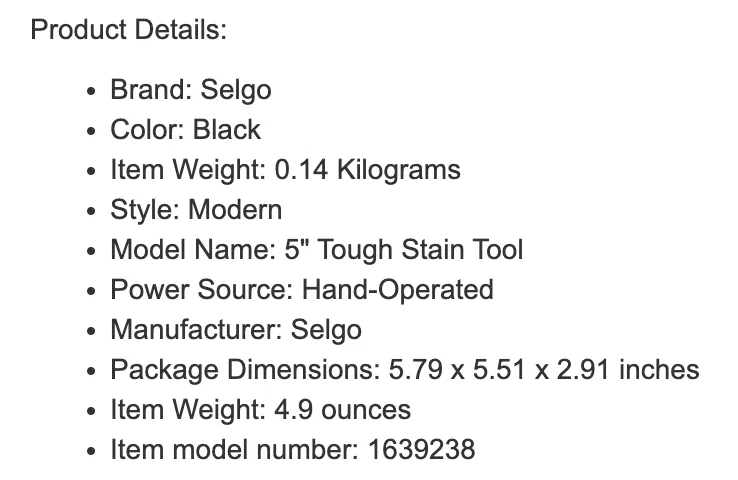
Another thing you should evaluate is to what extent competitors fill out the “item specifics” field. See if they have been thorough and mentioned the brand, size, material, color, and condition. The results will give you an idea of the level of completeness required to make your store competitive in the marketplace.
Ideally, you should complete all item specifics as they help items appear in relevant searches and offer crucial information to buyers. Sellers who use all available fields increase visibility while coming off as more knowledgeable and trustworthy to buyers.
3. Check auction vs BIN performance
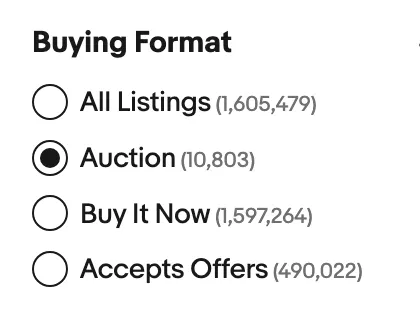
Moving on, look at whether your competitors are running eBay auctions or mostly publishing Buy It Now (BIN) listings. Each of these listing formats serves a different purpose.
Auctions are typically used to create a sense of urgency and competition. When people see others bidding, they don’t want to miss out, which can drive the price up. (It’s that “I need to win this” mentality kicking in.)
Buy It Now listings are for buyers who want things now and hate waiting around. They see the price, they like it, and they buy it. If your competitors are leaning heavily toward a particular format, that tells you what might work for your store.
4. Compare shipping speed and delivery promises
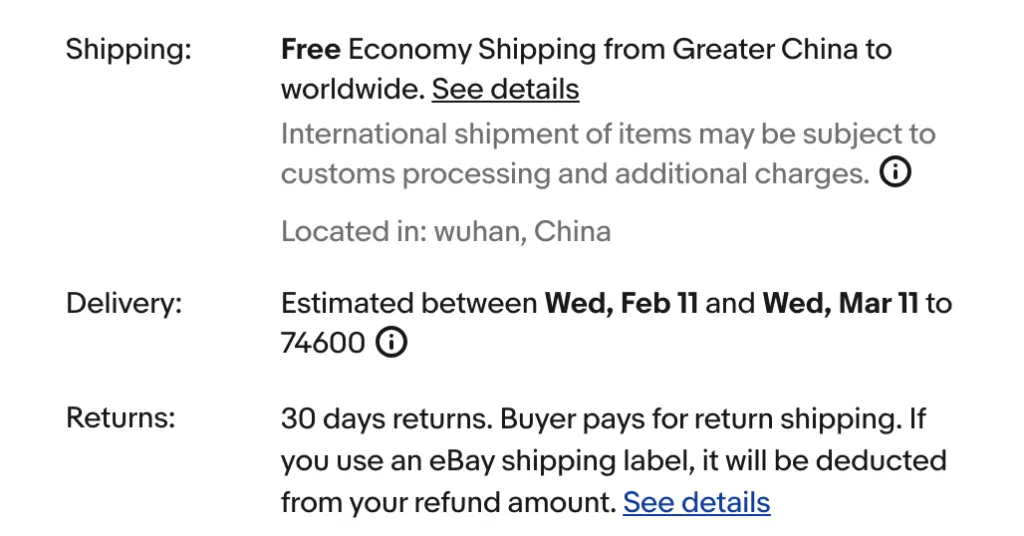
The shipping times and delivery promises competitors make can give you a baseline to work towards. Check their claimed delivery dates and handling times by thoroughly reviewing their listings.
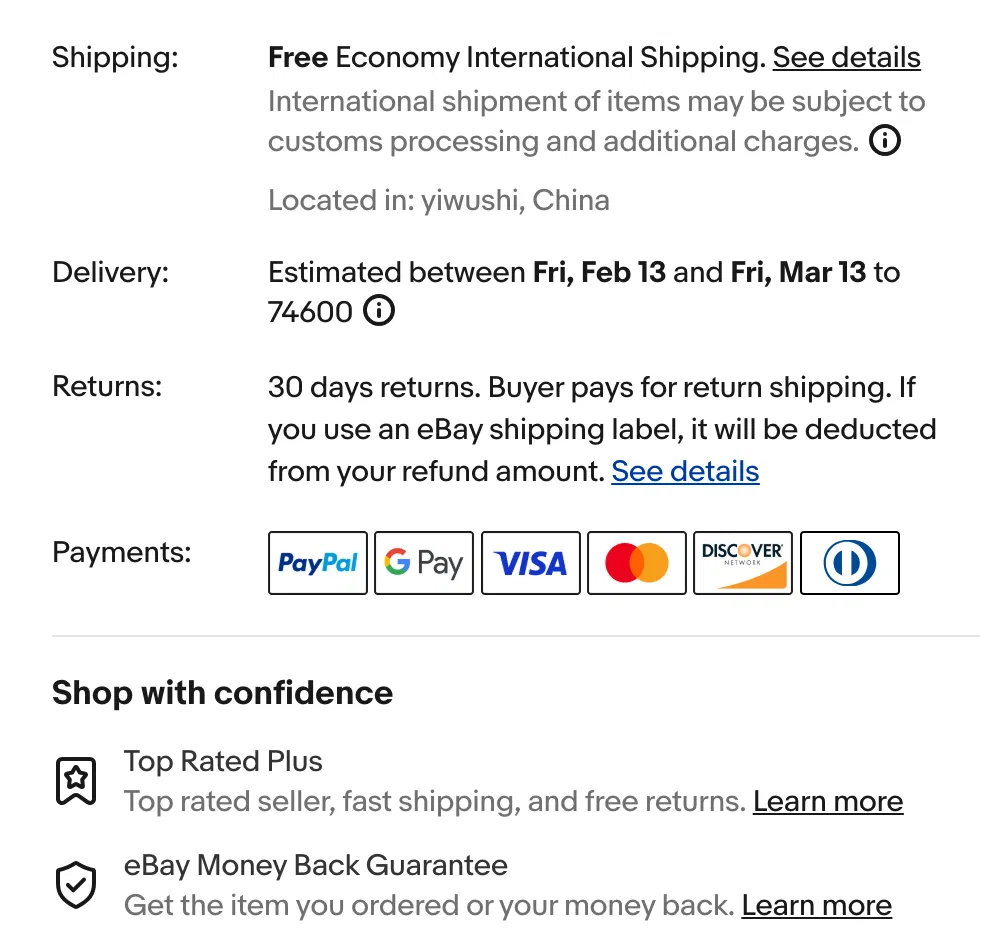
Look for the estimated delivery date in each listing. This tells you when buyers can expect their items. Also check the “Shipping, returns, & payments” tab for specifics like handling time (how long before they ship) and what carriers they use.
You can also compare multiple sellers quickly by scanning estimated delivery times in search results or using eBay’s delivery speed filters (like “Guaranteed Delivery” or delivery within 1-4 days).
5. Evaluate return windows and guarantee terms
Successful sellers often have generous eBay return policies that significantly reduce the perceived risk of the purchase. But rather than assuming that your competitors do too, visit their profile to get an idea of their return windows.
The typical length of the return period is 30 days, though many sellers also offer 60 days or 90 days as the return period.

Step 5: Identify Successful Selling Strategies
As a last step, you’ll want to analyze the strategies that are working for other eBay stores so you can implement the same in your business.
Review total sales and sell-through rate: Use ZIK’s tools to see the overall sales generated by the store and their sell-through rate. The higher the sell-through rate, the better the seller is able to sell products compared to the total products listed in the store.

Check for product variations: Look at listings where sellers offer multiple options (like a shirt in different sizes or colors). Pay attention to how they organize these variations and whether certain options seem to sell better than others.
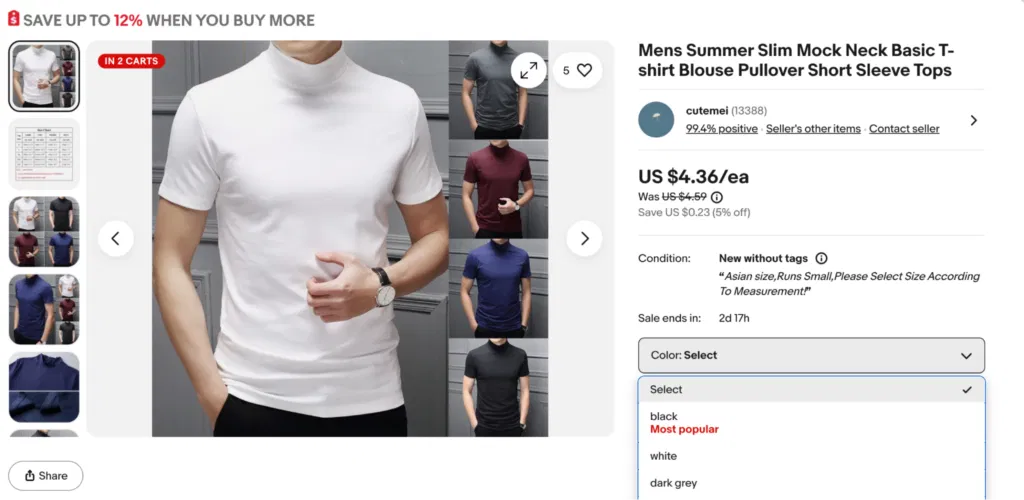
Check available promotions: Visit the seller’s store homepage and browse their listings to see what promotions they’re running. Maybe sellers are using BOGO (Buy One Get One Free) to attract audiences or perhaps “free shipping” is the key selling point for their store. Checking this wil give you ideas for what promotions to use in your own store.

Analyze shipping and return terms: Open the “Shipping and payments” tab on a seller’s listing and check how long they take to ship after someone buys. Also, check the number of days they mention for accepting the return if the item is not damaged. These details matter because they affect whether buyers feel comfortable purchasing. If competitors are all offering free returns and you’re not, that puts you at a disadvantage.
When Should You Start Doing eBay Competitor Analysis?
You should start doing competitor analysis right away, especially when exploring or breaking into a new niche. Delaying it means giving new sellers the chance to get ahead and dominate the market.
The eBay algorithm (Cassini) might also change how it ranks listings. If you do not keep an eye on what successful competitors are doing, you won’t know how to adjust when these changes affect your product rankings.
Ideally, you should run an eBay competitor analysis now and then again after a few months. Regular analysis will help you stay up to date with changing tactics and emerging trends in your niche.
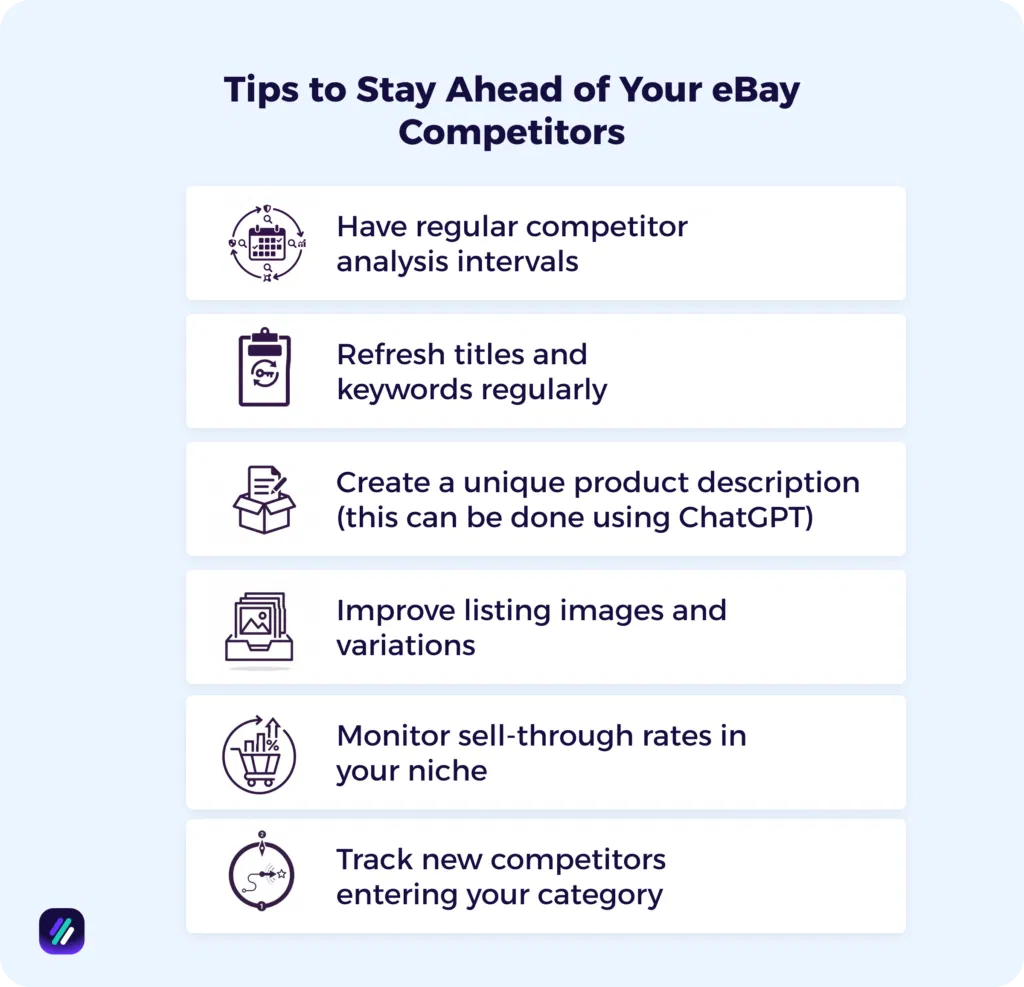
Tips to Stay Ahead of Your eBay Competitors
So what steps can you take to differentiate your eBay store from others and build long-term customer loyalty?
- Have regular competitor analysis intervals: As the market can shift at any time, you’ll want to conduct research at regular intervals to make sure you are keeping up. Experts recommend doing research weekly if you’re in a fast-moving niche such as fashion or electronics. Monthly research is ideal for stable categories like crafts and home goods. You can also do a deep dive every quarter to identify potential trends or missed keyword opportunities.
- Refresh titles and keywords regularly: Regularly research relevant search terms that potential customers use when looking for products like yours ZIK’s eBay title builder makes it easy to keep a check on trending titles and keywords, so you can adjust yours to stay top-of-mind.
- Create a unique product description (this can be done using ChatGPT): Many eBay dropshippers and resellers use generic descriptions copied directly from the supplier. You can make yours unique to attract and build trust with customers. Focus on being ultra-specific and clear about the item’s value, plus use a distinct voice to give a specific persona to your listings. (Pro tip: Use ChatGPT and give it a prompt like “act as a modern candle maker. Write a 150-word eBay product description for this [scented candle]. Focus on how it improves room ambiance, use a lifestyle tone, and include a bulleted list of technical specs at the end.
- Improve listing images and variations: Most eBay sellers put up 3 or 4 generic images and call it done. To differentiate your listings, make sure to use all image slots and add close-ups of texture and any flaws. If you have size or color variants, make sure the image actually changes when a buyer selects one because that alone cuts confusion and lifts conversions.
- Monitor sell-through rates in your niche: Tracking the sell-through rate helps you identify which product categories are in high demand and which are reaching a “peak” or becoming oversaturated. You can then prioritize inventory that turns over quickly.
- Track new competitors entering your category: Staying ahead in your niche requires vigilant monitoring of new market entrants who may introduce aggressive pricing or innovative listing styles. You can use ZIK’s Watchlist function to follow emerging sellers in real-time, allowing you to react quickly to their launches and protect your market share before they gain a foothold.
Use ZIK Analytics for Your eBay Competitor Research
ZIK Analytics has a suite of tools to help eBay sellers analyze and replicate the successes of their competitors.
However, I specifically want to highlight three tools that make competitor research easier:
- eBay Competitor Research Tool lets you spy on any eBay seller by entering their username. See their monthly revenue, sold items, and top-performing products. Add successful sellers to your Watchlist to track when they list new inventory.
- eBay Bulk Scanner scans entire competitor stores and matches their listings to Amazon or Walmart products. Filter by sales, profit, and competition to find the most profitable items, then upload them directly to your store.
- eBay Product Research shows you which items rank highest in eBay’s search results. Search for keywords to see what’s selling, check competition, and validate products before listing them yourself.
You can also use the 500 Best Selling eBay Items feature to see what’s trending across different regions, and the eBay Title Builder to optimize your listings with keywords competitors are already ranking for.
Get your ZIK Analytics trial today and start using the best eBay competitor and best product research tool to build a winning business strategy.
Frequently Asked Questions on eBay Competitor Research
In this section, I’ll answer the questions people frequently ask about eBay competitor research:
What is the competitor analysis on eBay?
Competitor analysis on eBay is the practice of researching other eBay sellers to understand their strengths and weaknesses. You do this with the help of tools that allow you to observe what they sell, see their price points, and review their listing strategies. Tools like ZIK Analytics have made eBay competitor analysis accessible for even those without data analysis or coding skills.
How much does ZIK Analytics cost?
ZIK Analytics pricing ranges from $14 to $20 per month, depending on the plan you choose. For example, the PRO plan costs $14/month when billed annually (normally $39.9/month), saving you $300 per year. The PRO+ plan costs $20/month when billed annually (normally $59.9/month), saving you $468 per year.
If you go with monthly billing instead, the PRO plan is $19.9 for the first month (50% off from $39.9), and the PRO+ plan is $29.9 for the first month (50% off from $59.9). Both plans offer a $1 trial to start.
What tool is used for competitor analysis?
ZIK Analytics is best used for competitor analysis because of its insights and user-friendly interface. Using our tool, you can see data like average price, number of active listings, and the sell-through rate of any eBay store. We also provide a list of best sellers and let you analyze by recent sales volume and other metrics to better inform your competitor research.
Is there a good alternative to eBay?
Yes, there are many good alternatives to eBay depending on the type of product you are selling and your target audience. For example, Etsy is an excellent eBay alternative for selling handmade and unique craft supplies, whereas Amazon is best for high-volume sales of new, mass-market goods. You also have OfferUp and Facebook Marketplace for local sales, and Mercari for promoting general used items to audiences on mobile.
How to look up comps on eBay?
You can look up comps by using eBay Product Research (formerly Terapeak). It provides up to 3 years of historical sales data, including average selling price and sell-through rate. Another way is to go to a specific seller’s profile and click “See other times,” and then choose the “Sold Items” filter to view their sales from the past 90 days. Averaging the prices of 3 to 5 recent listings that match your items’ specs and condition is how you get the most realistic market value.