
eBay remains a top e-commerce platform for selling products to millions of people across the globe.
However, many budding solopreneurs and small business owners have yet to explore the potential of this platform.
If you fall into one of these categories and want to get started, I have good news for you.
I’ve created a step-by-step guide that covers everything you need to start selling on eBay successfully.
Grab a cup of coffee and settle in, because there are tons to read and learn ahead on how to sell on eBay.
What do You Need to Start Selling on eBay?
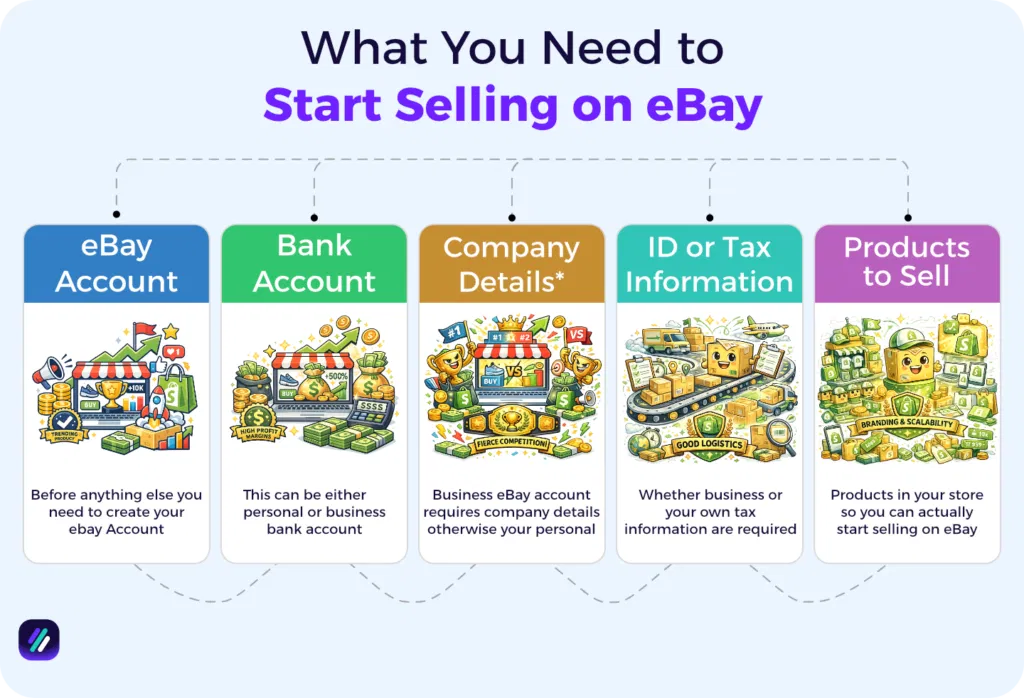
Selling on eBay comes with a few prerequisites. Before you can start listing items, you need to have:
- An eBay account: You must register for an account, which can be an eBay personal or business account.
- Bank account details: eBay manages all payments through “Managed Payments,” which means they deposit your sales directly into your bank account. You will need to provide valid bank details in order to receive these payouts.
- Company details (if you want to open a business eBay seller account): If you want to register as a business, you will need to provide your legal company name, address, registration details, and some other documentation.
- Valid ID and tax information: eBay requires verification of identity and tax information (such as a SSN or ITIN in the US) to comply with legal and tax regulations.
- Products to Sell: While everything before will get you to open eBay account and start selling, it’s really hard to start selling without any products. But don’t worry, later in this section we discuss how you can find eBay products to sell and actually make profit.
Step 1: Create an Account
To sell on eBay, the first step is to create an eBay account and choose between an individual (personal) or business seller account.
The individual account lets you sell a limited number of items per month (e.g., new sellers often start with a limit of 10 products). The business account offers higher limits and is ideal for sellers who source items to resell for a profit in bulk.
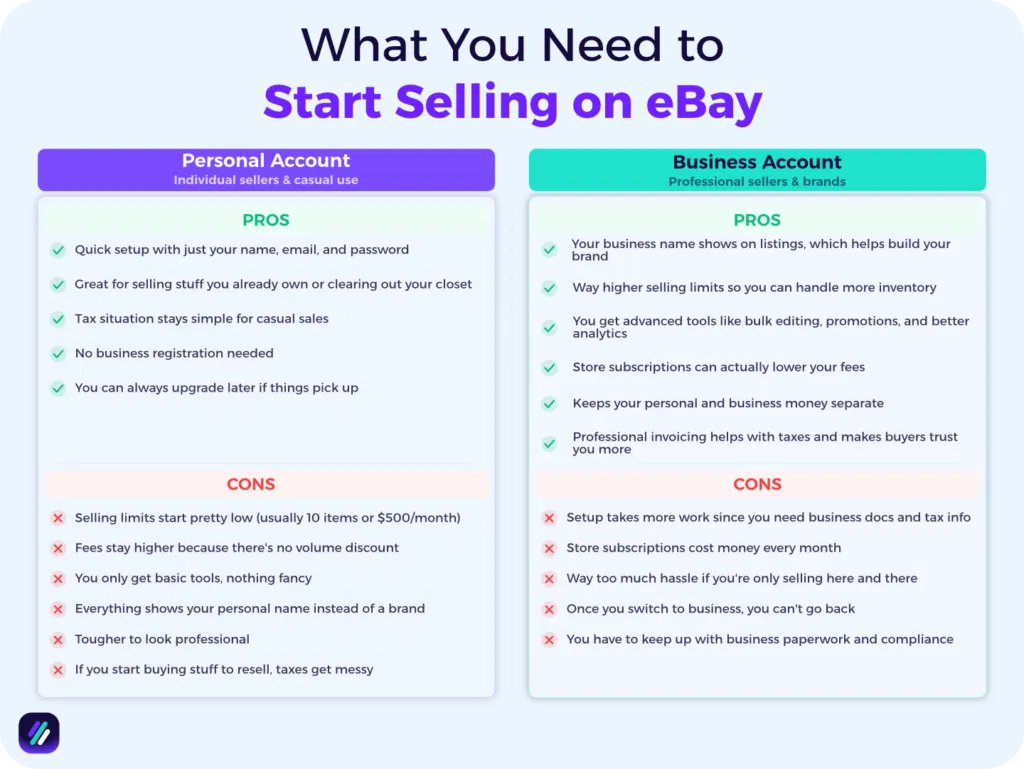
Here’s a quick overview of the pros and cons of each type of eBay seller account:
| eBay Seller Account Benefits & Drawbacks | Personal Account | Business Account |
| Pros | • Quick setup with just your name, email, and password• Great for selling stuff you already own or clearing out your closet• Tax situation stays simple for casual sales• No business registration needed• You can always upgrade later if things pick up | • Your business name shows on listings, which helps build your brand• Way higher selling limits so you can handle more inventory• You get advanced tools like bulk editing, promotions, and better analytics• Store subscriptions can actually lower your fees• Keeps your personal and business money separate• Professional invoicing helps with taxes and makes buyers trust you more |
| Cons | • Selling limits start pretty low (usually 10 items or $500/month)• Fees stay higher because there’s no volume discount• You only get basic tools, nothing fancy• Everything shows your personal name instead of a brand• Tougher to look professional• If you start buying stuff to resell, taxes get messy | • Setup takes more work since you need business docs and tax info• Store subscriptions cost money every month• Way too much hassle if you’re only selling here and there• Once you switch to business, you can’t go back• You have to keep up with business paperwork and compliance |
I recommend starting with a personal account if you are new to the eBay game. You can easily switch to a business account later when your sales volume increases.
Step 2: Select Niche and Perform Research
The next step is an important one. It involves choosing an eBay niche that will define the focus of your entire business.
Ideally, you should select a niche where you have some expertise or sourcing advantage.
For example, if you have contacts of fitness equipment wholesalers who sell below the market price, fitness can be the niche for you.
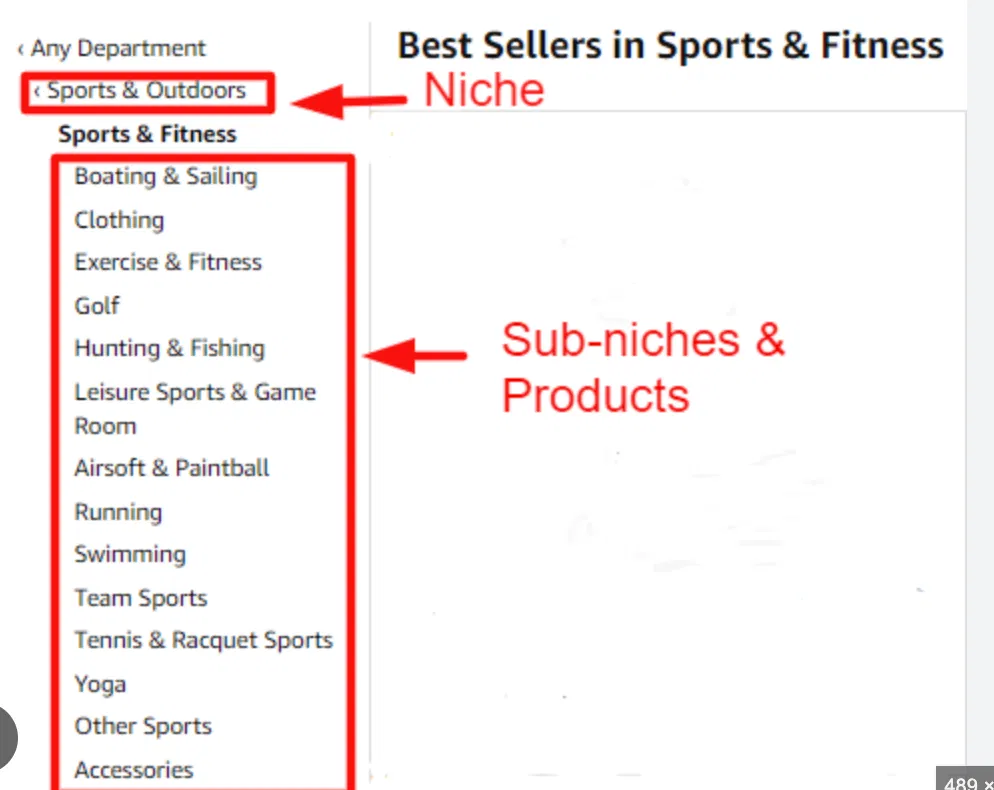
Make a list of a few eBay niches and then choose one. Then go deep by exploring the potential sub-niches you could target within that niche.
For example, when researching the Sports and Outdoors niche, you might find “Hunting & Fishing,” “Team Sports,” and other sub-niches. See which one fits best depending on your resources.
Step 3: Find eBay Products to Sell
As a dropshipper or beginner with low selling limits on eBay, the product you choose can make or break your e-commerce business. Therefore, it is important to carry out high-quality eBay product research in order to find winning items for your store.
Each product must be backed by real sales data to improve success at the beginning of selling on eBay. At ZIK Analytics, we offer an eBay product research tool that pulls data from live eBay listings and sales records to show you real-time trends and sales figures.
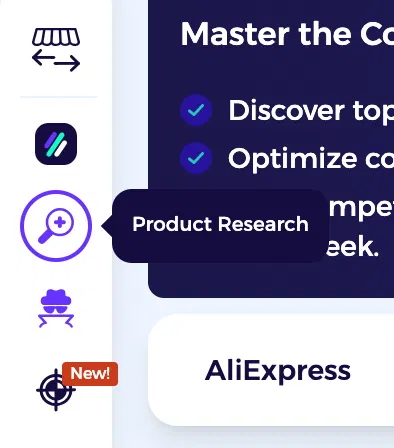
To use it, open or create a ZIK Analytics account and choose eBay as your marketplace. Then on the left sidebar, click the product research icon to arrive on its dashboard.
In the dashboard, enter the name of the product you want to research. Also, choose filters such as the marketplace (e.g, ebay.com, ebay.co.uk, ebay.com.au, etc.), condition (brand new, used), listings (all, fixed price, or auction), and shipping location to refine your search.
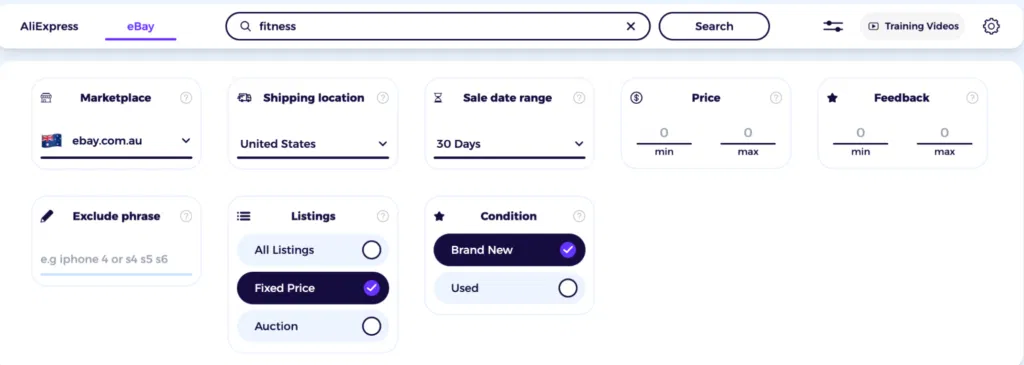
These are all the filters that eBay also offers via its platform, but we’ve organized them in a single dashboard so you can see the different options at a glance.
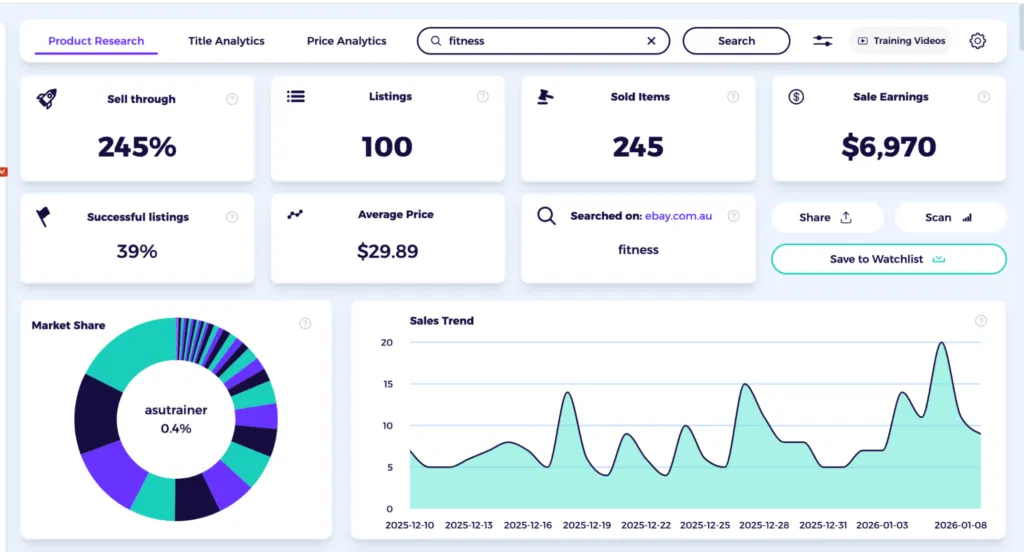
Click Search in front of the field, and ZIK will take you to another dashboard containing all the valuable metrics.
Make sure to track:
- Sold items: This is the number of times a product sold within a given period (e.g., in 30 or 60 days). It tells you whether the demand for that item is stable or inconsistent.
- Sell-through rate: This reveals the percentage of active listings that result in a sale. A sell-through rate of 50 percent or above is considered good, but many sellers also achieve optimal sell-through rates that are in the 70%-80% range. Monitor this metric to determine how fast an item converts into revenue for other sellers.
- Sales earnings: This metric shows the overall revenue generated from sold items over a specific period. Higher earnings imply that the product resonated with consumers and sought good prices.
- Sales trends: This identifies whether the sales of an item are increasing or decreasing. Using this metric, you can determine if the demand for an item is seasonal or consistent.
Scroll below and you’ll see a product view containing a list of top-selling items organized by seller name, feedback score, past 30 day sales, and price. This list can be refined by the volume of recent sales and price range, as well as the seller’s country. You can even choose to exclude eBay VeRO items and analyze products only from eBay dropshipping suppliers.
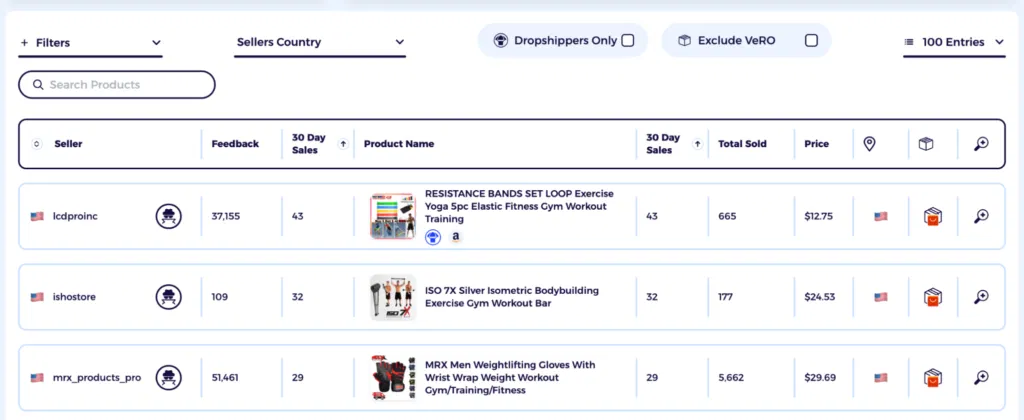
Analyze the top 4-5 products as they are the ones bringing in the most sales for the stores selling them.
Step 4: Research eBay Competitors
Selling on eBay also requires an insight into the strategies competitors use to list and promote their items.
You can analyze eBay competitors manually by visiting their stores and exploring their product catalogs b. But this method requires a lot of digging and DIY calculations to extract helpful data.
An easier way to uncover an eBay store’s performance is to use ZIK Analytics’ eBay Competitor Research tool. This tool is handy for seeing metrics like revenue and sell-through rate, plus it curates a list of best sellers on eBay from competitors’ catalogs to help inform your product research.
Open the tool and enter the name and ID of the competing eBay store. Then click the “Search” button to get a breakdown of their active listings, sell-through rate, sold items, and more
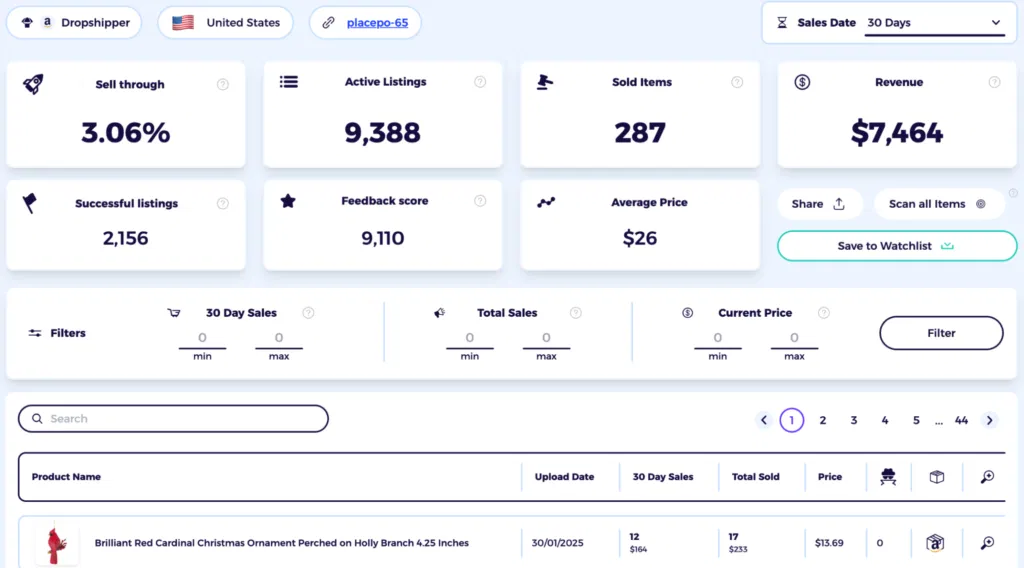
You can also view a seller’s live eBay listing by clicking the link icon featuring their eBay username or store ID. Once open, check whether they are using generic or original, high-quality images and if they have filled out all item specifics. Any gaps in listing quality can be your opportunity to win business on eBay.
Additionally, make sure to view the feedback your competitors have received since they started selling. Often, reviews left by authentic consumers are unbiased and reveal potential shortcomings that you can address to win new business.
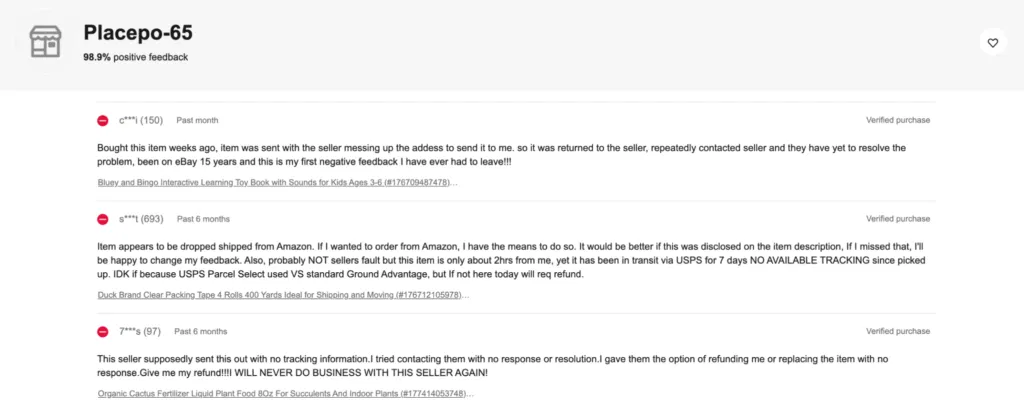
Step 5: Pricing Strategy
Pricing is one area where you can give other sellers a tough time. Basically, you want to find that “sweet spot” that attracts buyers without undercutting your value or generating losses after factoring in all the costs.
Research is your main weapon for uncovering what buyers are willing to pay. Using eBay’s Advanced Search function, look at the completed and sold listings for products similar to yours.
Based on the findings, set up a competitive price that’s within the typical sold range. For example, if similar items of similar condition and size are selling for $18-$28, you can set yours to $22 to come off as competitive while protecting your profit.
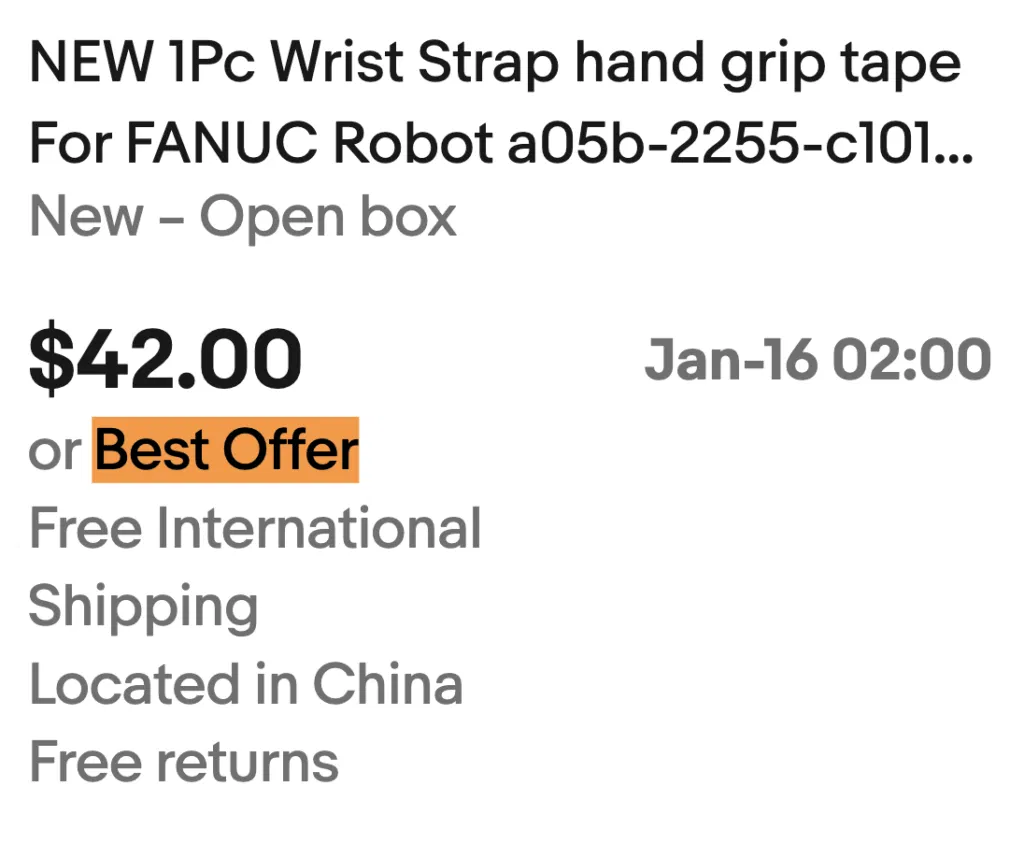
You can also use buyer psychology to make the price more appealing to buyers. Consider using prices that end in “.99” (e.g., $21.99) so that buyers perceive your listings as better deals while shopping. You can also enable the “Best Offer” feature to attract buyers who like to negotiate, potentially capturing sales that you might otherwise miss.
Step 6: Start Listing Items & Optimize Them
After finalizing your pricing, you can start creating eBay listings and optimizing them to rank higher in eBay search results.
eBay Cassini (the marketplace search engine) prioritizes listings that are highly relevant to a buyer’s search terms and provides a good user experience.
To optimize listings in a way that Cassini favors them:
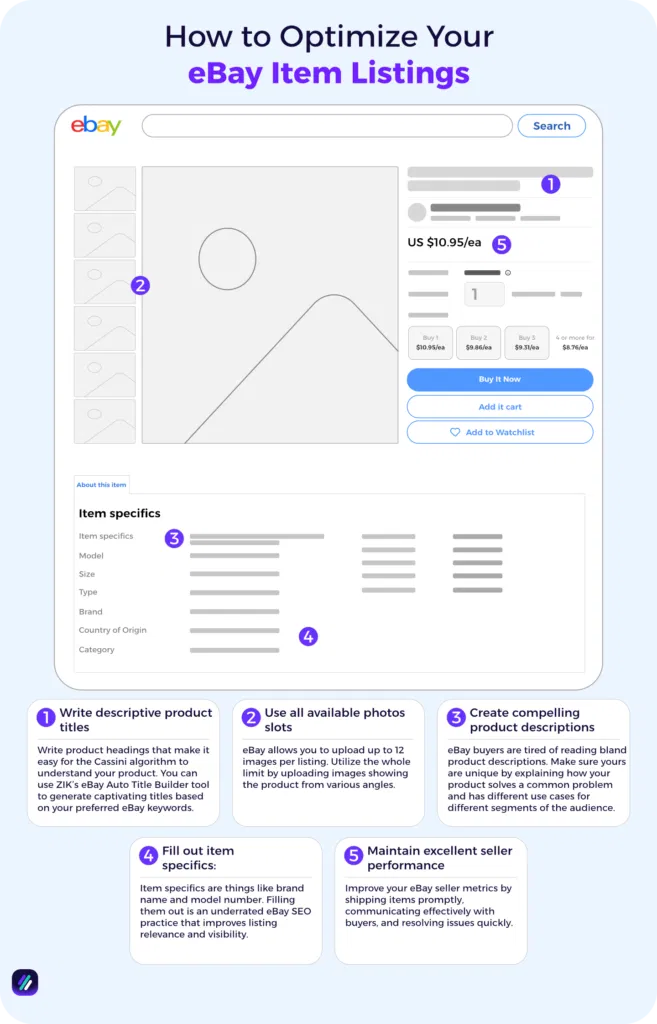
- Write descriptive product titles: Write product headings that make it easy for the Cassini algorithm to understand your product. You can use ZIK’s eBay Auto Title Builder tool to generate captivating titles based on your preferred eBay keywords.
- Use all available photo slots: eBay allows you to upload up to 12 images per listing. Utilize the whole limit by uploading images showing the product from various angles.
- Fill out item specifics: Item specifics are things like brand name and model number. Filling them out is an underrated eBay SEO practice that improves listing relevance and visibility.
Create compelling product descriptions: eBay buyers are tired of reading bland product descriptions. Make sure yours are unique by explaining how your product solves a common problem and has different use cases for different segments of the audience. - Maintain excellent seller performance: Improve your eBay seller metrics by shipping items promptly, communicating effectively with buyers, and resolving issues quickly.
Step 7: Offer Promotions and Add Promoted Listings to Boost Product Visibility
With more than 2.4 billion listings on eBay, you need to take all possible steps to boost the visibility of your item. Offering promotions is an effective way to start, and eBay allows you to create a variety of them to encourage buyers to spend more.
For example, you can do:
- Sales events: In this promotion, you offer a fixed or percentage discount on specific products or niches for a limited time (e.g., “15% off during the Valentine’s week”
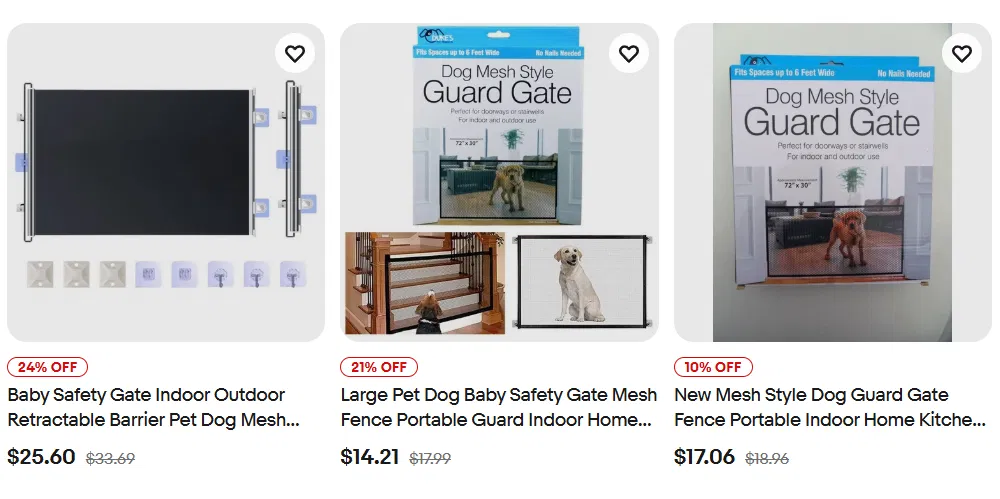
- Coded coupons: These are exclusive discounts that you offer to specific customer groups in order to drive repeat purchases and build loyalty.
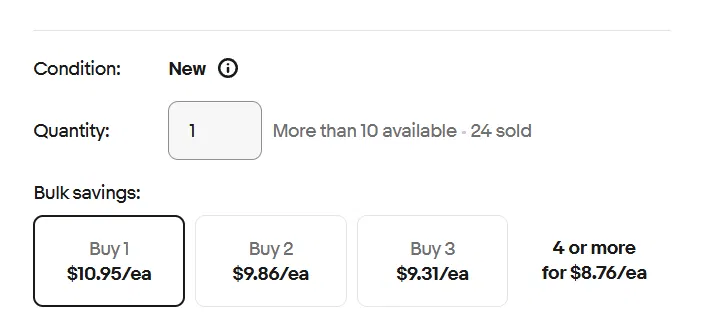
- Order size discounts: This involves ordering discounts based on the total order amount (e.g., “Spend $10, save $20) or BOGO (Buy One, Get One) deals.
To run any of these promotions:
- Go to your eBay Seller Hub > Marketing > Discounts or Advertising (choose based on the promotion type)
- Define the rules around your offer, such as start and end dates and minimum purchase requirements
- Select the listings for applying the promotion (e.g., individual products or specific categories)
- Review the information and launch the promotion to make it live on eBay
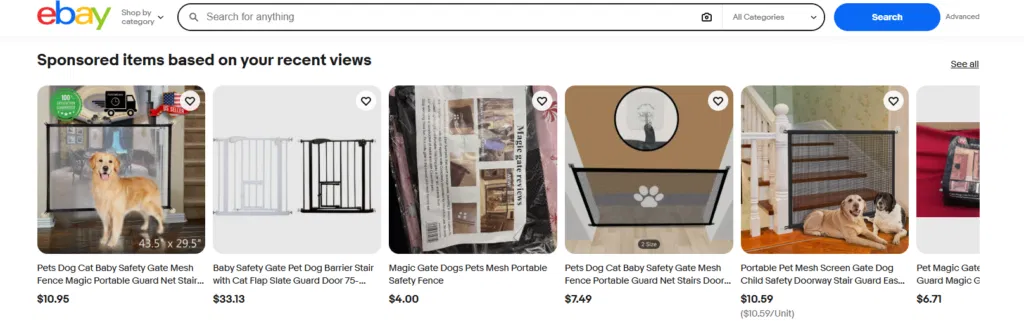
Another option available to you is that of eBay promoted listings. This is a paid advertising service that ensures your product appears at the very top of search results, within sponsored carousels, and on similar product pages.
To set up a Promoted Listing:
- Go to your eBay Seller Hub > Marketing > Advertising
- Click “Create campaign” and choose between Standard (pay only when your product sells) and Advanced (pay per click for priority placement)
- Choose the items you want to promote, either by selecting them individually or using filters to select specific categories.
- Decide the percentage of the final sale price you want to pay eBay for the advertisement. eBay will suggest you an ad rate based on current trends.
- Give a name to your campaign, choose for how long you want it to run, and then click Launch
Step 8: Manage Shipping and Refunds
When creating a listing, eBay will ask you to define your shipping options for buyers.
You can offer flat rate shipping (cost remains the same for all buyers) or calculated rate shipping (cost varies by package details and location). Free shipping where you bear all the cost can also be set up from the eBay Seller Hub.
Many sellers use the eBay business policies feature inside the Seller Hub to create reusable shipping templates. These policies cover handling time, excluded locations, and domestic and eBay international shipping in a professional manner. eBay also lets you buy and print discounted shipping labels directly through its platform.
You can also use eBay business policy to create a returns template. Define the timeframe for receiving refund requests (e.g., 14, 30, or 60 days) and who pays for the return shipping. You can set your return preferences and even create automated rules to handle certain return requests.
Step 9: Providing Excellent Customer Service
eBay’s system is designed to reward sellers who provide excellent service with better placement in search results.
Exceptional service also helps strengthen your relationship with buyers, making it easy to foster loyalty and drive repeat purchases.
To set such standards of customer service:
- Aim to respond to buyer inquiries within 4 to 8 hours of receiving them. The eBay mobile app can be used to respond to queries on the go.
- In your eBay settings, set up common FAQ responses (e.g., about shipping times or return details) to provide immediate answers even when you are offline.
- If you anticipate a delay, message the buyer immediately before they have to ask.
- Follow up after delivery with a polite message asking if the item met expectations and inviting the buyer to contact you first if they have any issues.
- If a mistake occurs on your part, own up to it immediately. An honest apology paired with a small gesture like a future discount can help prevent negative feedback.
Step 10: Implement eBay Automation Tools
Why do everything manually when tools can automate critical tasks for you? Many aspects of eBay selling can be streamlined with the help of software tools built with the eBay seller in mind.
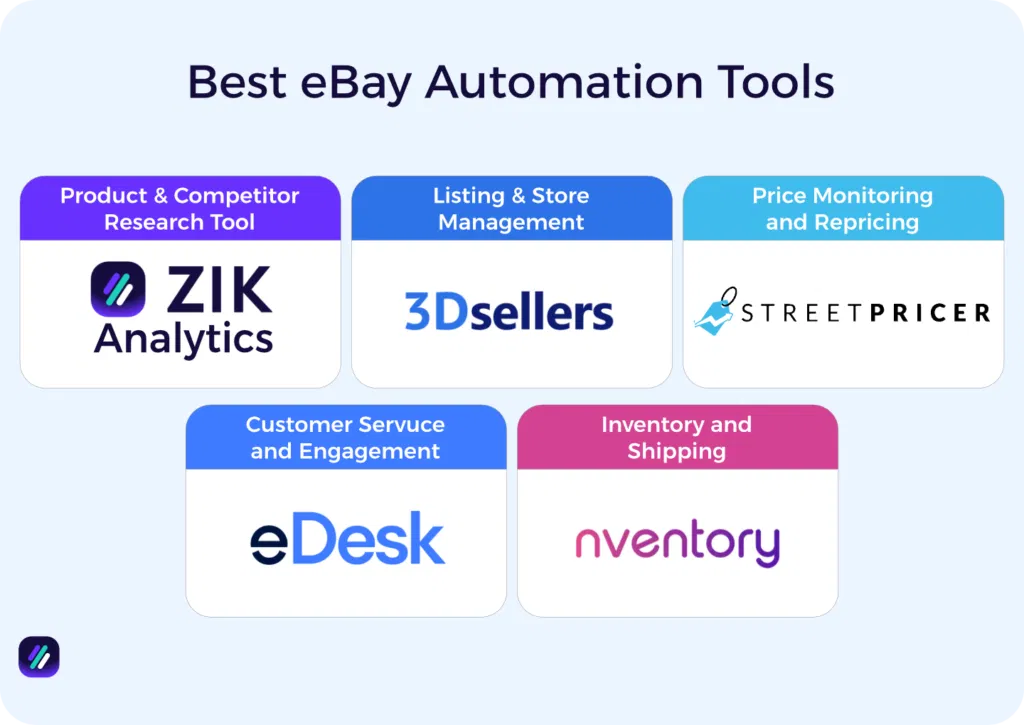
To implement eBay automation, you can use these specialized tools to streamline different parts of your business:
- For product research and competitor analysis: ZIK Analytics is the leading tool for gaining deep market insights and competitor spying. Other top choices include Terapeak (eBay’s official tool) for historical sales data and Algopix for cross-platform profit analysis.
- For listing and store management: 3Dsellers is what most eBay sellers use to speed up listing creation using AI. AutoDS is highly effective for automating product imports from suppliers. If you want to to manage multiple accounts and get professional templates, inkFrog is the ideal option.
- For price monitoring and repricing: StreetPricer or RepricerExpress allow you to automatically adjust your prices based on competitor activity. Yaballe also offers built-in repricers that sync with supplier stock and costs.
- For customer service and engagement: eDesk lets you manage customer queries or internal communications with a unified inbox across multiple stores. 3Dsellers works better for automated feedback reminders and customer autoresponders.
- For inventory and shipping: Ecomdash is the tool of choice for syncing stock levels across different marketplaces like Amazon and eBay.
Pros and Cons of Selling on eBay
Selling on eBay offers a range of benefits that are not attainable via direct selling.
However, it also comes with a few disadvantages that you should weigh before committing to the platform.
Here’s a table that breaks down the pros and cons of selling on this marketplace:
| Category | Pros | Cons |
| Marketplace & Audience | Access to millions of active buyers in over 190 countries without building your own traffic. | Popular categories get saturated fast, leading to price wars and thinner margins. |
| Selling Flexibility | Choose auction-style listings for competitive bidding or “Buy It Now” for predictable pricing. | Final prices aren’t guaranteed with auctions, so you might get less than you hoped for. |
| Ease of Use & Tools | Easy interface and streamlined listing process make it simple to get started. | Crafting listings, handling customer service, and managing shipping takes serious time. |
| Costs & Payments | Minimal startup costs and up to 1,000 free listings per month. | Insertion fees, final value fees, and other charges can eat into your profits. |
| Control & Brand | Secure transactions give both buyers and sellers peace of mind. | Storefront customization is pretty restricted compared to your own website. |
| Support & Policies | Large, experienced seller community ready to help with tips and advice. | Dispute resolution often favors buyers, which increases your risk. |
| Logistics | Discounted shipping labels and Global Shipping Program simplify logistics. | You’re responsible for packaging, shipping, and dealing with returns. |
Find Your First Products with ZIK Analytics
ZIK Analytics has a suite of tools to help budding eBay sellers find and list winning items without wasting time on manual research.
However, I want to highlight three tools that make finding your first products simple and fast:
- eBay Product Research Tool shows you which items are selling right now. Search for keywords and filter by sales, price, and condition to identify profitable products in your dropshipping niche.
- eBay Market Insights gives you a real-time view of trending eBay keywords and products. See which niches are generating revenue and spot seasonal demand before competitors catch on.
- eBay Competitor Research Tool lets you spy on successful sellers. Enter their username to see monthly revenue, sold items, and top products. Learn from what’s already working in your niche.
You can also use eBay Autopilot to automate product discovery with custom filters, and the 500 Best Selling eBay Items tool to see what’s trending across different regions in the last 48 hours.
Selling on eBay doesn’t have to be complicated or overwhelming. Get your ZIK Analytics trial today and start finding products that are already proven to sell.
Frequently Asked Questions About Selling on eBay
In this section, I’ll answer the questions people frequently ask about selling on eBay.
How to sell on eBay from a different country?
Selling on eBay from a different country requires you to either allow international shipping from your home country or list products directly on the international eBay site. You cannot change the registration country on an existing eBay account with managed payments. If you’ve permanently moved to a new location, you may need to create a new eBay account for selling.
How do I sell on eBay for the first time?
To sell on eBay for the first time, create a free personal account and link your bank details. Once approved, create a listing by taking high-quality images, choosing a competitive price, setting up shipping, and entering item specifics. Communicating with buyers and providing great service after a sale can help build your seller reputation on eBay.
How much money does it cost to sell on eBay?
It usually costs around 13.6% of your sale price plus $0.30-$0.40 per order to sell on eBay. Fees vary depending on the category, with niches like jewelry carrying a 15% fee, whereas categories like heavy equipment are charged less. You can list up to 250 items per month for free before these fees apply.
Related Content for Selling on eBay
If you are selling on eBay, you might want to check out our related posts below.
- How to sell 100 items a day on eBay
- Selling Books on eBay
- Selling Jewelry on eBay
- Selling Digital Products on eBay
- Selling multiple items on one listing
- How to make money on eBay